
Utilities Windows
Spooky View
Adjust window transparency and keep selected windows always on top with Spooky View, a free, open-source Windows utility. WPF applications are not supported.
- Operating system
- Windows; publisher states Windows XP and newer for the application
- Architecture
- x64
- Download package
- MSI installer
This link is the x64 build. The application-wide XP statement does not establish this MSI’s exact minimum Windows version. Separate x86 and ARM64 builds are available; publisher recommends ARM64 for Windows 10/11 ARM PCs.
Link checked · Download guidance
What is Spooky View?
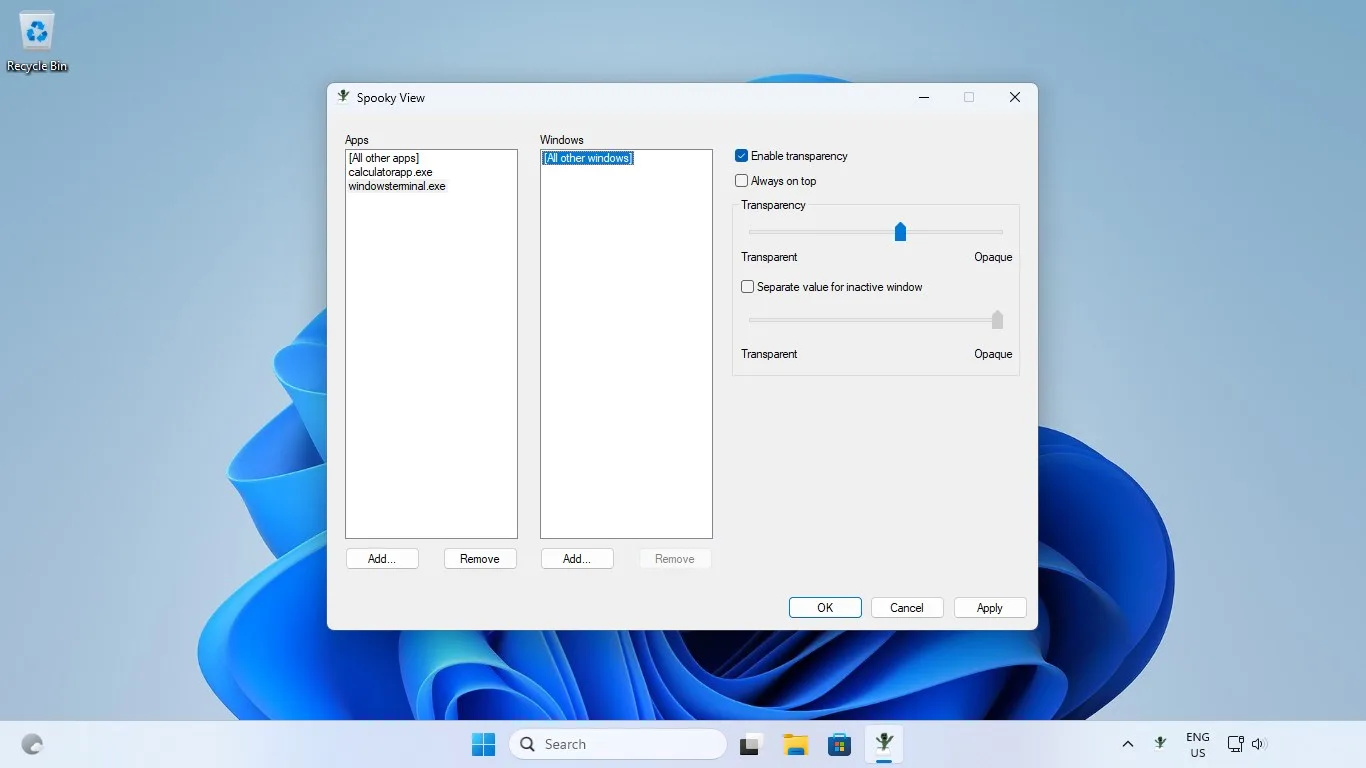
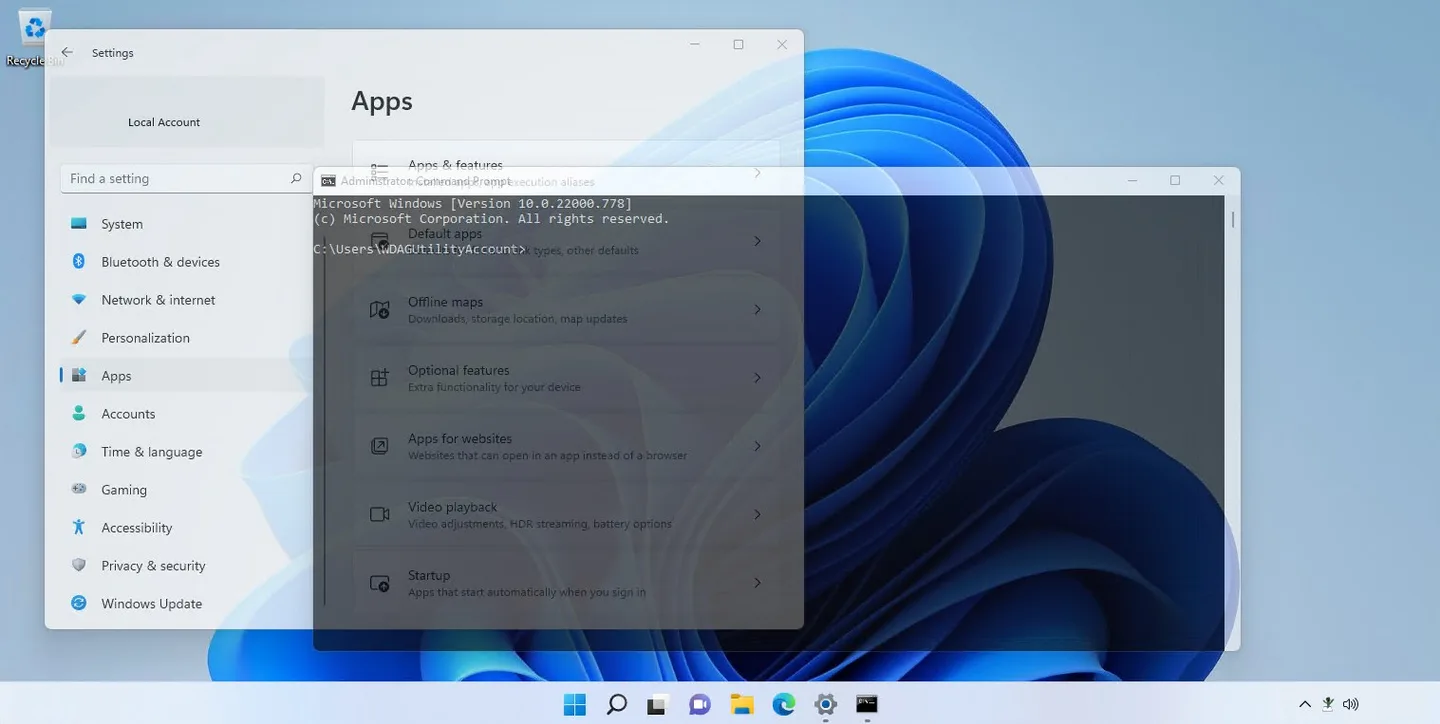
Spooky View changes how selected application windows appear on your Windows desktop. Use it to see content behind a window without minimizing it, or keep a reference window above other apps. Its controls let you select apps and individual windows, enable transparency and adjust an opacity slider. A separate setting can give an inactive window a different transparency value.
Version 1.1.0 adds hotkey support, an always-on-top option and an optional full-transparency setting. Hotkeys are enabled and displayed in the Settings dialog; the publisher also documents keyboard navigation through the app’s dialogs.
The linked download is the publisher’s x64 MSI installer, not the portable build or Microsoft Store package. Choose x64 for 64-bit Windows so that x64 applications can also be made transparent. Separate x86 and ARM64 releases are available from the publisher; Windows 10 or 11 on ARM should use the ARM64 build instead.
Transparency is not universal: the publisher lists WPF apps as unsupported. Some windows may remain transparent after Spooky View exits; restart the affected application to restore its normal appearance. Controlling elevated applications requires running Spooky View as administrator. These are documented limitations, not results of an installation or hands-on software test.
What it offers
- Select apps and individual windows, then adjust their transparency with an opacity slider.
- Set a separate transparency value for inactive windows.
- Keep selected windows always on top.
- Enable hotkeys and optional full transparency in Settings.
- For MSI and portable editions, enable startup at login through the notification-area Settings menu.
Good to know
- Windows Presentation Foundation (WPF) applications cannot be made transparent.
- Some applications may not become opaque when Spooky View stops; restart the affected apps to restore them.
- Administrator privileges are required to change windows belonging to elevated applications.
Product images
Sources
References used for this listing. Retrieval dates do not indicate hands-on testing.
More in utilities
View category ↗
Rainmeter 4.5.28
Add movable desktop skins for hardware meters, clocks and other widgets with Rainmeter, a free, open-source Windows customization tool.
Actual Title Buttons 8.15.4
Add title-bar controls to Windows applications for always-on-top, transparency, roll-up, tray minimization and moving windows between monitors. Actual Title Buttons offers a 60-day trial.
ClocX 1.6.0
Keep an analog clock on your Windows desktop with ClocX, a free utility with configurable clock faces, transparency, alarms and a simple calendar.
WindowTop 5.32.6
Keep a window above other apps with WindowTop for Windows. It also offers transparency, window-switching Anchors and Pro picture-in-picture tools.

GridMove
Arrange Windows application windows in preset or custom desktop grids with GridMove, a window-management utility with keyboard shortcuts and multi-monitor support.