
Utilities Windows
Sumka Quick Launcher
Open programs, documents, folders and websites from configurable Windows launcher panels. Sumka supports keyboard shortcuts, mouse controls and launching a group of items together.
- Operating system
- Windows Vista named by publisher; Windows 7 referenced in changelog
- Architecture
- Not specified by publisher
- Download package
- EXE installer
Windows 10 and Windows 11 compatibility is not established by the sources. No installation or runtime test was performed.
Link checked · Download guidance
What is Sumka Quick Launcher?
Sumka Quick Launcher puts shortcuts into configurable panels so you can open frequently used programs and documents without returning to their original folders. Assign a keyboard shortcut or mouse combination to call a panel, then use the mouse wheel to move between panels. Website buttons open in your default browser, while document buttons use the associated application.
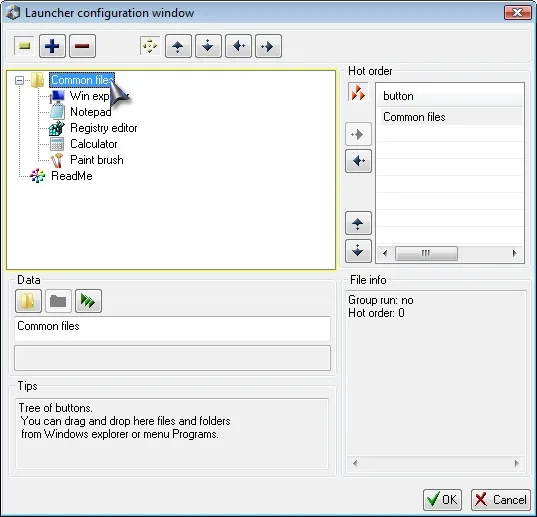
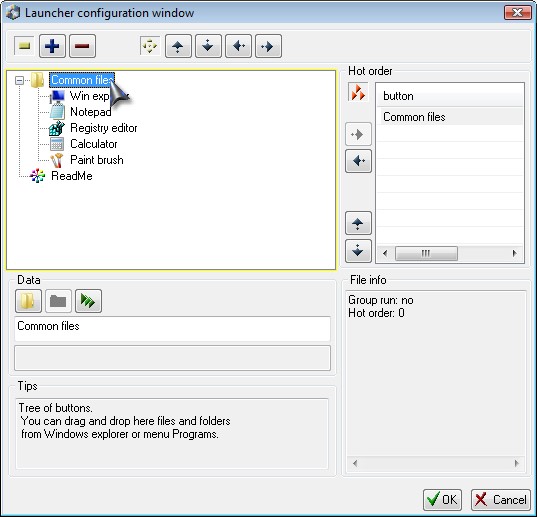
For a recurring work setup, create a panel with the Group Run option and add the programs and documents you want to open together. The configuration window lets you add, remove and reorder buttons; individual button properties include captions, icons, commands and parameters. Button skins and panel backgrounds can also be changed.
DeskEx lists version 2.2.1.10 and says Sumka became freeware with version 2.2.1.7. Its documentation is legacy: the product page names Windows Vista and the changelog mentions a Windows 7 icon fix, but these sources do not establish Windows 10 or Windows 11 compatibility. The linked installer has been checked by HTTP HEAD only, not installed or tested.
What it offers
- Organize shortcuts to programs, documents, folders and websites in launcher panels.
- Call panels with a keyboard shortcut or mouse combination and switch panels using the mouse wheel.
- Use a Group Run panel to open a chosen set of programs and documents with one action.
- Add, remove and reorder buttons, with configurable captions, icons, commands and parameters.
- Customize button skins and panel backgrounds.
Good to know
- The publisher's legacy documentation does not confirm Windows 10 or Windows 11 compatibility or identify the installer architecture.
- The installer was not executed; a successful HTTP HEAD check does not establish installation success or application behavior.
Product images
Sources
References used for this listing. Retrieval dates do not indicate hands-on testing.
More in utilities
View category ↗Executor 2.4.5
Launch Windows apps, files, folders and websites with typed keywords, indexed results and hotkeys. Executor also provides clipboard history and quick calculations.

Listary 6.3.5.94
Find files and folders, launch apps and switch folders in open/save dialogs with Listary for Windows. Free for personal use; commercial use requires Pro.
Mednafen 1.32.1
Emulate classic consoles on Windows with Mednafen, a command-line emulator with remappable controls, save states and game rewinding.
CLaunch 4.26
Launch programs from a tabbed button panel, hotkeys or mouse actions with CLaunch, a free Windows launcher with keyword search and portable ZIP options.
WinLaunch
Organize Windows apps, files, folders and links in a Launchpad-style grid with WinLaunch, a free, open-source application launcher.