
Utilities Windows
SuperPuTTY
Organize PuTTY connections in tabs, save window layouts and manage RDP sessions with SuperPuTTY, a free, open-source Windows session manager.
- Operating system
- Windows 10 and 11 listed in project documentation
- Architecture
- 32-bit and 64-bit Windows listed; source project is AnyCPU
- Download package
- MSI installer
Version 1.5.0.0 source targets .NET Framework 4.8. PuTTY is a separate dependency. Installer architecture and installation behavior were not tested.
Link checked · Download guidance
What is SuperPuTTY?
SuperPuTTY brings multiple PuTTY terminal windows into a tabbed, dockable workspace. It is useful when you switch between several remote machines and want saved connections and window layouts in one place. You can import existing PuTTY sessions, export session settings and assign keyboard shortcuts rather than organize each terminal window separately. RDP sessions are also supported.
For the PuTTY workflow, install PuTTY separately and set its executable location under Tools > Options (F2). The same dialog selects the settings folder used for session and layout data. File transfers through the documented PSCP integration require the separate pscp.exe tool. The download here is the publisher's version 1.5.0.0 MSI installer; the release also offers a portable ZIP.
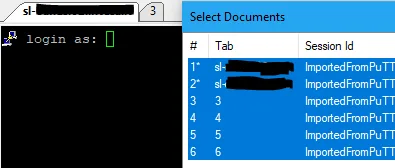
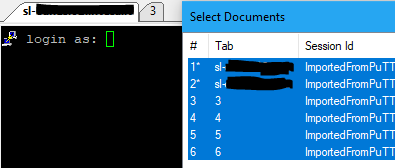
SuperPuTTY manages the workspace around PuTTY; it is not a replacement for PuTTY itself. The 1.5.0.0 source project targets .NET Framework 4.8, despite older minimum-framework claims in the wiki. Windows 10 and 11 are listed in the documentation, but this entry does not claim installation testing on either. The historical screenshot shows a cropped terminal and Select Documents list from version 1.4.0.9, not a tested capture of the linked release.
What it offers
- Arrange PuTTY connections in a tabbed, dockable workspace.
- Import and export session configurations for reuse or backup.
- Save and restore layouts of sessions and tab locations.
- Manage RDP sessions alongside terminal connections.
- Configure keyboard shortcuts and optionally use PSCP for remote file transfers.
Good to know
- PuTTY is required separately for PuTTY sessions; optional PSCP transfers also need pscp.exe.
- The 1.5.0.0 source targets .NET Framework 4.8; older wiki requirements should not be treated as this release's exact minimum.
- Linux operation through Mono or Wine is explicitly unsupported by the project documentation.
Product images
Sources
References used for this listing. Retrieval dates do not indicate hands-on testing.
- SuperPuTTY Application — official repository README ↗Retrieved
- SuperPuTTY — official Documentation ↗Retrieved
- Stable SuperPuTTY 1.5.0.0 Release — official GitHub API ↗Retrieved
- Duplicated entry in Select document window — issue 749 ↗Retrieved
- SuperPuTTY - Download ↗Retrieved
- SuperPuTTY MIT License ↗Retrieved
- SuperPuTTY 1.5.0.0 tagged project — framework and platform ↗Retrieved
More in utilities
View category ↗
WinSSHTerm 2.43.2
Organize remote SSH sessions in tabs and split panes with WinSSHTerm, a free Windows interface for PuTTY with WinSCP file transfer and VcXsrv integration.
MobaXterm 26.6
Manage SSH terminals, transfer files with SFTP and display remote X11 applications on Windows with MobaXterm Home Edition, a free remote-access toolbox with session limits.

mRemoteNG 1.76.20
Manage RDP, VNC and SSH sessions in one tabbed Windows interface with mRemoteNG, a free, open-source remote connections manager.

PuTTY 0.85
Open SSH, Telnet and serial terminal sessions with PuTTY, a free Windows client with saved connection settings and session logging.
KeePassRDP 2.3
Launch Windows Remote Desktop connections from KeePass entries, choose stored credentials and configure connection options with this plugin for KeePass 2.x.