
Utilities Windows
SyncTrayzor
Manage Syncthing from the Windows tray with SyncTrayzor, a free desktop wrapper with an embedded interface, sync alerts and a file-transfer progress window.
- Operating system
- Windows 10 or newer
- Architecture
- x64; separate ARM64 builds available
- Download package
- EXE installer
Selected download is SyncTrayzorSetup-x64.exe, version 2.2.0. Standalone ZIP packages are also offered. No 32-bit builds are offered by the v2 project.
Link checked · Download guidance
What is SyncTrayzor?
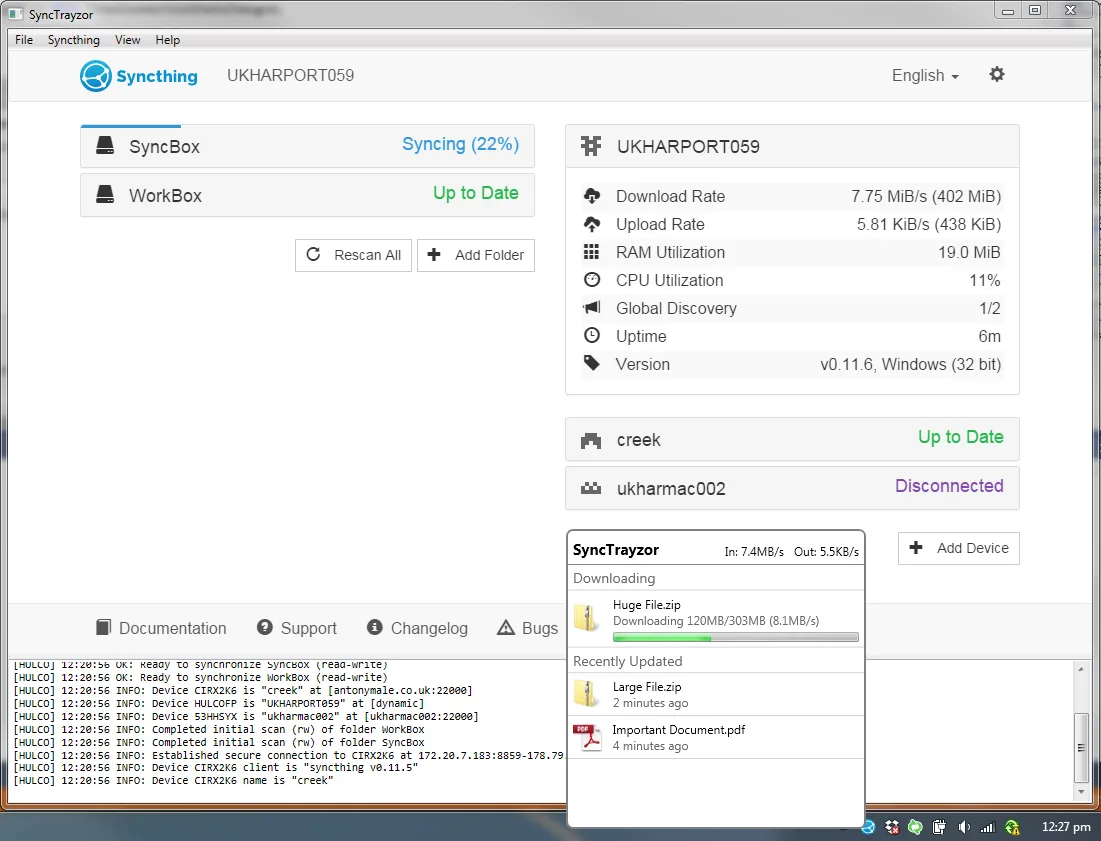
SyncTrayzor hosts Syncthing in a Windows application so you can manage synchronization without opening a separate browser. Its tray icon shows synchronization activity, while notifications report folder completion, conflicts and device connections. A transfer-progress window makes ongoing downloads visible, and the conflict-resolution tool helps you work through conflicting files. Syncthing remains the underlying file-synchronization engine; SyncTrayzor supplies the desktop integration.
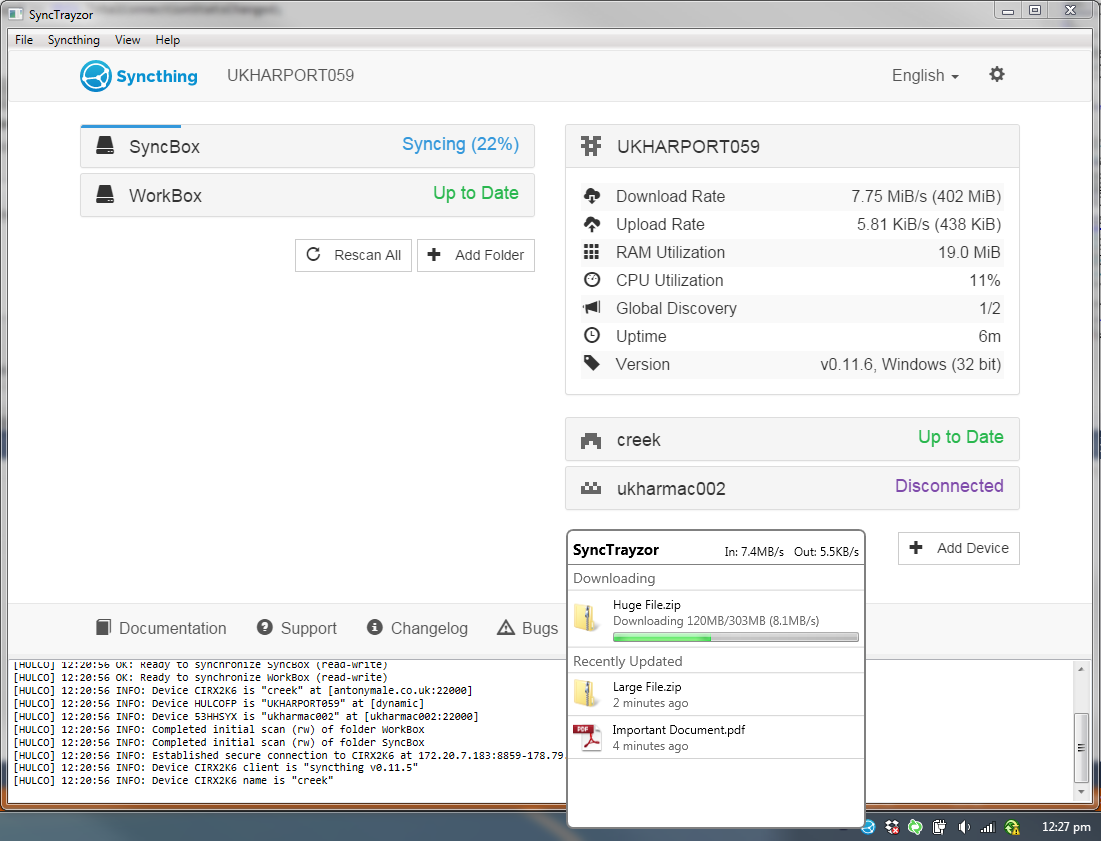
This download is the Windows x64 installer for GermanCoding's SyncTrayzor v2 continuation. Antony Male's original project is unmaintained and directs users to this continuation. The current project requires Windows 10 or newer and offers separate ARM64 and portable packages, but no 32-bit builds. Installed and portable editions store their settings differently: preserve the portable data folder when manually upgrading. The publisher-provided screenshot below illustrates an older interface, not a capture of version 2.2.0 or a compatibility test.
What it offers
- Manage Syncthing through an embedded browser inside a Windows desktop window.
- See synchronization activity in the tray icon and individual transfers in a progress window.
- Receive alerts for file conflicts, out-of-sync folders, completed synchronization and device connections.
- Use the included file-conflict resolution tool.
- Optionally start on login and pause devices on metered networks.
Good to know
- SyncTrayzor v2 requires Windows 10 or newer; 32-bit builds are no longer offered.
- SyncTrayzor is a wrapper, not a replacement synchronization engine: device-connection and file-sync problems may need Syncthing troubleshooting.
- SyncTrayzor controls Syncthing's GUI Listen Address and API Key; customize those values through SyncTrayzor settings.
- Manual portable upgrades require carrying the existing data folder into the new installation.
Product images
Sources
References used for this listing. Retrieval dates do not indicate hands-on testing.
- SyncTrazor - Download — historical discovery listing ↗Retrieved
- GermanCoding/SyncTrayzor — continued v2 project README ↗Retrieved
- canton7/SyncTrayzor — original project maintenance notice ↗Retrieved
- Release 2.2.0 — official release notes ↗Retrieved
- Official GitHub release metadata and asset URLs for v2.2.0 ↗Retrieved
- SyncTrayzor MIT License and copyright notices ↗Retrieved
More in utilities
View category ↗
Syncthing 2.1.7
Synchronize folders between your own computers with Syncthing, a free, open-source file sync tool. This download is the Windows x64 ZIP with a browser-based interface.
BluetoothView 1.70
Monitor nearby Bluetooth devices, view detection times and receive new-device alerts with BluetoothView, a portable freeware utility for Windows.
Getleft 1.2
Download website files with Getleft, a free, open-source website grabber. This Windows entry links to the legacy version 1.2 full installer.
BitMeter II
Monitor upload and download speeds, review traffic history and set usage alerts with BitMeter II, a freeware bandwidth meter for Windows.
Slitheris Network Discovery 1.2.42
Discover network devices from Windows, inspect operating-system and device-type hints, and export scan results with Slitheris. Free use covers 50 devices; larger networks require a paid license.