
Utilities Windows
TI Connect
Transfer data, update calculator operating systems and send apps from a Windows PC to supported TI graphing calculators with free TI Connect software.
- Operating system
- Windows XP Professional SP3, XP Tablet PC Edition, 7, 8 and 8 Pro
- Architecture
- Publisher lists compatibility with 32-bit and 64-bit operating systems
- Download package
- English EXE installer
800 MHz CPU, 256 MB RAM, 100 MB disk, 800×600 display; USB port and TI Connectivity Cable USB (silver) or direct USB cable. Windows 10/11 not listed; installer architecture not independently established.
Link checked · Download guidance
What is TI Connect?
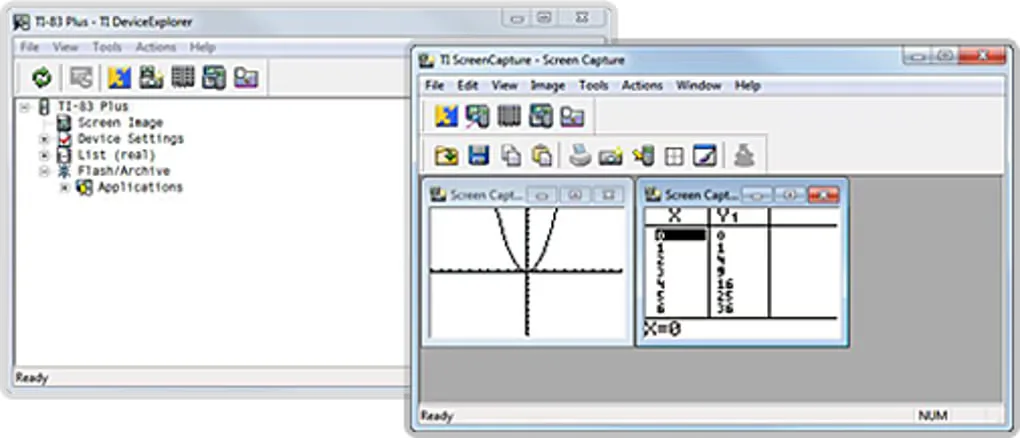
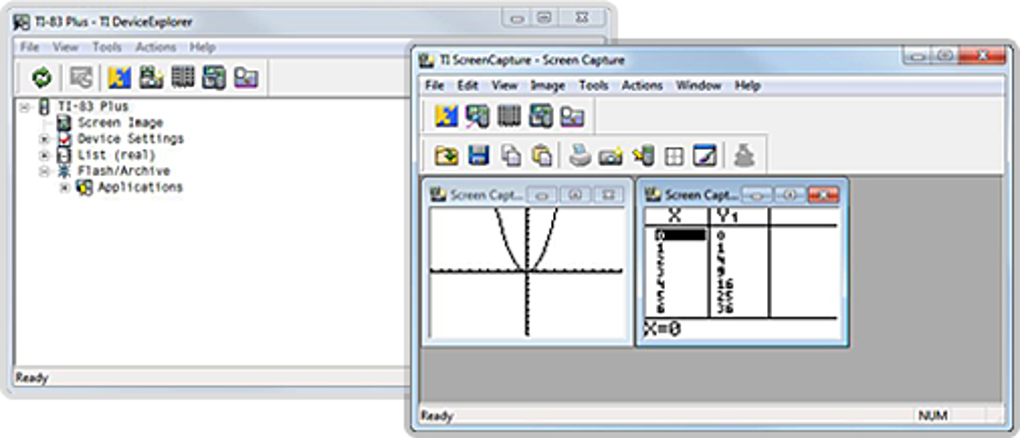
TI Connect links a Windows computer to supported Texas Instruments graphing calculators. It is a companion for a physical calculator: use it to transfer data, update the calculator operating system and send calculator applications. The publisher describes the software as free.
Check the exact calculator model before choosing this legacy package. Texas Instruments lists the TI-73 Explorer, TI-83, TI-83 Plus family, TI-84 Plus and TI-84 Plus Silver Edition, TI-86, TI-89 and TI-89 Titanium, TI-92 and TI-92 Plus, Voyage 200, and CBL 2 for the Windows edition. Its product page also directs TI-84 Plus family users to consider the separate TI Connect CE application; this download is TI Connect, not TI Connect CE.
The documented Windows requirements are old: XP Professional SP3, XP Tablet PC Edition, Windows 7, Windows 8 and Windows 8 Pro. The publisher lists compatibility with 32-bit and 64-bit operating systems, an 800 MHz processor, 256 MB RAM, 100 MB disk space and an 800 × 600 display. A USB port and a TI Connectivity Cable USB (silver) or direct USB cable are also required. Windows 10 and Windows 11 are not listed on that requirements page, so compatibility with those systems is not established here.
The linked English EXE is the publisher catalog’s TI-Connect-4.0.0.218.exe package. Its URL returned HTTP 200 with an application/octet-stream MIME type in a HEAD-only check. That confirms the download endpoint, not installation, calculator connectivity or software safety; the installer was not downloaded or run.
What it offers
- Transfer data between a Windows computer and supported TI graphing calculators.
- Update a supported calculator’s operating system.
- Send calculator software applications (Apps) to a supported graphing calculator.
- Use one connectivity package for the calculator models listed by the publisher.
Good to know
- Publisher Windows requirements list XP, 7 and 8 editions only; Windows 10 and 11 compatibility is not established by the cited page.
- Requires a supported physical calculator and an appropriate USB connection; not every TI calculator model is listed.
- TI Connect CE is a separate application. Check the publisher’s version guidance for your calculator before choosing this legacy package.
Product images
Sources
References used for this listing. Retrieval dates do not indicate hands-on testing.
More in utilities
View category ↗Solve Elec 2.5
Draw AC and DC electrical circuits, inspect voltage and current formulas, and explore graphs with Solve Elec, a free educational circuit-analysis tool for Windows.

GeoGebra
Graph functions, build geometric constructions and explore algebra with GeoGebra for Windows. This download is the publisher's GeoGebra Classic 6 offline installer, free for non-commercial use.

LocalSend 1.18.2
Send files and text from Windows to nearby devices over your local network with LocalSend, a free, open-source alternative to cloud file sharing.
Dukto R6
Transfer files, folders and text between devices on the same local network with Dukto R6, a free, open-source Windows utility that is no longer maintained.
Winpinator 0.1.2
Send files and folders across your local network with Winpinator, an unofficial Windows port of Linux Mint's Warpinator.