
Utilities Windows
Winpinator
Send files and folders across your local network with Winpinator, an unofficial Windows port of Linux Mint's Warpinator.
Version 0.1.2 · Direct publisher file
Link checked · Download guidance
What is Winpinator?
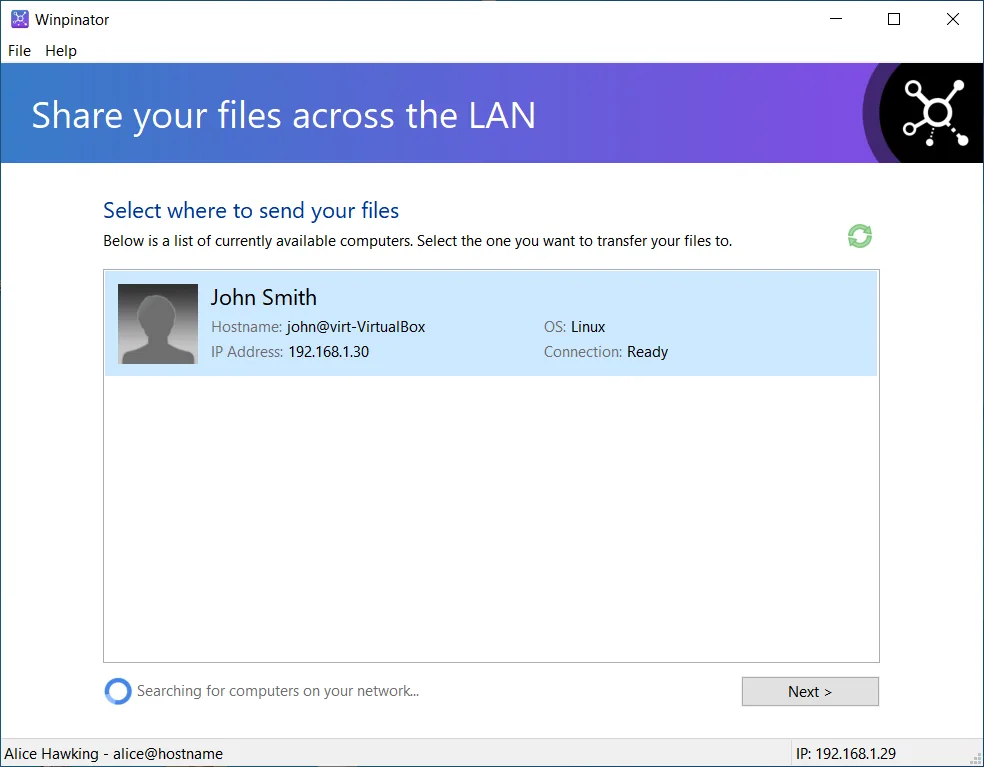
Winpinator connects a Windows PC to Warpinator clients on the local network so you can send and receive files or whole folders. It discovers nearby clients through mDNS and supports Warpinator registration protocols v1 and v2. Windows Explorer's Send to menu and drag-and-drop support provide ways to select files without working at a command prompt.
Transfer history records transferred paths, while background operation and toast notifications let you notice incoming files without leaving the main window open. The application also supports deflate compression during transfers.
This download is the publisher's Windows x64 EXE installer for version 0.1.2, released on February 18, 2022; an x86 installer is listed separately. Its release notes say the installer checks the Microsoft Visual C++ Redistributable and requires an update when that component is too old. This is an older release, not a claim of current Windows or Warpinator compatibility. Windows filesystem differences mean some Linux behavior, including file permissions, must be emulated rather than preserved natively.
What it offers
- Discover Warpinator clients on the local network through mDNS.
- Send and receive files, folders or a combination of both.
- Select files through drag-and-drop or Windows Explorer's Send to menu.
- Keep transfer history, including transferred file paths.
- Run in the background with incoming-file toast notifications and optional transfer compression.
Good to know
- Windows filesystem differences require emulation of some Linux behavior, including file permissions.
- Version 0.1.2 dates from February 2022; current Windows-version support and interoperability with current Warpinator releases have not been verified.
- The installer may require an update to an older Microsoft Visual C++ Redistributable.
Product images
Sources
References used for this listing. Retrieval dates do not indicate hands-on testing.
More in utilities
View category ↗ElectronMail 5.3.10
Manage ProtonMail accounts on your desktop with ElectronMail, an unofficial open-source client with local message storage, full-text search and email export.
Mouse Server
Use an Android phone or iPhone as a mouse, keyboard and touchpad for a Windows PC with Mouse Server, the desktop companion to WiFi Mouse.

HTerm 0.8.9
Send and inspect serial-port data in ASCII, hexadecimal, decimal or binary with HTerm for Windows, with file transfers and configurable port settings.

LiveTcpUdpWatch 1.59
See live TCP and UDP activity by process on Windows, including addresses, ports, traffic counters and connection times, with NirSoft’s portable freeware utility.


LocalSend 1.18.2
Send files and text from Windows to nearby devices over your local network with LocalSend, a free, open-source alternative to cloud file sharing.