
Utilities Windows
Typesy
Practice touch typing on Windows with Typesy's adaptive lessons, video instruction and progress reports. The desktop app requires an existing Typesy account.
- Operating system
- Windows; minimum version not specified in reviewed publisher sources
- Architecture
- Not specified by the reviewed publisher sources
- Download package
- EXE installer
Existing Typesy account required. The publisher describes cloud synchronization; offline operation was not established.
Link checked · Download guidance
What is Typesy?
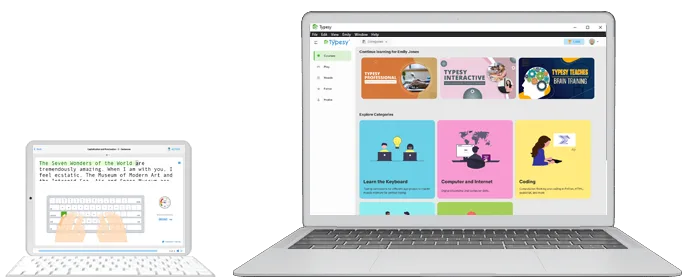
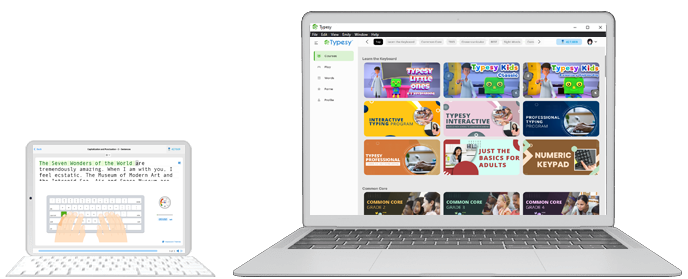
Typesy teaches touch typing through guided courses, practice activities and video instruction. It suits learners who want a structured program rather than an isolated speed test: the publisher describes lessons that adapt to progress, typing-speed goals and reports for reviewing learning over time. Typing games and keyboard themes provide additional ways to practise.
The Windows installer linked here is the publisher's Typesy-23.8.1.exe package for existing users. Downloading the app does not create an account or provide a free standalone license. New users should choose an appropriate plan with Typesy first; the Individuals offering is a paid subscription with a trial.
Typesy also synchronizes account data and course progress between supported devices through the cloud. Its menus and courses are in English, although the publisher says users can import typing exercises in other left-to-right languages. The sources reviewed do not identify a minimum Windows build or the installer architecture, so neither is asserted here.
What it offers
- Follow typing courses that combine video instruction with practice activities.
- Use adaptive lessons and recommended typing-speed goals based on current ability.
- Review learning progress in reports covering daily, weekly, monthly or yearly activity.
- Practise with typing games and customize keyboard themes or dark mode.
- Synchronize account data and course progress between supported devices.
Good to know
- The downloadable apps only work for existing Typesy users; the Windows installer is not a free standalone license.
- Menus and courses are in English, even when imported typing exercises use another supported language.
- The reviewed publisher pages do not specify a minimum Windows build or installer architecture.
Product images
Sources
References used for this listing. Retrieval dates do not indicate hands-on testing.