
Utilities Windows
Windhawk
Customize Windows programs with Windhawk mods for taskbar behavior, Start menu styling and other targeted changes, managed from one interface.
Version 1.7.3 · Direct publisher file
Link checked · Download guidance
What is Windhawk?
Windhawk is a free, open-source platform for installing and configuring small customization modules for Windows programs. Rather than replacing an entire application, a mod changes a particular behavior or interface element. Its catalog includes taskbar and Start menu customizations, while developers can create and share their own mods in source-code form.
Choose it when an existing program lacks a specific setting and a compatible mod provides that change. Windhawk handles process injection and function hooking for mod authors; this is deeper integration than a collection of ordinary Windows settings. Individual mods can conflict or stop working after Windows or application updates, so compatibility must be checked for the particular customization rather than assumed for the whole catalog.
This entry links to the publisher's standard Windows EXE installer for stable version 1.7.3. The publisher also lists a separate offline installer. The 2.0 alpha releases are a different release track; their newer features are not presented here as features of 1.7.3.
What it offers
- Browse customization modules and manage installed mods from one application.
- Install and configure targeted changes to supported Windows programs.
- Use available taskbar and Start menu mods rather than replacing the whole desktop.
- Develop and share source-code mods using Windhawk's injection and hooking infrastructure.
Good to know
- Mod compatibility is specific to the target program and Windows version; major updates and conflicting mods can require troubleshooting.
- Windhawk changes running programs through process injection and hooking. Treat each mod as code running in its target, not merely a cosmetic preference.
- Softonic reports occasional antivirus false positives; this entry does not independently certify any security alert as harmless.
Start with the behavior you want to change
Look for a mod that addresses a concrete task, such as changing taskbar mouse behavior or styling the Windows 11 Start menu. Read that mod's description and compatibility requirements before installing it. A Windows 11 mod name is not a promise that every Windows 11 build is supported.
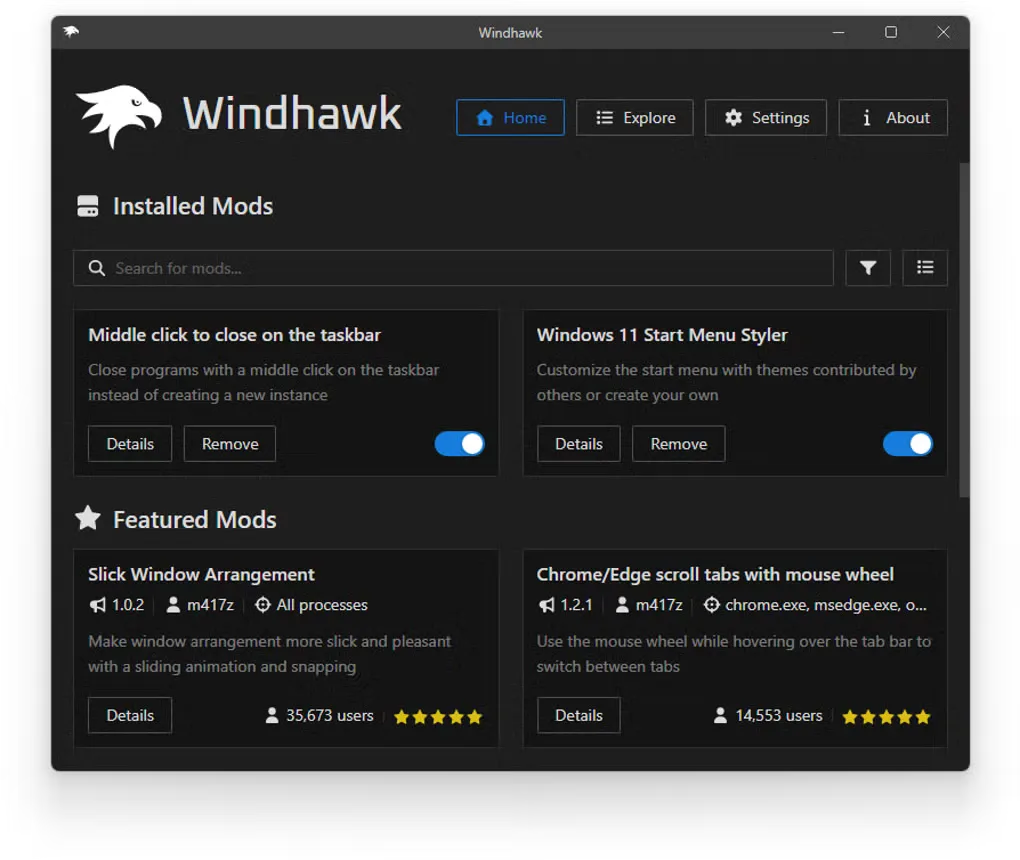
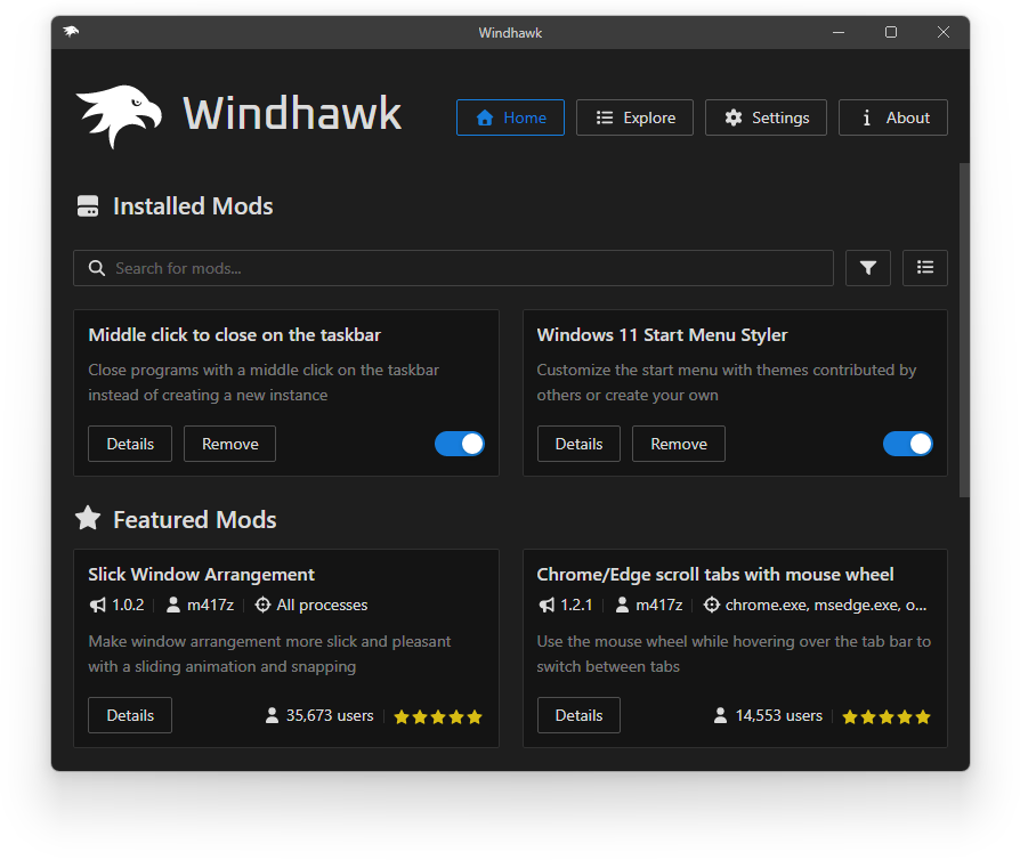
The supplied screenshot shows installed mods with Details, Remove and enable controls, plus a separate Featured Mods area. It illustrates the management workflow, not an installation or compatibility test performed for this entry. Its exact application version is not established.
Keep changes individually reversible
As an editorial precaution, introduce one mod at a time so that a new problem has a smaller set of possible causes. If behavior changes unexpectedly, use the individual enable control or remove that mod before adding more customizations. Softonic reports conflicts and issues following major updates; reversibility is not a guarantee that every change is risk-free.
The download is stable 1.7.3, not the 2.0 alpha
The publisher dates 1.7.3 to December 8, 2025 and describes a fix for Windhawk loading and immediately unloading in sandboxed processes. Softonic's February 24, 2026 update date is its listing date, not this release's publication date. The download below is windhawk_setup.exe; the separate offline package is not the selected file.
Product images
Sources
References used for this listing. Retrieval dates do not indicate hands-on testing.
- Windhawk - Download — protected JavaScript-disabled browser observation ↗Retrieved
- Windhawk — official project README and license ↗Retrieved
- Windhawk, the customization marketplace for Windows programs — publisher announcement ↗Retrieved
- Windhawk v1.7.3 — official stable release ↗Retrieved
- Windhawk v1.7.3 — publisher-linked assets ↗Retrieved
More in utilities
View category ↗
HiddeX 2.5 build 22
Hide selected Windows applications from the desktop and taskbar without closing them. HiddeX is a portable freeware utility with keyboard and mouse shortcuts.

Desktop Goose 0.31 (Windows)
A deliberately disruptive desktop pet by samperson that steals the pointer, leaves muddy tracks and brings notes and memes onto your Windows screen.
Hidden Windows 10 Features 1.3.1
Customize This PC, taskbar and context-menu settings with Hidden Windows 10 Features, a free registry-settings utility for Windows 10.
StartAllBack 3.9.28
Restore a classic Start menu and customize the taskbar, File Explorer and context menus on Windows 11 with StartAllBack.
Start11 2.8.1.0
Replace and personalize the Windows 10 or 11 Start menu with classic layouts, custom sections, taskbar controls and local search options.