
Utilities Windows
7-PDF Printer
Create PDFs from printable Windows documents with 7-PDF Printer. The Community Edition is free for up to ten installs or named users; server deployment and advanced features require paid editions.
- Operating system
- Windows 10 and 11; Windows Server 2016, 2019, 2022 and 2025
- Architecture
- 64-bit operating systems supported; selected ZIP has no architecture label
- Download package
- Community Edition ZIP archive
Publisher requires Ghostscript 9.56 or later. Server OS support does not grant free Citrix, RDP, Terminal Server or shared-printer licensing. No installation or compatibility test performed.
Link checked · Download guidance
What is 7-PDF Printer?
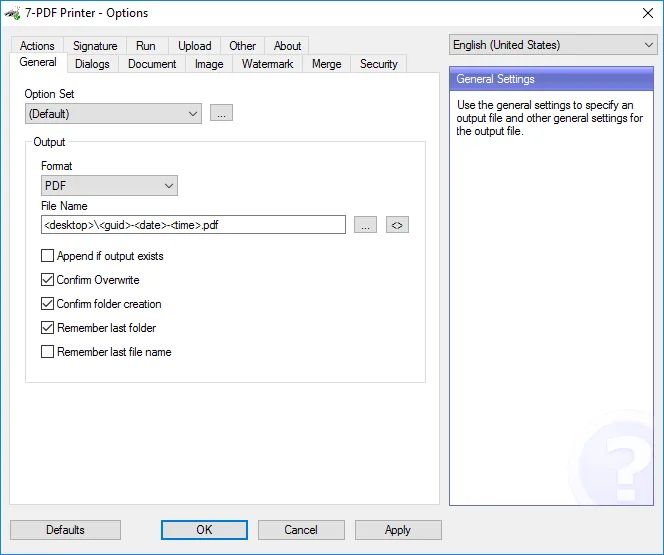
7-PDF Printer adds a PDF output destination to Windows applications that can print. It suits turning a document into a PDF without first exporting it from the original application. Its Options window lets you choose an output format and filename, control overwrite prompts and remember the last output folder. The publisher also documents image output formats such as PNG, JPEG and TIFF.
The linked download is the Community Edition ZIP, not the Professional or Expert package. Community use is free for personal and commercial work within the publisher's limit of ten installs or ten named users. Features advertised for the wider product family are not all included in that free edition. Citrix, Terminal Server, RDP and shared PDF printer deployment require Professional or higher. Using features outside the licensed edition can add a footer watermark or reduce graphics and background resolution.
The publisher currently links build 14.3.0.2961 and dates that build to July 28, 2023 in its changelog. Its headline calls the same build 'Version 2027'; that label is not a separate verified release. The current requirements list Windows 10, Windows 11 and specified Windows Server releases, plus Ghostscript 9.56 or later. This entry follows those publisher requirements rather than the older Windows 7 listing on Softonic.
What it offers
- Create PDF documents through the print function of Windows applications.
- Configure output filenames, overwrite confirmation and folder prompts in the Options window.
- Choose alternative output formats including PNG, JPEG and TIFF; capabilities vary by edition.
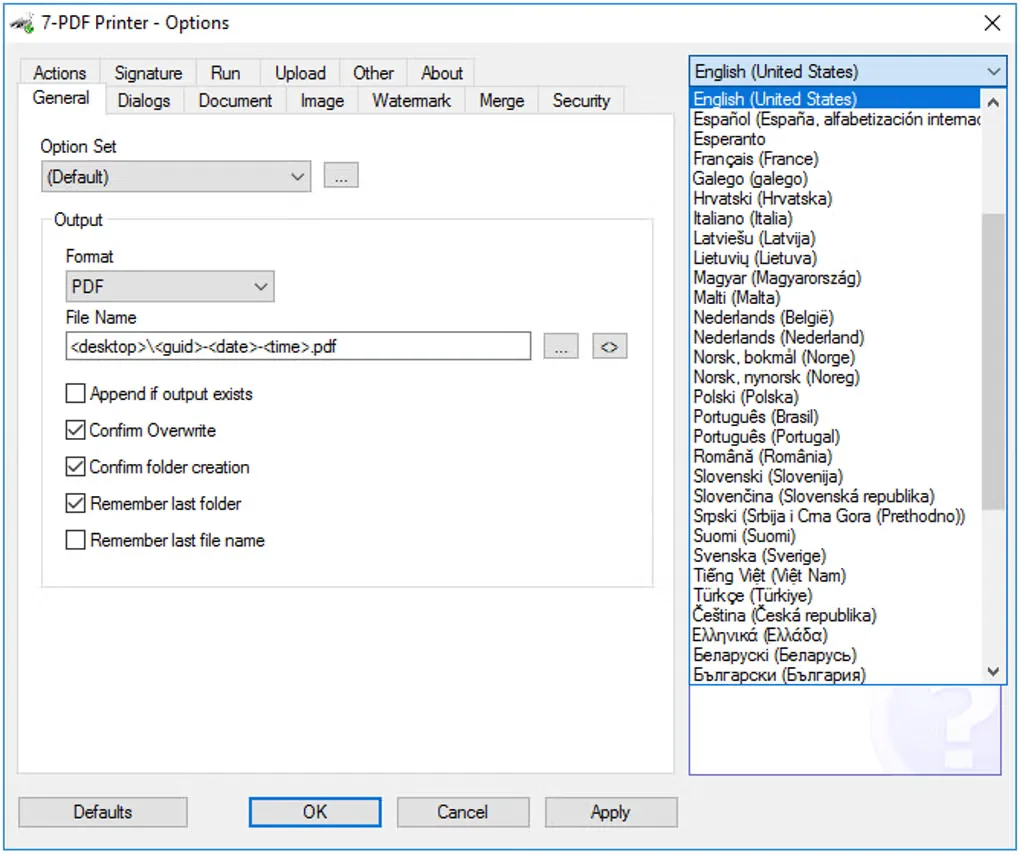
- Use a multilingual interface with configurable output option sets.
Good to know
- Free Community use is limited to ten installs or ten named users; larger use requires paid licensing.
- Citrix, Terminal Server, RDP and shared PDF printer deployment require Professional Edition or higher.
- Advanced features vary by edition. Unlicensed higher-edition functions may add a footer watermark or reduce graphics and background output to 150 dpi.
- Ghostscript 9.56 or later is required. The publisher's current Windows requirements do not list Windows 7.
Product images
Sources
References used for this listing. Retrieval dates do not indicate hands-on testing.
More in utilities
View category ↗Doro PDF Writer 2.27
Create color PDFs through a Windows application's Print command with Doro PDF Writer, a free virtual printer with metadata and password-protection options.

PDF24 Creator 11.31.1
Create PDFs from printable documents, merge or extract pages, compress files and recognize scanned text with this free offline Windows toolkit.
clawPDF 0.9.3
Create PDFs, OCR output and image files with clawPDF, an open-source virtual printer for Windows with reusable profiles and network printing.
Scanitto Pro 3.19
Scan paper documents through a TWAIN scanner, recognize text and save searchable multi-page PDFs with Scanitto Pro for Windows. The commercial application offers a 30-day trial.
DirPrintOK 7.69
Print folder contents and directory trees, choose file-detail columns, or export lists to XLS, HTML, CSV and TXT with DirPrintOK for Windows.