
Multimedia & graphics Windows
AnimaShooter Junior
Capture webcam frames for stop-motion animation, compare poses with onion skinning and export animated WebP or image sequences with free AnimaShooter Junior for Windows.
- Operating system
- Windows 7, 8, 8.1, 10 and 11 (publisher requirements for Junior 3)
- Architecture
- Publisher lists x86 and x86_64 for Windows Junior 3; exact installer architecture unconfirmed
- Download package
- EXE installer
Publisher minimum: 1.6 GHz CPU, 3 GB RAM, internet connection and supported camera. No installation or camera compatibility test performed.
Link checked · Download guidance
What is AnimaShooter Junior?
AnimaShooter Junior is a free stop-motion application for building animation one frame at a time with a webcam. It suits tabletop scenes with figures, drawings or clay: capture a pose, move the subject and capture the next frame. Onion skinning provides a reference between frames, while RAM-preview lets you review the developing sequence without first exporting it.
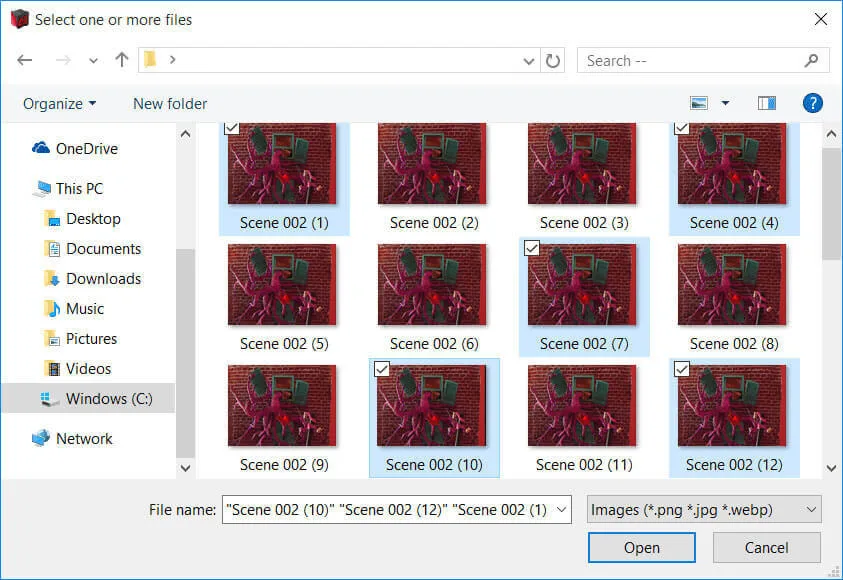
The timeline supports duplicating, copying and moving individual frames or groups. You can also import existing JPG, PNG and WebP images rather than capture every frame inside the program. Export the result as an animated WebP, or save an image sequence for work elsewhere. The publisher's comparison table lists JPG, PNG, TIFF, WebP and BMP sequence output for Junior.
Choose Junior for webcam-based capture and frame editing, not for every capability advertised across the AnimaShooter range. Junior does not import video or export conventional video formats such as AVI, WebM and OGV; its listed animation output is WebP. Direct Canon DSLR control belongs to the Capture edition, not Junior. If your destination needs a video file, plan around Junior's image-sequence output rather than assuming it includes the paid editions' video export.
The publisher lists Windows 7, 8, 8.1, 10 and 11 for Junior 3, with a 1.6 GHz processor, at least 3 GB of RAM, an internet connection and a supported camera. These are published requirements, not a hands-on compatibility test. The linked Windows package is an EXE installer; its processor architecture has not been independently inspected.
What it offers
- Capture stop-motion frames from a webcam, with onion skinning and RAM-preview.
- Duplicate, copy and move single frames or groups on the timeline.
- Import JPG, PNG and WebP images for frame-by-frame animation.
- Export animated WebP or JPG, PNG, TIFF, WebP and BMP image sequences.
- Use automatic time-lapse capture, rotoscope tools and an exposure sheet.
Good to know
- Junior does not import video or export AVI, WebM, OGV and other conventional video formats; animated WebP and image-sequence output are listed instead.
- Direct Canon DSLR camera support is exclusive to AnimaShooter Capture; Junior is intended for webcams and supported video-capture devices.
Product images
Sources
References used for this listing. Retrieval dates do not indicate hands-on testing.
More in multimedia & graphics
View category ↗Dragonframe 2026.07.4
Capture stop-motion animation with live-view comparison, frame timing tools and dialogue tracks in Dragonframe for Windows. A 30-day trial is available, with permanent watermarks on trial captures.
Stykz 1.0.2 Build 222
Create frame-by-frame stick-figure animations with Stykz, a free Windows animator with onion skins, editable figures and animated GIF export. This legacy release has no built-in sound support.

Pencil2D 0.7.2
Draw frame-by-frame 2D animations with Pencil2D, a free, open-source Windows application with a keyframe timeline, onion skinning and bitmap drawing tools.

LibreSprite 1.3
Draw pixel art and animate sprites with LibreSprite, a free, open-source editor with layers, frames, onion skinning and tiled drawing. This download is the Windows x64 installer.


Aseprite 1.3.18.6 (trial)
Draw pixel art and animate sprites with layers, frame tags and onion skinning in Aseprite for Windows. The linked trial cannot save files.