
Utilities Windows
AnyCam
View multiple IP cameras and record their streams on Windows 10 or later. AnyCam supports ONVIF, RTSP and MJPEG cameras, with paid editions limited by camera count.
- Operating system
- Windows 10 and later
- Architecture
- Not specified in the inspected publisher sources
- Download package
- EXE installer
Camera connection requires a supported ONVIF, RTSP or HTTP MJPEG stream. Version and release date are not established by the inspected sources.
Link checked · Download guidance
What is AnyCam?
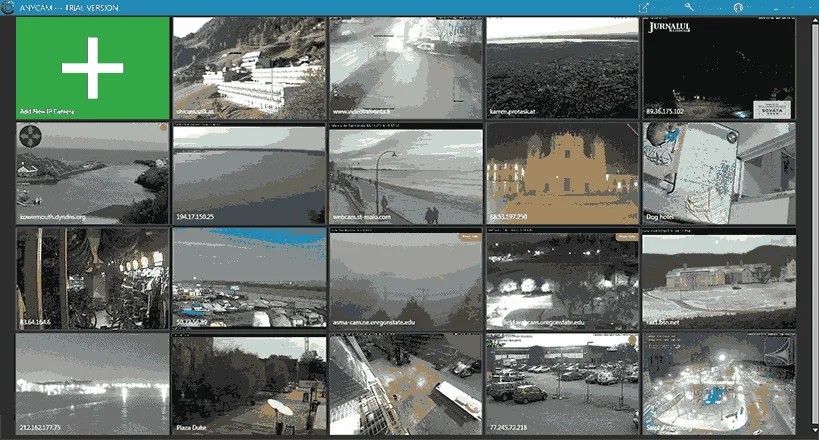
AnyCam brings IP camera streams into one Windows application for live monitoring and video recording. Add a camera by its IP address or domain name, then choose a single-camera view, a video wall, one-to-many viewing or a slideshow. Supported connections include ONVIF, RTSP streams using H.264, H.265 or MPEG-4, and HTTP MJPEG streams.
Recording can run continuously, on a schedule or when motion is detected. A built-in calendar helps find recorded clips by date. Set the recording storage location and archive duration in the camera settings; the publisher says older recordings are deleted when the configured archive limit is exceeded as a new clip starts.
Choose an edition by the number of cameras you need: the publisher lists Home for four cameras, Standard for eight and Pro for 32. These are paid, one-time-purchase editions. Pan, tilt and zoom controls require a camera that supports those functions and an ONVIF connection. The download below is the publisher-linked Windows EXE installer; its binary response was checked with HEAD only, not downloaded, installed or tested.
What it offers
- Connect cameras through ONVIF, RTSP (H.264, H.265 or MPEG-4) or HTTP MJPEG streams.
- View cameras singly, in a video wall, in one-to-many mode or as a slideshow.
- Record continuously, on a schedule or in response to motion.
- Find recorded clips through a built-in calendar and choose recording storage settings.
Good to know
- Paid editions have camera limits: Home supports 4, Standard 8 and Pro 32.
- Pan, tilt and zoom controls require an ONVIF connection and a camera that supports them.
- Older recordings are deleted when the configured archive limit is exceeded as a new clip begins.
- The publisher specifies Windows 10 or later; older Windows support is not established.
Product images
Sources
References used for this listing. Retrieval dates do not indicate hands-on testing.
More in utilities
View category ↗FlexASIO 1.10b
Connect ASIO audio applications to Windows audio devices with FlexASIO, a free universal driver supporting WASAPI, DirectSound, MME and Kernel Streaming.
ProScan 24.15
Program supported Uniden radio scanners, record audio and control a scanner remotely with ProScan for Windows. The full application has a 30-day trial before paid activation.

Monosnap
Capture screenshots, annotate images and record your screen with Monosnap for Windows, with local saving and optional cloud sharing.
Gaia Sky 3.9.2
Explore stars, planets and galaxies in 3D with Gaia Sky, a free astronomy visualization tool for Windows with an integrated scientific dataset manager.

Snagit 2026.4.0
Capture scrolling pages, annotate screenshots and turn on-screen steps into visual guides with Snagit for Windows, a paid application with an evaluation trial.