
Multimedia & graphics Windows
AnyMP4 Screen Recorder
Record a Windows screen region with system sound and microphone audio, capture webcam video and annotate demonstrations. This commercial recorder offers a limited unregistered trial.
- Operating system
- Windows 11, 10, 8 and 7, as listed by the publisher
- Architecture
- Not specified by the consulted publisher pages
- Download package
- Windows EXE installer
The Windows publisher download is selected. No installation or recording-performance testing was performed.
Link checked · Download guidance
What is AnyMP4 Screen Recorder?
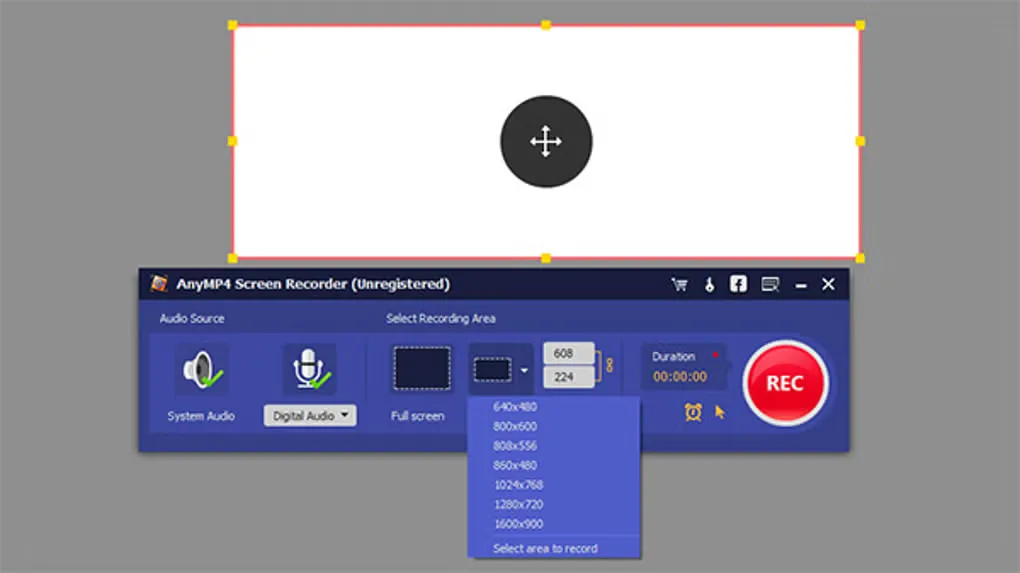
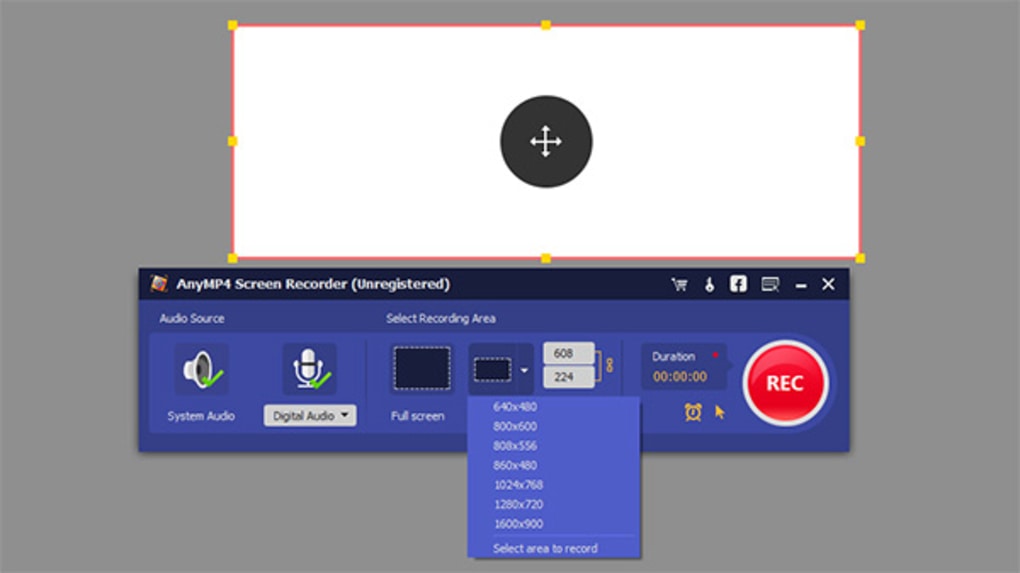
AnyMP4 Screen Recorder captures desktop activity for tutorials, demonstrations and other recordings that need both on-screen actions and spoken explanation. Choose the whole screen, a fixed-size area or a selected window, then enable system sound, the microphone or both. Webcam and game recording modes are also described by the publisher.
For a narrated walkthrough, the publisher’s Windows guide starts in Video Recorder: choose the recording area, select the audio inputs and press REC. During capture, drawing tools can add arrows, text and callouts. Stopping opens a preview where recordings can be reviewed; editing availability depends on registration.
The free download is a trial of commercial software, not an unrestricted free recorder. The publisher’s guide says registration is required to record more than three minutes of video or clip video/audio before saving. The download below is the publisher-linked Windows EXE; its current build number and CPU architecture were not established by the consulted pages.
What it offers
- Capture the full screen, a fixed-size region or a selected window.
- Select system sound, microphone audio or both for a recording.
- Use webcam and gameplay recording modes.
- Add arrows, text and callouts during screen recording.
- Set recording hotkeys and scheduled recording tasks.
Good to know
- The publisher’s guide requires registration for video recordings longer than three minutes and for clipping video/audio before saving.
- The selected publisher EXE has no current build number or CPU architecture confirmed by the consulted pages.
Product images
Sources
References used for this listing. Retrieval dates do not indicate hands-on testing.
More in multimedia & graphics
View category ↗OpenScreen 2.1.2
Record a window or display, add zooms and cursor effects, and export a product demo with OpenScreen, a free, open-source screen recorder and editor for Windows.
ActivePresenter 10.6.2
Record your screen, webcam and audio, then edit tutorial videos in ActivePresenter for Windows. Free use has non-commercial and feature restrictions.
Screenify
Record your Windows screen, webcam and audio with Screenify, a free recorder with live annotations, noise reduction and basic video trimming.

ScreenToGif 2.43.2
Record a screen region, webcam feed or sketchboard, then edit and export the recording as a GIF or video with ScreenToGif for Windows.

Bandicam Screen Recorder 27.0.7.2687
Record your Windows desktop, games, webcam or audio with Bandicam. The free edition limits each recording to five minutes; paid activation removes the time limit.