
Utilities Windows
Multi-Page TIFF Editor
Reorder, annotate and extract pages from multipage TIFF documents on Windows. Multi-Page TIFF Editor also supports scanning and TIFF/PDF conversion; its demo cannot edit documents longer than five pages.
- Operating system
- Windows 7, 8, 10 and 11; Windows Server 2003, 2008, 2012, 2016, 2019 and 2022
- Architecture
- Publisher requires an x86 or x64 processor; installer architecture not independently identified
- Download package
- EXE demo installer
Publisher lists at least 512 MB RAM. Platform requirements are publisher claims, not installation test results.
Link checked · Download guidance
What is Multi-Page TIFF Editor?
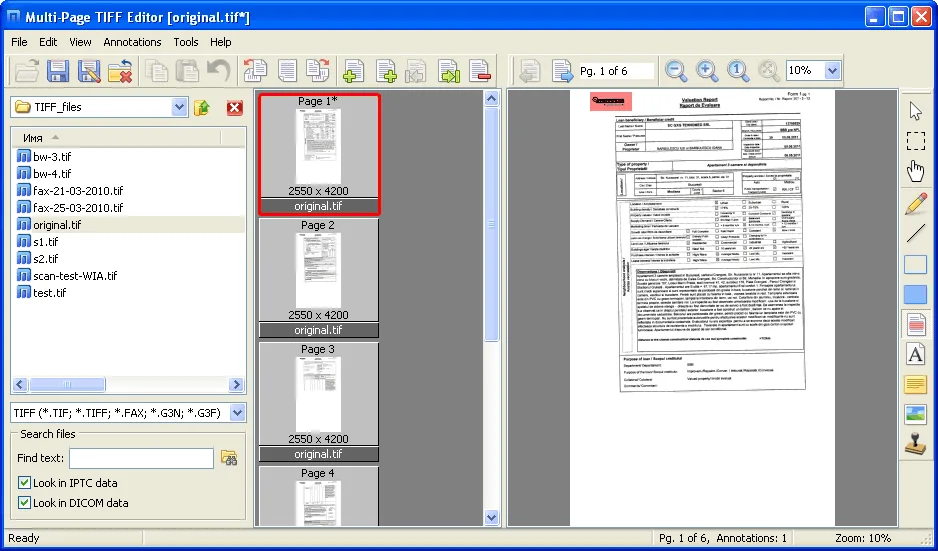
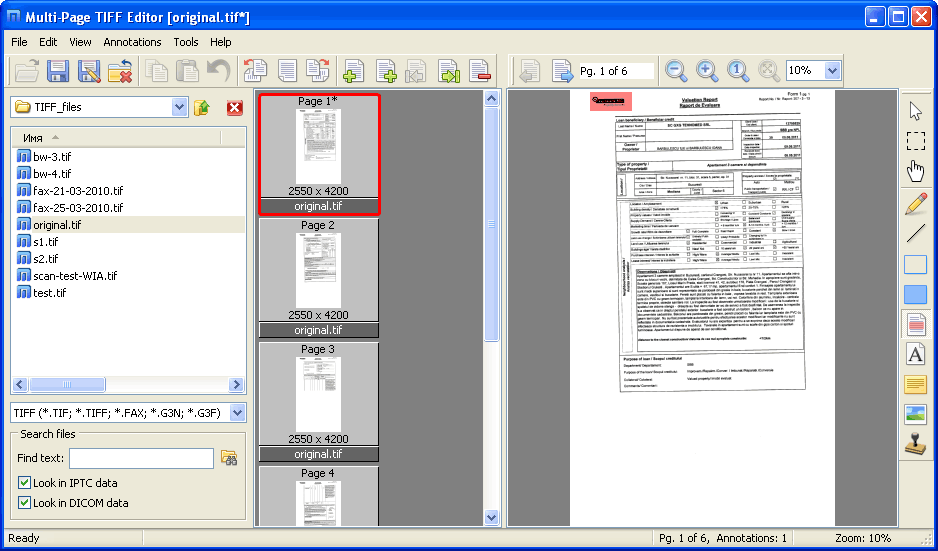
Multi-Page TIFF Editor is a Windows document utility for working with scanned pages stored together in a TIFF file. Add, remove, rotate, replace or extract pages, and drag thumbnails to change their order. Annotation tools let you add text, sticky notes, highlights and stamps without turning page management into a separate graphics-editing task.
The publisher also lists TWAIN/WIA scanning, an internal bitmap editor, IPTC/XMP metadata editing and search, OCR output to RTF, and batch TIFF/PDF conversion. Its PDF editing workflow is raster-based: it converts PDF pages to TIFF for editing and back to PDF, rather than promising native PDF text or layout editing.
The linked download is the publisher's demo installer, not a free full edition. The demo has no evaluation time limit, but its license prohibits editing documents containing more than five pages. Home licensing is for personal use; business use requires the appropriate business edition. The publisher lists TIFF file support up to 4 GB, which is a documented limit rather than a tested capacity claim.
What it offers
- Add, delete, rotate, replace, extract and drag-reorder pages in multipage TIFF documents.
- Annotate pages with text, sticky notes, highlights, freehand marks and predefined stamps.
- Scan multiple pages into TIFF through TWAIN or WIA interfaces.
- Convert between TIFF and PDF, with batch converters and raster-based PDF editing.
- Edit and search IPTC/XMP metadata; use OCR to export recognized pages to RTF.
Good to know
- The demo cannot be used to edit documents containing more than five pages, although evaluation has no time limit.
- Standard Home licensing is personal-use only; company or organizational use requires business licensing.
- PDF editing is raster-based, not native PDF text and layout editing.
- The publisher lists TIFF read/write support up to 4 GB; larger-file support is not established.
Product images
Sources
References used for this listing. Retrieval dates do not indicate hands-on testing.
More in utilities
View category ↗FM JPG To PDF Converter Pro 2.03
Combine JPG, PNG and other bitmap images into single-page or multi-page PDFs on Windows, with batch processing, layout previews and page-margin controls.
Scanitto Pro 3.19
Scan paper documents through a TWAIN scanner, recognize text and save searchable multi-page PDFs with Scanitto Pro for Windows. The commercial application offers a 30-day trial.

NAPS2 8.6.0
Scan documents to PDF, TIFF, JPEG or PNG with NAPS2 for Windows. Rearrange pages, crop scans and add searchable text with OCR in this free, open-source scanning app.
AutoPlay Menu Builder 9.1
Design CD and DVD launcher menus on Windows with a visual editor. AutoPlay Menu Builder can open programs, documents and movies; its shareware trial adds a nag screen to created menus.
Ghost Trap 1.6.10.07
Convert PostScript and PDF files to images from the Windows command line with Ghost Trap, a Ghostscript distribution that adds Chromium-based process sandboxing.