
Utilities Windows
Nero CoverDesigner
Design and print custom CD, DVD and Blu-ray disc labels, case inlays and booklets with Nero’s free Windows cover-design tool.
- Operating system
- Windows; Softonic lists Windows 7
- Architecture
- Not specified by the cited sources
- Download package
- EXE installer
Publisher confirms Windows PC software but gives no current build/architecture matrix on this page. Windows 10/11 compatibility was not tested.
Link checked · Download guidance
What is Nero CoverDesigner?
Nero CoverDesigner creates the printed artwork that accompanies a disc: the label on the disc itself, the inlay inside its case and the booklet alongside it. It is useful for giving a personal music compilation, home-video disc or archived collection a matching set of covers without laying out every piece from scratch.
The template-led workflow is its main attraction. Softonic describes ready-made layouts that calculate margins and label placement on A4 paper, reducing the manual measuring involved in preparing a sheet for printing. Its review also describes business-card and packaging-label projects, although Nero’s own current free-software page focuses on CD, DVD and Blu-ray artwork.
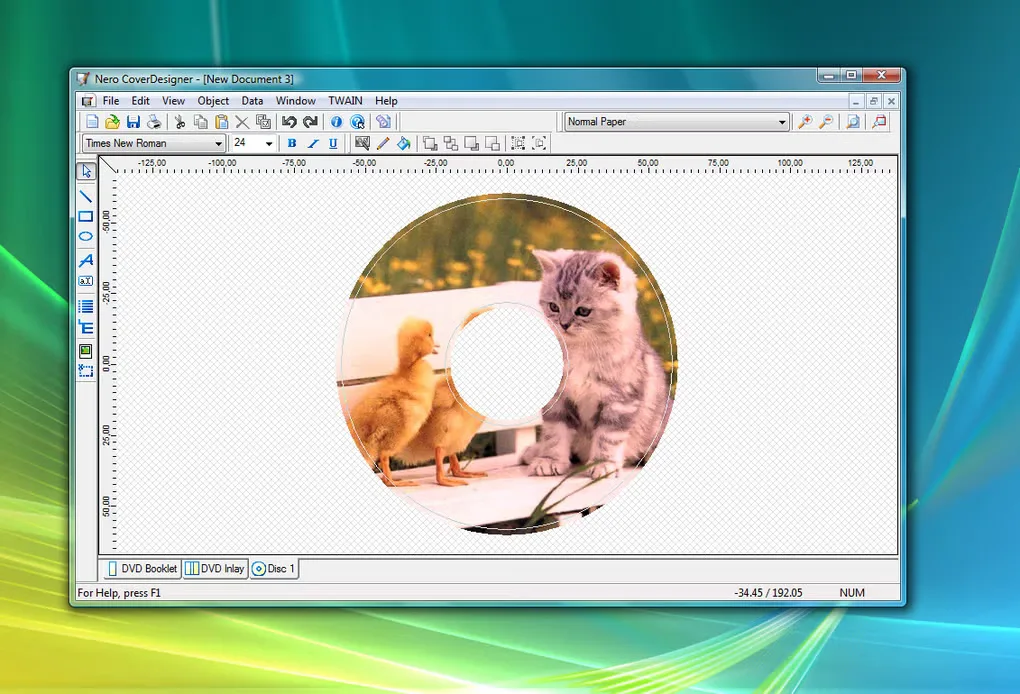
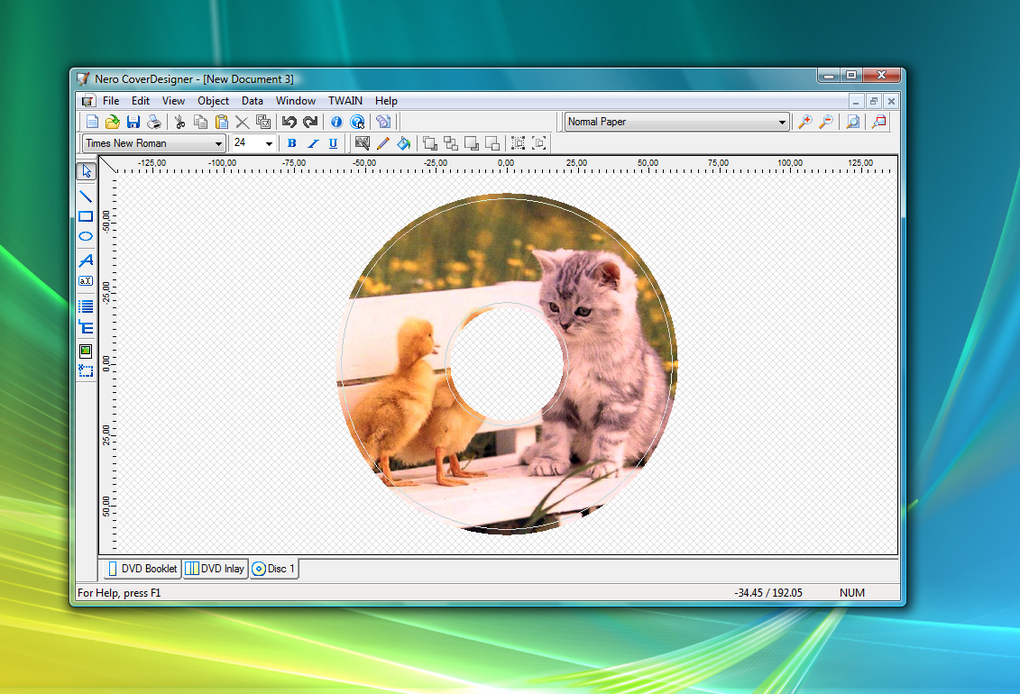
Expect a traditional desktop interface rather than a modern visual-design app: Softonic identifies the dated interface as a drawback, and the retained gallery image shows menus, toolbars and separate tabs for a DVD booklet, DVD inlay and disc label. That image is a historical product illustration, not a screenshot of an installation tested for this entry.
The linked Windows installer is reached through Nero’s official free-download link. A HEAD-only check resolved it to NeroCoverDesigner-26.5.1020.exe; no installer was downloaded or run. Softonic lists Windows 7, but the cited publisher page does not provide a current Windows-build or CPU-architecture support matrix. Windows 10, Windows 11 and ARM compatibility are therefore not confirmed here.
What it offers
- Create custom labels for CDs, DVDs and Blu-ray Discs.
- Design jewel-case inlays and accompanying booklets.
- Start from cover and label templates rather than drawing every layout from scratch.
- Use template-based margin and page-placement calculations for A4 printing.
Good to know
- Softonic notes a dated user interface; the available gallery shows a traditional menu-and-toolbar workspace.
- Current Windows-build and CPU-architecture compatibility are not specified on the cited publisher page; Windows 10, Windows 11 and ARM support were not verified.
Product images
Sources
References used for this listing. Retrieval dates do not indicate hands-on testing.
More in utilities
View category ↗
Disketch CD Labeling Software
Design CD, DVD and Blu-ray labels and jewel-case covers with Disketch for Windows. Import artwork, arrange text and print labels; the free edition is for non-commercial use only.
AudioLabel CD Label Maker 7.0 (Build 7)
Design and print CD, DVD and Blu-ray disc labels and case covers on Windows with AudioLabel's adjustable templates, image tools and AutoFit text. A 15-day trial is available.
Xreveal 3.0.0
Access DVD and Blu-ray discs through a Windows background utility, back up discs to ISO or folders, and verify Blu-ray M2TS files. Free and paid Pro editions share one installer.

WinCDEmu 4.1
Mount ISO and other optical-disc images as virtual drives in Windows Explorer, or create ISO images, with the free, open-source WinCDEmu utility.

AnyToISO Converter 3.9.8
Convert supported disk images and archives to ISO, extract their contents, or create ISO files from folders and optical discs. The free Lite edition is limited to files up to 870 MB.