
Utilities Windows
NVIDIA Profile Inspector
Edit NVIDIA driver profiles for individual Windows games and applications, back up .nip presets and access settings beyond the standard control panel.
Version 3.0.2.1 · Direct publisher file
Link checked · Download guidance
What is NVIDIA Profile Inspector?
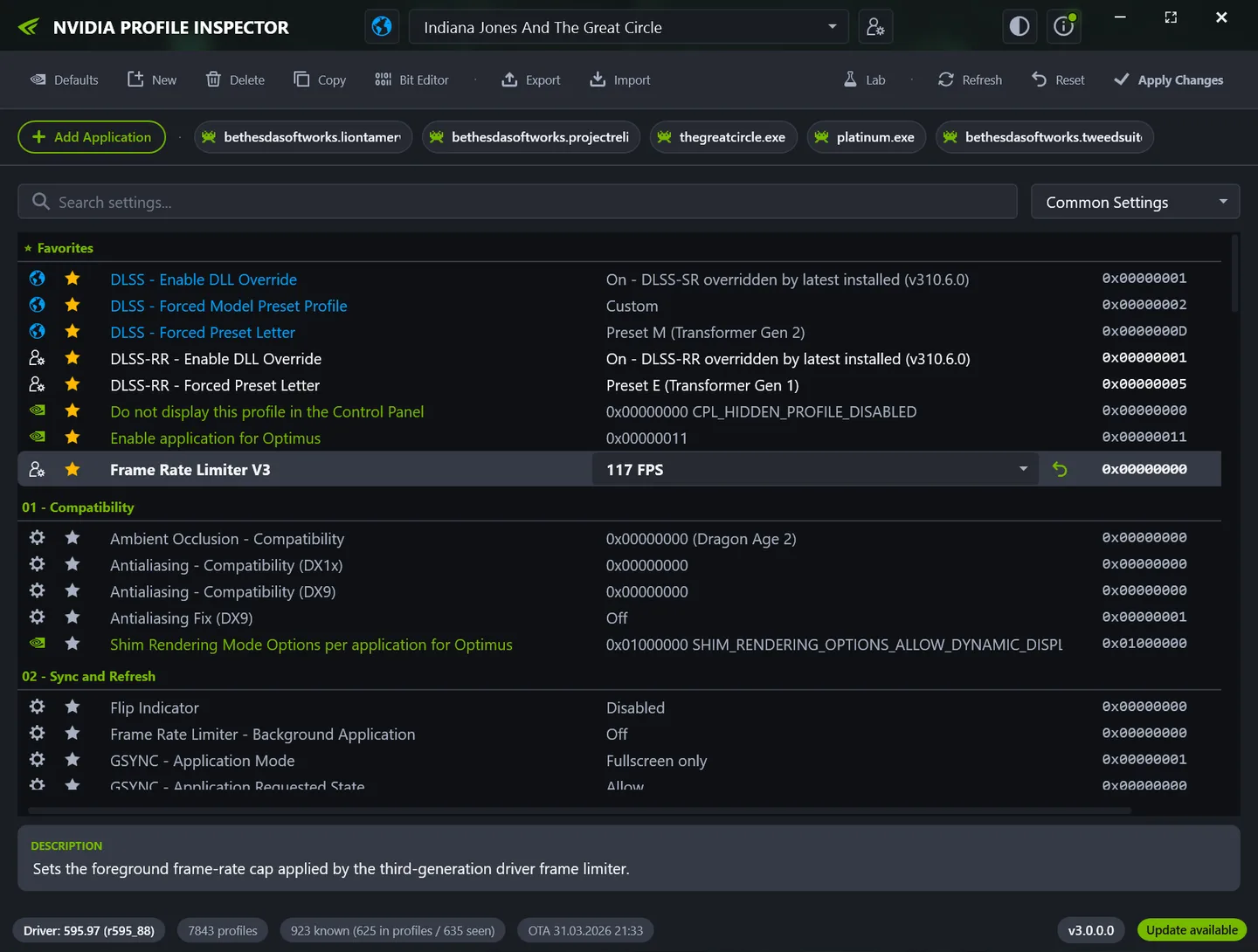
NVIDIA Profile Inspector is an advanced Windows editor for the NVIDIA driver profile database. Select a game or application profile to change driver-level options such as frame-rate limits, synchronization, texture filtering and supported DLSS overrides. It also lets you manage the executables attached to a profile, create custom profiles and work with global settings.
Search, filters and favorites help navigate the settings list; the Bit Editor exposes bitmask-style values. Export a profile or all customized profiles to .nip before experimenting, then import a saved profile or restore individual settings when you need to undo changes. Changes are written to the driver database with Apply Changes, rather than merely by selecting a different value.
The publisher distributes a ZIP archive containing nvidiaProfileInspector.exe and its supporting files. Extract it to a writable folder. The documented requirements are Windows, a supported NVIDIA GPU with a compatible display driver, .NET Framework 4.8 and administrator privileges for writing profile changes. The linked archive is release 3.0.2.1; it is not an NVIDIA driver installer.
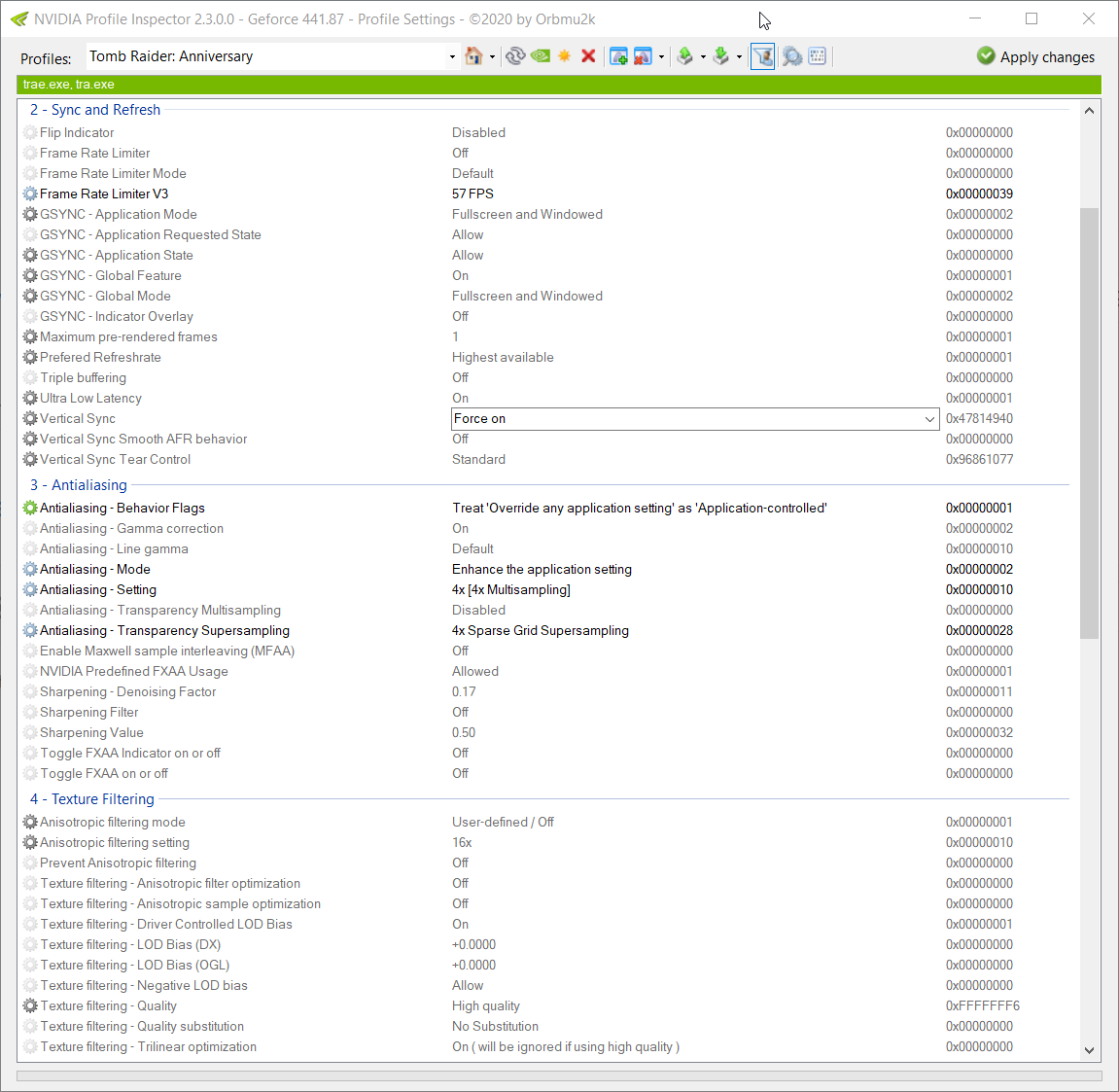
Hidden or undocumented entries are not universal optimizations. Some are experimental, deprecated or tied to a particular driver version, and a value that helps one game may do nothing or cause problems elsewhere. DLSS-related entries also depend on driver support. The publisher screenshot illustrates the interface from an earlier 3.x build, not a tested session of the linked archive.
What it offers
- Edit global and per-application NVIDIA driver profiles and manage their associated executables.
- Create custom profiles and find settings with search, filters and favorites.
- Inspect bitmask-style settings with the built-in Bit Editor.
- Export and import .nip backups and NVIDIA text-format profile dumps.
- Restore individual settings, complete profiles or driver defaults; access DLSS overrides where supported by the driver.
Good to know
- Requires a compatible NVIDIA GPU and installed display driver, .NET Framework 4.8 and administrator privileges to write changes.
- Hidden, experimental or driver-specific settings may have no effect or cause problems; keep profile backups before making changes.
- Publisher screenshot shows an earlier 3.x interface build; no performance benefit or compatibility with a particular game was tested.
Product images
Sources
References used for this listing. Retrieval dates do not indicate hands-on testing.
- Orbmu2k/nvidiaProfileInspector — publisher README ↗Retrieved
- GitHub publisher release metadata — Release v3.0.2.1 ↗Retrieved
- NVIDIA Profile Inspector - Download — discovery and version discrepancy ↗Retrieved
- Publisher README — application screenshot reference ↗Retrieved
- The MIT License (MIT) — Orbmu2k ↗Retrieved
More in utilities
View category ↗OpenDeck 2.14.2
Configure an Elgato Stream Deck with custom actions, profiles and compatible Stream Deck plugins using OpenDeck, a free, open-source controller app for Windows.
Custom Resolution Utility (CRU) 1.5.3
Edit monitor resolutions, refresh-rate timings and FreeSync ranges with CRU, a free Windows EDID editor that saves software overrides rather than changing monitor hardware.
NVCleanstall 1.19.0
Choose which NVIDIA GeForce driver components to install with NVCleanstall, a free Windows utility that can also prepare a reusable custom installer.
GPU-Z 2.71.0
Identify your graphics card, inspect GPU and memory specifications, and monitor live sensors with TechPowerUp GPU-Z for Windows.
FlexASIO 1.10b
Connect ASIO audio applications to Windows audio devices with FlexASIO, a free universal driver supporting WASAPI, DirectSound, MME and Kernel Streaming.