
Utilities Windows
PDF Accessibility Checker
Check PDF/UA and WCAG accessibility requirements on Windows with free PAC, then inspect document structure in its screen reader preview. Human review is still required.
Version 26.1.0.0 · Direct publisher file
Link checked · Download guidance
What is PDF Accessibility Checker?
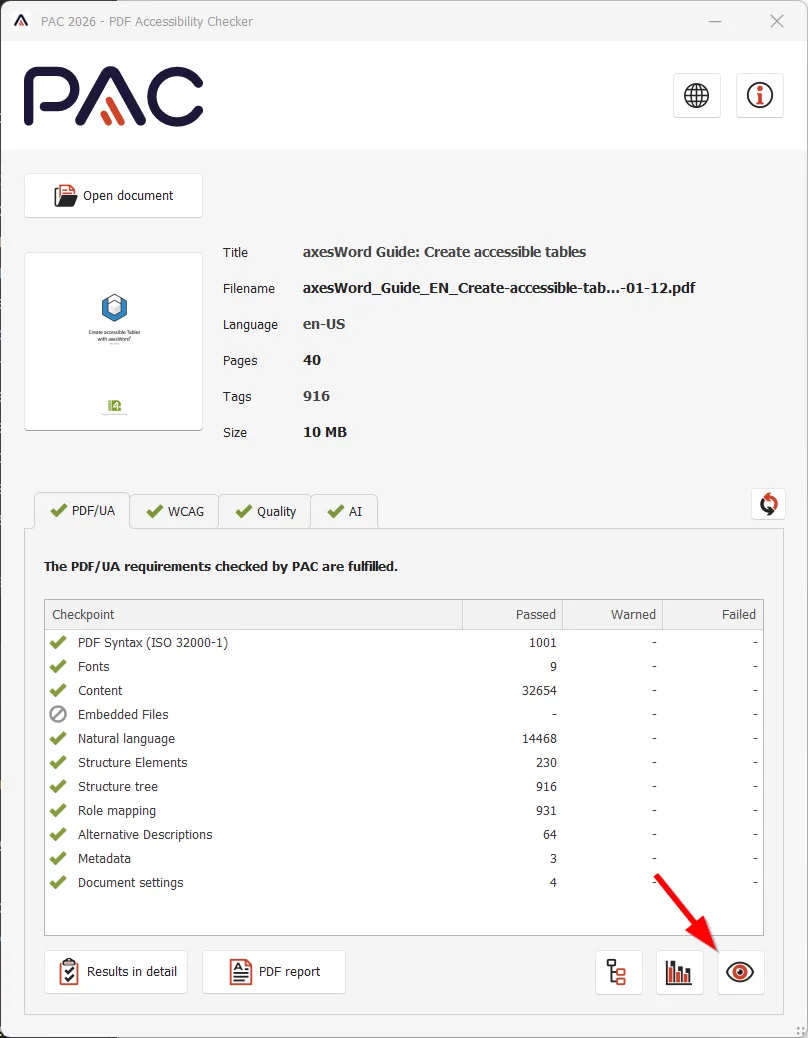
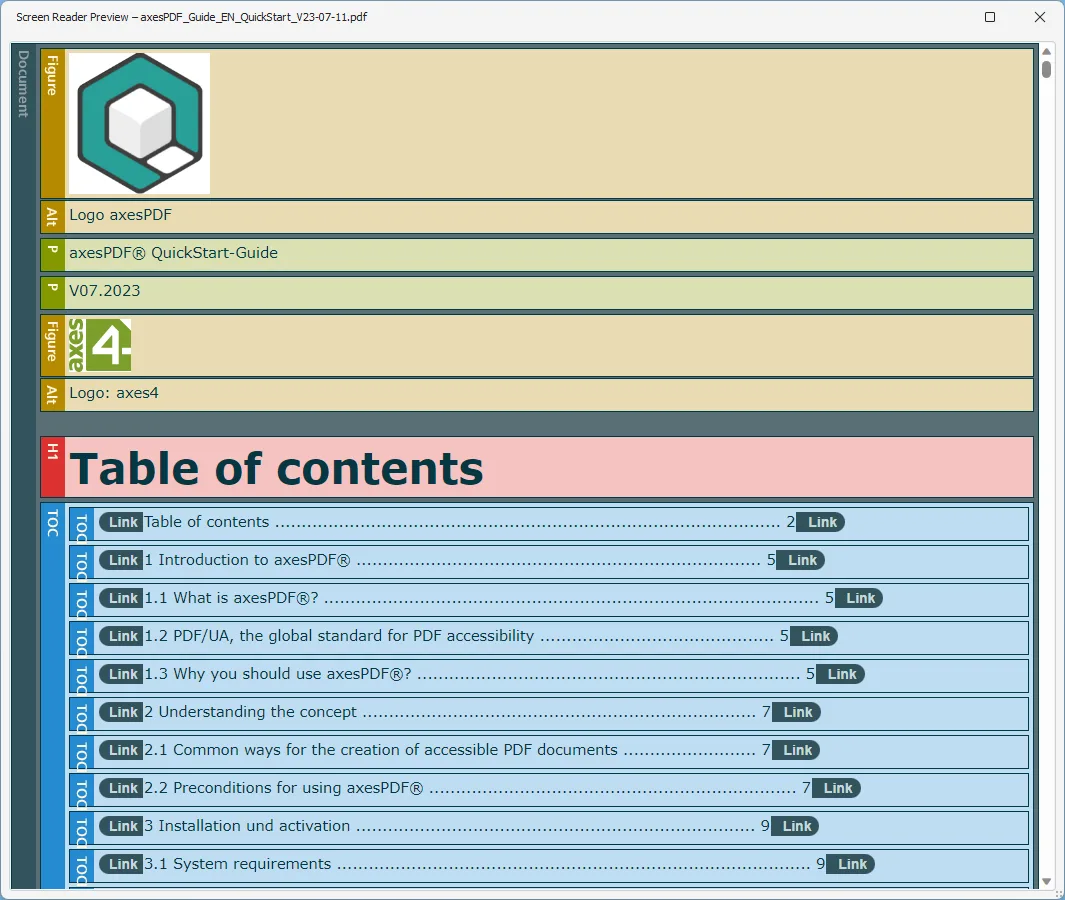
PDF Accessibility Checker (PAC) helps document authors and accessibility reviewers find technical problems in PDF files. It checks machine-testable PDF/UA and WCAG 2.1 requirements and provides quality checks, detailed results, a tag-tree view and a printable summary report. The screen reader preview presents the logical document structure for visual inspection rather than simply reproducing the page layout.
PAC 2026 adds AI-assisted checks that flag possible mismatches between the visible content and its semantic structure, such as headings, paragraphs, lists and tables. According to the publisher, the bundled AI runs locally without cloud processing, and documents are not used to train it. Treat its findings as review prompts, not a certification: PAC does not judge whether alternative text is meaningful or whether the reading order is correct.
This entry links to the publisher’s PAC 2026.1 EXE installer, build 26.1.0.0, released March 25, 2026. The documented requirements are Windows 10 or 11 and Microsoft .NET Framework 4.8 or higher. A separate MSI is offered for administrative deployment. PAC itself is only partly accessible according to its publisher, which matters when selecting a checking tool for reviewers using assistive technology.
What it offers
- Check machine-testable PDF/UA and WCAG 2.1 accessibility requirements.
- Inspect logical structure using the screen reader preview and tag-tree properties.
- Review quality checks, detailed results, document-structure statistics and a printable summary report.
- Use local AI-assisted checks to flag potentially incorrect or missing structural elements.
Good to know
- Automated and AI-assisted checks do not replace human review; reading order and the correctness of alternative text still require judgment.
- AI recognizes tables and lists as whole elements, not individual rows, columns or list items.
- The publisher describes PAC’s own interface as mostly, but not completely, accessible.
- The documented desktop distribution is Windows-only and requires .NET Framework 4.8 or higher.
Product images
Sources
References used for this listing. Retrieval dates do not indicate hands-on testing.
- Download PAC — version and Windows requirements ↗Retrieved
- axes4 Support — PDF Accessibility Checker (PAC) ↗Retrieved
- PAC 2026 — AI-assisted checks and limitations ↗Retrieved
- PAC — technical details about AI-assisted checks ↗Retrieved
- PAC release notes — 26.1.0.0 ↗Retrieved
- PAC quickstart — visually check the document structure ↗Retrieved
- axes4 Support — manual check of a PDF/UA document ↗Retrieved
- PAC General Terms — license and ownership ↗Retrieved
- PDF Accessibility Checker - Download — protected browser observation ↗Retrieved
More in utilities
View category ↗Efficient Elements for presentations 4.5.3200.1
Build agenda slides, reuse slide elements and align objects in Microsoft PowerPoint with Efficient Elements for presentations, a Windows add-in with a 30-day trial.
Knowte 3.0.1
Organize notes in notebooks and collections with Knowte for Windows. Write Markdown, keep task lists, search within notes and export to PDF.

Avro Keyboard 5.6.0
Type Bangla on Windows with Avro Keyboard using English phonetic input, traditional keyboard layouts or an on-screen keyboard, with a built-in Bangla spell checker.



Ultimate Windows Tweaker 5.2
Customize Windows 11 settings with Ultimate Windows Tweaker 5.2, a free portable utility for taskbar, File Explorer, context-menu and privacy adjustments.
BKChem 0.13.0
Draw chemical structures and reaction schemes with BKChem, a free chemical drawing program with ring templates and SVG, PDF and PNG export. This entry links to the publisher's stable Windows 0.13.0 installer.