
Utilities Windows
Power Automate Desktop
Build Windows desktop automations with a visual flow designer, prebuilt actions and a recorder. Local use with a Microsoft account is available at no extra cost; cloud orchestration has additional requirements.
- Operating system
- Windows 10/11 Home, Pro or Enterprise; Windows Server 2016, 2019, 2022 or 2025
- Architecture
- 32-bit and 64-bit Windows; ARM not supported
- Download package
- EXE setup (Microsoft’s standalone/MSI installation route)
The installer selects architecture-specific files. An account and internet connection are required; local administrator permissions are required for this download.
Link checked · Download guidance
What is Power Automate Desktop?
Power Automate Desktop is Microsoft’s Windows application for automating repetitive work across desktop programs, websites, files and Excel. Build a flow by arranging prebuilt actions in the visual designer, or capture desktop and web interactions with the recorder. It is useful for rule-based tasks such as organizing folders, moving information from a website into a spreadsheet, or entering data into an existing application.
The distinction between local automation and cloud orchestration matters. A Microsoft account can use desktop automation at no extra cost, but cloud triggering, scheduling and collaboration are premium-account capabilities. Windows Home supports creating flows and running them locally, not triggering desktop flows from the cloud. An account and an active internet connection are required.
The download here is Microsoft’s standalone Setup.Microsoft.PowerAutomate.exe installer, checked by HEAD without downloading the installer. It requires local administrator permissions and selects the appropriate 32-bit or 64-bit files; ARM processors are not supported. Microsoft Store is an alternative installation route without the standalone installer’s administrator requirement. Do not install both desktop-app editions together: uninstall the existing edition before switching. The optional machine-runtime component is separate from the flow designer and is used to connect a machine to Power Automate’s cloud service.
What it offers
- Arrange prebuilt actions with the drag-and-drop desktop flow designer.
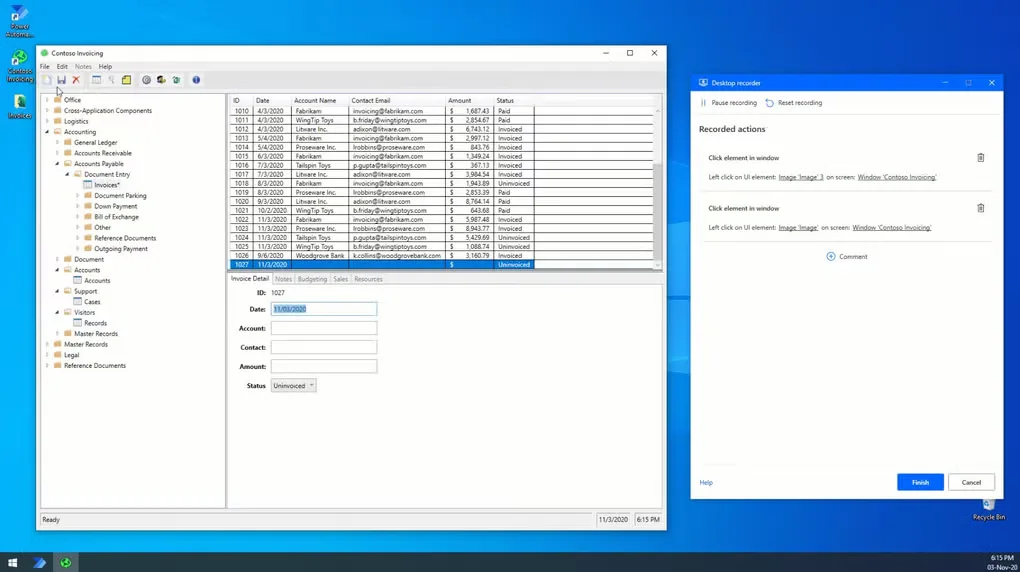
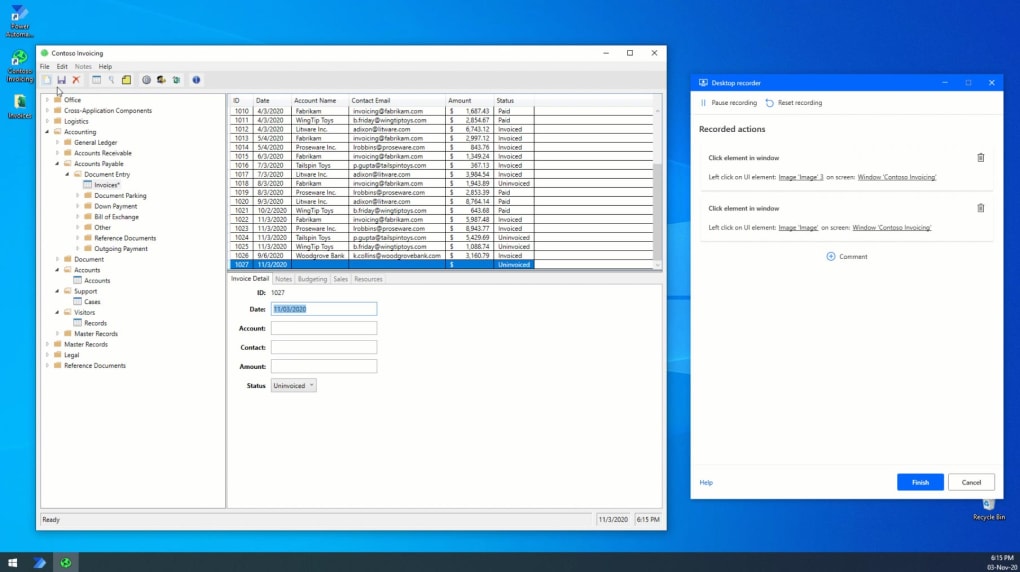
- Record desktop and web interactions as steps in a flow.
- Automate file and folder operations, Excel tasks and web data extraction.
- Interact with modern and legacy applications using UI elements, images or coordinates.
- Use exception handling to manage errors within a flow.
Good to know
- Sign-in and an active internet connection are required; this is not an offline-only macro recorder.
- ARM-based devices are not supported. Windows Home cannot trigger desktop flows from the cloud.
- Cloud triggering and scheduling, sharing and collaboration require an organization premium account; unattended RPA has additional licensing requirements.
- The standalone installer requires local administrator permissions. The standalone and Microsoft Store desktop-app editions cannot be installed together.
Product images
Sources
References used for this listing. Retrieval dates do not indicate hands-on testing.
More in utilities
View category ↗Universal x86 Tuning Utility 26.3.1
Adjust power limits and temperature targets on supported AMD and Intel Windows PCs, save custom presets, or use temperature-based Adaptive Mode with free, open-source UXTU.

Process Lasso 18.4.0.48
Manage Windows process priorities, CPU affinities and CPU Sets with Process Lasso. ProBalance automates priority adjustments to help keep the desktop responsive under CPU load.
LGTV Companion 5.7.0
Synchronize a network-connected LG WebOS TV with your Windows PC's power and idle states using LGTV Companion, a free, open-source utility.
PVsyst 8.1.8
Design photovoltaic systems, model shading and compare energy-yield simulations with PVsyst for Windows. A one-month trial is available before paid licensing.
Engineering Power Tools
Calculate beam stress, convert units and consult engineering data with Engineering Power Tools for Windows. The Standard Edition download is a 30-day evaluation; Plus modules require a separate license.