
Utilities Windows
Universal x86 Tuning Utility
Adjust power limits and temperature targets on supported AMD and Intel Windows PCs, save custom presets, or use temperature-based Adaptive Mode with free, open-source UXTU.
- Operating system
- Windows; exact minimum Windows build not confirmed in the cited product and release pages
- Architecture
- 64-bit (x64 runtime required)
- Download package
- MSI installer
Publisher focuses on AMD Zen CPUs/APUs and Intel fourth generation or newer. Controls vary by hardware and firmware; prerequisites are separate.
Link checked · Download guidance
What is Universal x86 Tuning Utility?
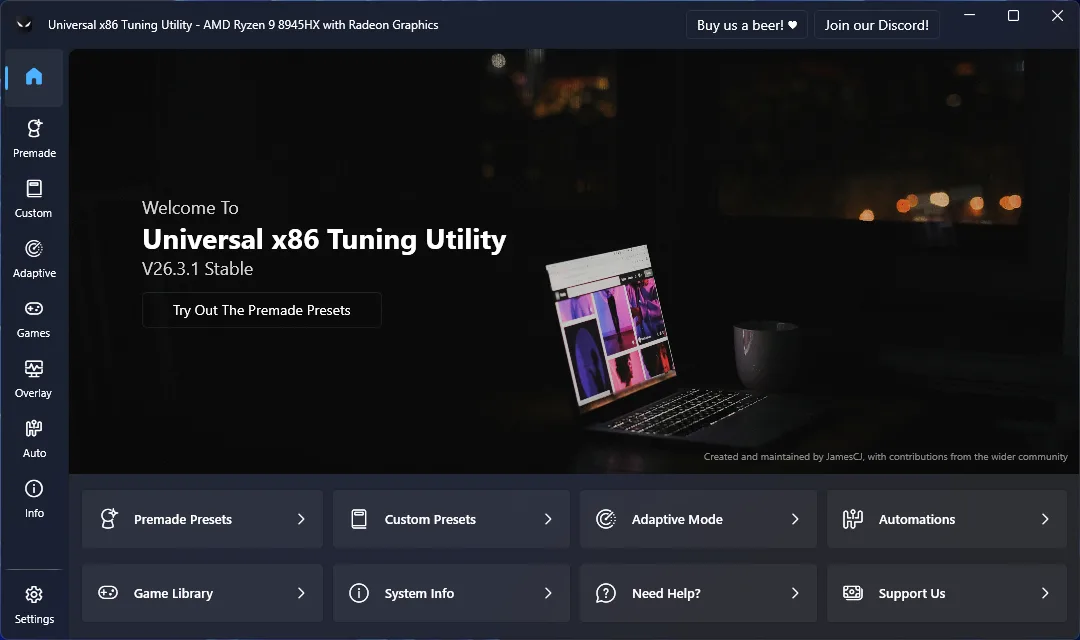
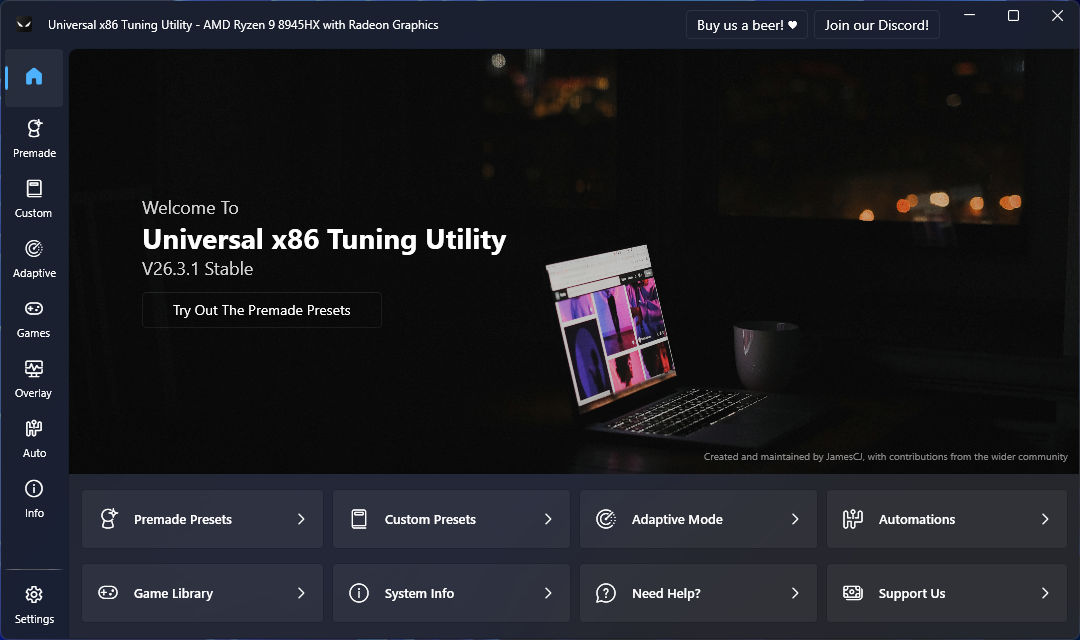
Universal x86 Tuning Utility (UXTU) brings processor and GPU tuning controls into one Windows application. Use premade presets as a starting point, save your own configurations for different tasks, or choose Adaptive Mode to adjust power limits as processor temperatures change. The home screen links to presets, the game library, system information and automations.
Hardware support matters more than the word universal. The publisher focuses on Zen-based AMD CPUs and APUs and Intel processors from the fourth generation onward, but available controls depend on the processor, firmware and device manufacturer. A missing setting is not evidence that every other PC supports it. Tuning can cause instability or hardware damage, and there is no guaranteed performance increase.
The linked Windows MSI is version 26.3.1. Before opening UXTU, install .NET 10 Desktop Runtime (x64), the PawnIO driver and Microsoft Visual C++ Redistributable separately; the publisher says the MSI does not include these prerequisites. The official website also offers a portable edition. This entry identifies the publisher's download and requirements; it does not report an installation, benchmark or hardware compatibility test.
Application and screenshot credit: Universal x86 Tuning Utility team, led by JamesCJ60. The team's official release page is https://github.com/JamesCJ60/Universal-x86-Tuning-Utility/releases.
What it offers
- Apply premade presets for supported AMD Ryzen and Intel systems.
- Adjust available power limits and temperature targets, then save custom presets.
- Use Adaptive Mode to change power limits based on processor temperature.
- Access game launching, system information and event-based automations from the application.
Good to know
- Available controls depend on the processor, firmware and manufacturer; not every x86 PC or setting is supported.
- Tuning can cause system instability or hardware damage; performance gains are not guaranteed.
- Requires separately installed .NET 10 Desktop Runtime (x64), PawnIO and Microsoft Visual C++ Redistributable.
Product images
Sources
References used for this listing. Retrieval dates do not indicate hands-on testing.
More in utilities
View category ↗FlexASIO 1.10b
Connect ASIO audio applications to Windows audio devices with FlexASIO, a free universal driver supporting WASAPI, DirectSound, MME and Kernel Streaming.
Spooky View 1.1.0
Adjust window transparency and keep selected windows always on top with Spooky View, a free, open-source Windows utility. WPF applications are not supported.

Celestia 1.6.4
Explore planets, moons, stars and spacecraft in three dimensions with Celestia, a free, open-source space simulator for Windows.

KeePass 2.61.1
Store passwords in an encrypted database, generate new passwords and fill login forms with KeePass, a free, open-source password manager for Windows.

Universal Theme Patcher 1.5.0.22 (build 20090409)
A legacy third-party visual-style patcher for Windows XP, Vista and 7-era systems, with per-file patch and restore controls—not a Windows 11 theme tool.