
Utilities Windows
Pritunl Client
Connect Windows to OpenVPN and WireGuard servers with Pritunl Client, a free, open-source VPN client that imports profiles and offers graphical and command-line controls.
Version 1.4.4791.77 · Direct publisher file
Link checked · Download guidance
What is Pritunl Client?
Pritunl Client is a Windows application for connecting to OpenVPN and WireGuard servers. It is useful when you already have access to a VPN server and need a client to import its connection profile. The publisher supports importing profiles directly from Pritunl servers as well as standard OpenVPN configuration files. Pritunl server users can also use a profile URI to simplify configuration.
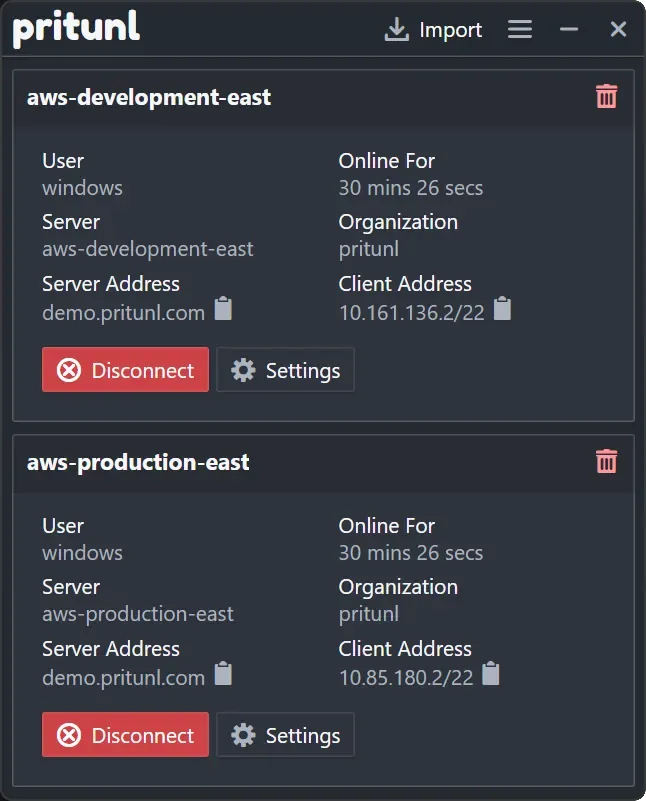
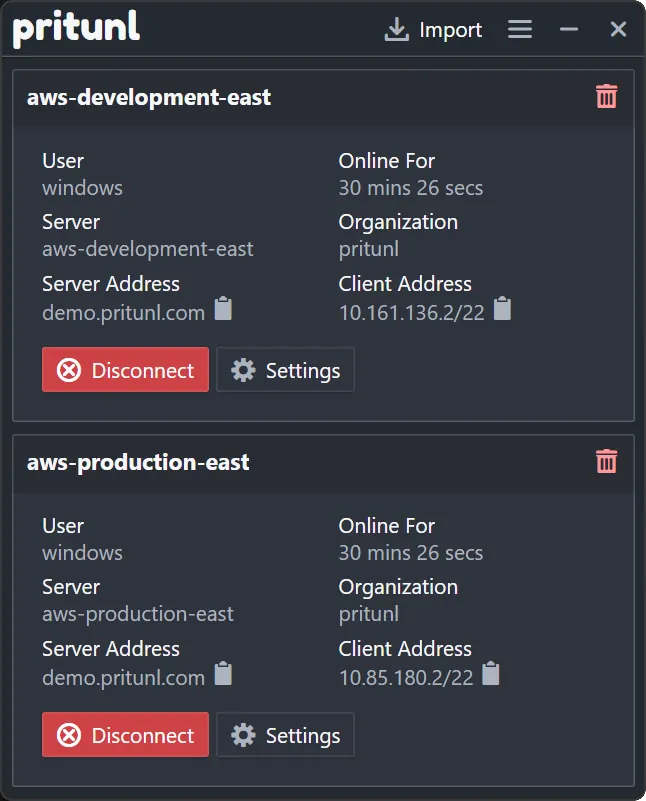
The graphical interface puts connection details and controls together. In the publisher’s Windows screenshot, each profile shows the user, server, organization, connection duration and server and client addresses, with Settings and Disconnect buttons. An Import control sits above the profiles. For command-line work, the publisher also documents profile management, connections and log viewing through its terminal interface.
This is a VPN client, not a bundled VPN service: installing it does not supply a server or a usable connection profile. Obtain the appropriate configuration from your server administrator or provider. The download linked here is the publisher’s Windows EXE for version 1.4.4791.77. The observed Softonic listing still identifies 1.4.4752.50, so its version and package-size details are not used for this installer.
What it offers
- Connect to OpenVPN and WireGuard servers through a graphical client.
- Import profiles from Pritunl servers or standard OpenVPN configuration files.
- Use a Pritunl server profile URI to simplify OpenVPN configuration.
- Manage profiles, connect and view logs through the terminal interface.
Good to know
- Requires access to a VPN server and an appropriate connection profile; the client alone is not a VPN service.
- Exact Windows build requirements and processor architecture were not established by the observed publisher page.
Product images
Sources
References used for this listing. Retrieval dates do not indicate hands-on testing.
More in utilities
View category ↗
IPVanish
Connect a Windows PC to IPVanish's subscription VPN, choose a server location and use WireGuard, OpenVPN or IKEv2 connections.

OpenVPN 2.7.8 (I002 Windows installer)
Connect a Windows PC to a configured VPN with OpenVPN Community Edition, including the OpenVPN GUI tray client and a system service.
Hiddify 4.1.1
Use your own proxy configuration or subscription with Hiddify for Windows, a free client with profile imports, automatic server selection and VPN routing mode.
eduVPN Client 4.6.3
Connect a Windows PC to your institution’s eduVPN service for encrypted network access. Available services depend on your organization and its account requirements.

Nmap 7.993
Discover network hosts, inspect ports and identify services with Nmap for Windows, a network discovery and security auditing tool with the optional Zenmap graphical interface.