
Utilities Windows
Privoxy
Filter web requests, adjust HTTP headers and block unwanted content with Privoxy, a free configurable proxy for Windows. Local use does not hide your IP address.
Version 4.1.0 · Direct publisher file
Link checked · Download guidance
What is Privoxy?
Privoxy is a non-caching web proxy for people who want rules-based control over their browsing. It sits between a configured browser and websites, applying actions to matching requests and filters to supported page content. Its configuration can block unwanted URLs, change HTTP headers and customize how particular sites are handled. It can serve an individual machine or a multi-user network, but network access needs deliberate security configuration.
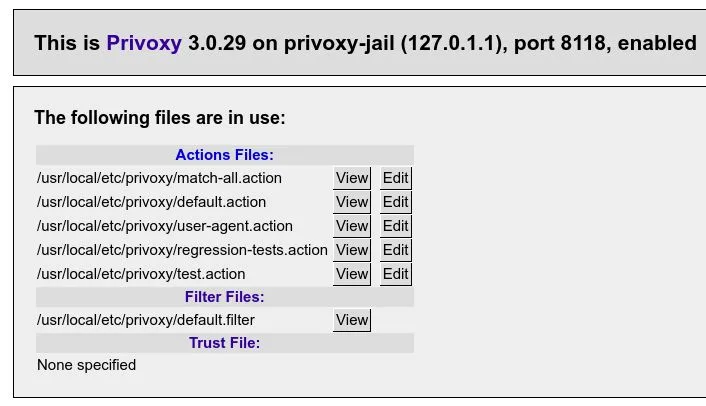
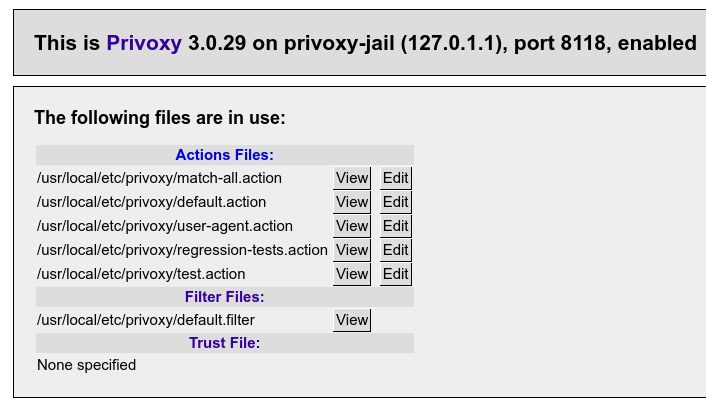
The publisher's quickstart directs browsers to the local HTTP and HTTPS proxy at 127.0.0.1, port 8118. Personal rules belong in user.action rather than the supplied defaults. The built-in browser interface shows the actions and filter files in use; its action editor is disabled by default and should only be enabled after reading the security warnings. The documentation screenshot below illustrates that interface in an older 3.0.29 installation with Unix-style paths, not a capture of the Windows package offered here.
This entry links to the Windows 4.1.0 EXE listed in the project's Win32 mirror. The project homepage separately identifies 4.2.0 as its most recent stable release; that does not establish a 4.2.0 Windows installer. The publisher also warns that it has no trusted build infrastructure and that individual project members or external contributors build binary packages. The link was checked with HEAD only, not downloaded, installed or independently signature-verified.
Choose Privoxy for configurable filtering, not as an anonymity guarantee. Running it locally does not conceal your IP address. HTTPS content cannot simply be read and rewritten through an ordinary encrypted tunnel: content filtering requires separately configured HTTPS inspection, while hostname-based blocking remains possible without it. Aggressive rules can also break legitimate pages and need site-specific adjustment.
What it offers
- Apply URL-pattern actions to block unwanted web requests.
- Modify HTTP headers and filter supported web page content through configurable rules.
- Keep personal filtering preferences in user.action.
- Inspect active action and filter files through the built-in browser interface.
- Configure use on a single machine or a multi-user network with appropriate access controls.
Good to know
- Local Privoxy use does not hide your IP address or guarantee anonymity.
- HTTPS content filtering requires separately configured HTTPS inspection; ordinary tunneling permits hostname-based blocking, not inspection of encrypted page content.
- Filtering rules can block legitimate content or break sites; the browser must be configured to use the proxy.
- The selected Windows package is 4.1.0, while the project homepage lists 4.2.0 stable. The project reports no trusted build infrastructure for contributor-built binaries.
Product images
Sources
References used for this listing. Retrieval dates do not indicate hands-on testing.
- Privoxy - Home Page ↗Retrieved
- Index of /sf-download-mirror/Win32/4.1.0/ ↗Retrieved
- Quickstart to Using Privoxy ↗Retrieved
- Installation — Windows binary packages ↗Retrieved
- Privoxy FAQ — Miscellaneous ↗Retrieved
- Privoxy - Download ↗Retrieved