
Utilities Windows
Website Ripper Copier
Save websites for offline browsing or collect selected file types with Website Ripper Copier for Windows, a commercial website downloader with a 30-day trial.
- Operating system
- Windows 11, 10, 8, 7, Vista and XP; publisher also lists Windows 2008 and 2003
- Architecture
- Publisher lists 32-bit and 64-bit Windows; selected EXE architecture is unspecified
- Download package
- EXE trial installer
Publisher requires .NET Framework 3.5 or later (4.5+ recommended), Internet Explorer 6 or later and an Internet connection. Compatibility has not been independently tested.
Link checked · Download guidance
What is Website Ripper Copier?
Website Ripper Copier saves web pages and linked files to your local drive for offline browsing. It can copy a site or narrow retrieval to particular resources using filters for file type, size, URL, server and exploration depth. The publisher says it rewrites links as relative file paths so copied pages can be opened locally in a browser.
Projects can contain multiple starting addresses and be saved, paused, resumed or scheduled. Individual retrieval jobs can be retried, edited or deleted, while connection limits and pauses let you control how requests are sent to a server. These controls make it useful when you need a repeatable collection task rather than saving each page manually.
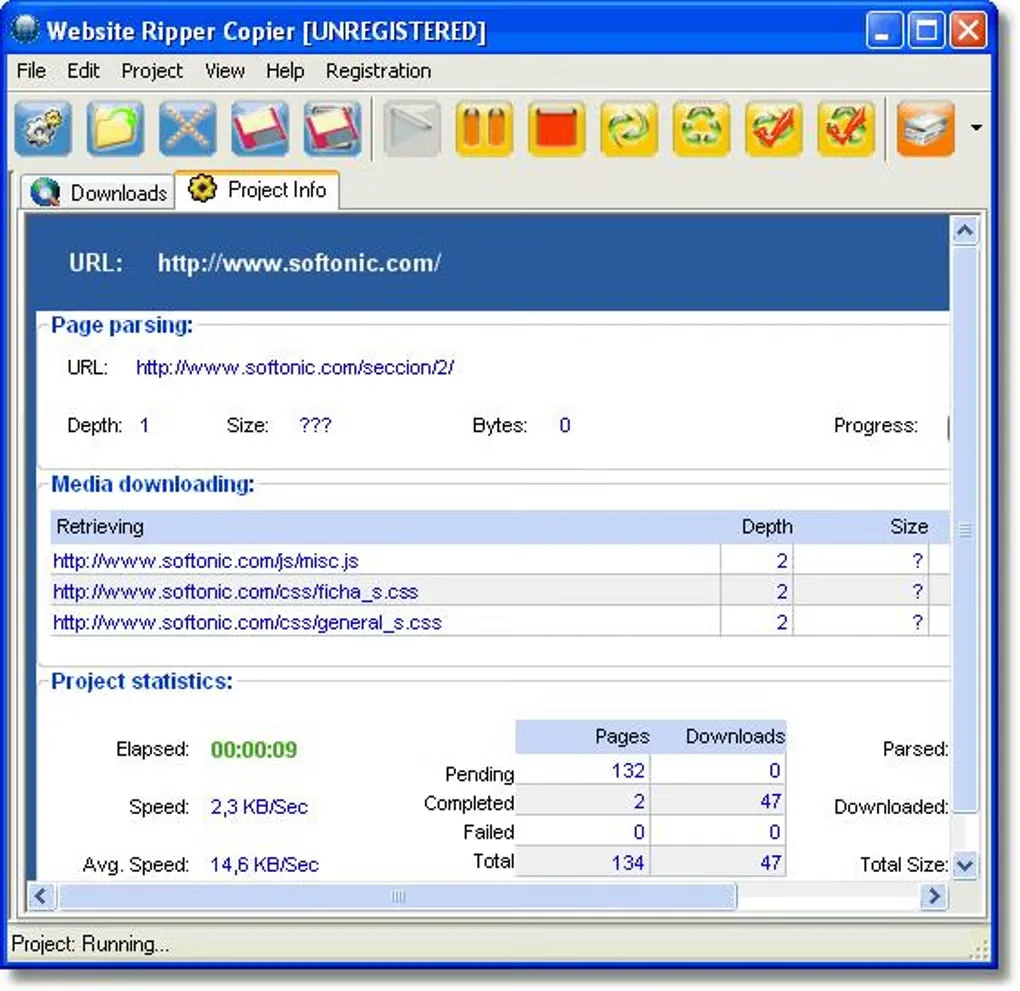
The linked EXE is the publisher's standard 5.6.3 trial, not its separate 7.0.9 beta or older version 3 package. Evaluation lasts 30 days; the full version is commercial. The published requirements still list .NET Framework and Internet Explorer dependencies. Compatibility is publisher-listed, not independently tested here, and the historical screenshot illustrates the interface rather than proving the appearance of a particular current build.
What it offers
- Save complete or partial websites locally with links rewritten for offline browsing.
- Filter retrieval by file type, size, name, URL, server and exploration depth.
- Save, pause, resume and schedule projects with multiple starting addresses.
- Retry, edit or delete individual retrieval jobs.
- Set concurrent connection counts, retries and pauses between connections.
Good to know
- The trial is limited to 30 days; the full version requires purchase.
- Published requirements include legacy Internet Explorer and .NET Framework dependencies; no independent Windows compatibility test was performed.
Product images
Sources
References used for this listing. Retrieval dates do not indicate hands-on testing.
More in utilities
View category ↗HTTrack WebSite Copier 3.51-0
Save websites for offline browsing with WinHTTrack, the free Windows interface for HTTrack. Set capture rules, resume interrupted mirrors and update local copies.
SurfOffline 2.2.0
Save web pages for offline reading with SurfOffline, a Windows website downloader with project filters and a built-in browser. A 30-day trial is available.
Cyotek WebCopy 1.9.1.872
Copy websites to a Windows PC for offline browsing, remap local links, and control which pages and resources Cyotek WebCopy saves.


Kiwix JS Electron 3.9.3
Read Wikipedia and other archived websites offline with Kiwix JS Electron for Windows. Choose ZIM archives for a searchable local reference library.
A1 Website Download 12.0.2
Copy websites to local files for offline browsing with A1 Website Download for Windows. Filter the crawl, rewrite links for local use and keep up to 500 page URLs per website in free mode.