
Utilities Windows
Win32Pad
Edit plain-text files with line numbers, find and replace, and auto-indent in Win32Pad, a free Windows Notepad replacement with legacy system documentation.
- Operating system
- Legacy Windows; publisher documentation references Windows 95, 98, NT 4.0, 2000 and XP
- Architecture
- Not specified in the inspected publisher package listing
- Download package
- English EXE setup
Windows 10/11 support is unconfirmed. The publisher lists additional DLL requirements for some older Windows systems; no installation was performed.
Link checked · Download guidance
What is Win32Pad?
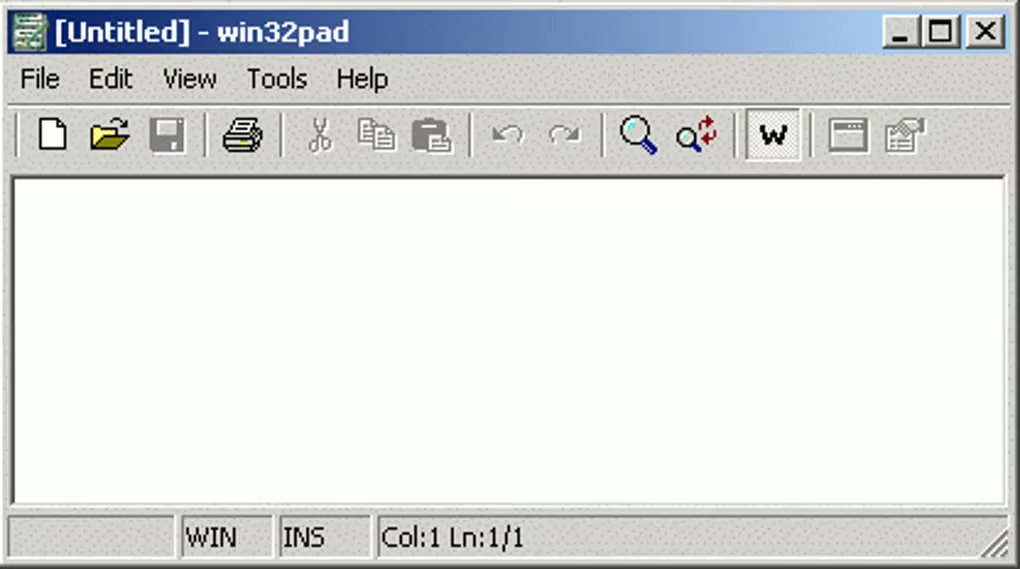
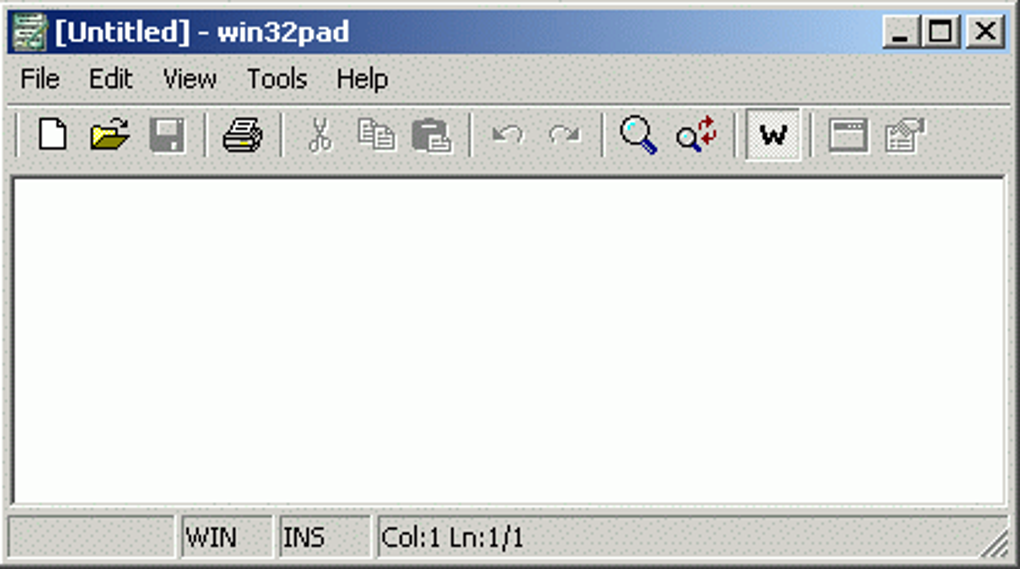
Win32Pad is a plain-text editor for quick file viewing and editing on Windows. It adds navigation and editing tools to a familiar Notepad-style window: line numbers help locate a passage, Go to Line jumps to a numbered position, and find and replace handles repeated text changes. Auto-indent and adjustable tabs are useful when working on indented text or small code edits.
The publisher documents reading and writing Windows, Unix and Mac text-file formats, plus a recent-files list, file-change notifications and reloading a file from disk. Files can be dropped into the editor from Windows Explorer. A status bar shows the current position and insert or overwrite mode. File size is limited by available memory rather than the old Notepad size restriction; this is not a measured performance guarantee.
This is legacy software. The publisher dates version 1.5.10.4 to September 17, 2007, and its documentation refers to older Windows releases. Compatibility with Windows 10 or 11 has not been established here. The changelog also labels the original Unicode support experimental. The linked English EXE setup is the package identified on the official download catalog; its HTTP headers were checked without downloading or running the installer.
What it offers
- Navigate with line numbers, Go to Line, and a status bar showing position and editing mode.
- Find and replace text; use auto-indent and adjustable tab sizes for indented files.
- Read and write Windows, Unix and Mac text-file formats.
- Reopen recent files, receive file-change notifications and reload content from disk.
- Open files by dragging them from Windows Explorer; show or hide the toolbar and status bar.
Good to know
- The documented release is from 2007; Windows 10 and 11 compatibility is not established by the retained sources or by runtime testing.
- The publisher introduced Unicode support as experimental; no comprehensive encoding-compatibility test is claimed.
- Large-file capacity depends on available memory; no file-size benchmark or performance test was performed.
Product images
Sources
References used for this listing. Retrieval dates do not indicate hands-on testing.
- Win32Pad - notepad replacement ↗Retrieved
- Win32Pad - Features ↗Retrieved
- Win32Pad - Frequently Asked Questions (FAQ) ↗Retrieved
- Win32Pad - Changelog ↗Retrieved
- Win32Pad - Download ↗Retrieved
- Win32Pad - Download ↗Retrieved
More in utilities
View category ↗
Metapad 3.6
Edit plain-text files with Metapad, a free Windows Notepad alternative with find and replace, auto-indent, UNIX text support and portable settings.
DocPad 35.0
Edit plain-text files in tabs with DocPad, a free Windows Notepad alternative with regular-expression search, keyboard macros and restorable file backups.
TED Notepad 6.4.2
Edit plain text, sort and deduplicate lines, and use regular-expression search with TED Notepad, a freeware Notepad alternative for Windows.
FromScratch 1.4.3
Keep quick notes and to-do lists in an autosaving scratchpad. FromScratch for Windows adds checkboxes, folding and keyboard shortcuts to a plain-text workspace.

AkelPad 4.9.9
Edit plain-text files with Unicode encoding support, column selection and search-and-replace in AkelPad, a free open-source Windows editor.