
Utilities Windows
Process Governor
Limit CPU use, committed memory and execution time for Windows processes with Process Governor, a free command-line utility built around Windows job objects.
Version 4.1 (release tag 4.1.26190) · Direct publisher file
Link checked · Download guidance
What is Process Governor?
Process Governor (procgov) applies resource constraints when you start a Windows program or attach to an existing process by PID. It is useful for giving a background task a CPU budget, restricting memory during development, or stopping a process after a defined time. The command-line interface exposes separate controls for CPU affinity, CPU rate, committed memory and working-set size rather than presenting one general performance slider.
Choose the type of limit deliberately. A committed-memory limit is not the same as a working-set limit, and working-set controls require an additional Windows privilege. If you expect to revise limits later, create a named job with --job-name: the anonymous jobs used by default since version 4.0 cannot be updated.
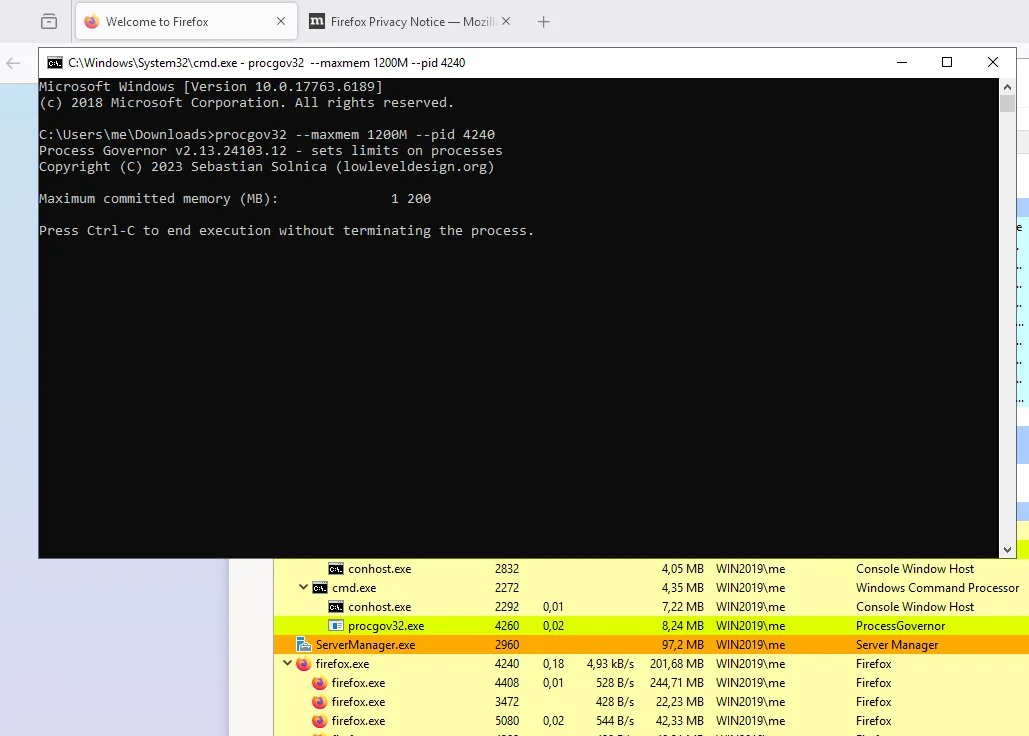
The default command-line mode can launch a program or attach to a running one. An optional service can persist settings and apply them as applications start, but the publisher labels service mode beta. Deep-freeze controls are experimental. The selected download is the publisher's procgov.exe from release 4.1.26190; the historical screenshot shows version 2.13, not the current release or a SoftGalaxy test.
What it offers
- Apply constraints to a newly launched process or attach to one or more running process IDs.
- Set CPU affinity using a core count, bitmask, processor group or NUMA selection; limit CPU rate separately.
- Limit committed memory per process or across a job; configure working-set bounds when the required privilege is available.
- Set clock-time and user-mode execution limits, including recursive child-process handling.
- Use named jobs to update previously applied limits; optionally persist application settings through the beta service mode.
Good to know
- This is a command-line utility; using it requires selecting process IDs or supplying a program path and appropriate options.
- Anonymous jobs cannot be updated. Use --job-name from the start when you need to change limits later.
- Working-set limits require SeIncreaseBasePriorityPrivilege, and both --minws and --maxws must be greater than zero.
- Service mode is beta and deep-freeze is experimental. The service runs as SYSTEM by default unless configured otherwise.
- The sources reviewed do not establish a minimum supported Windows version or the architecture of the selected procgov.exe.
Product images
Sources
References used for this listing. Retrieval dates do not indicate hands-on testing.
More in utilities
View category ↗Advanced Process Explorer 1.4.0.1
Find which process has a file or DLL open, inspect CPU and memory use, and control running Windows processes with Ashkon's Advanced Process Explorer. A 30-day trial is available.

CPU-Z 3.01
Identify your processor, motherboard and RAM with CPU-Z, a free Windows utility that also shows live CPU and memory frequencies.

CurrPorts 2.80
Identify which Windows processes have open TCP and UDP ports with CurrPorts, a free portable utility for viewing connections, filtering results and exporting port information.


AdvancedRun 1.51
Launch Windows programs with a chosen user account, priority, compatibility mode and environment variables using NirSoft's portable AdvancedRun utility.
Revo Scan 5.5.5.2012
Capture point clouds with a compatible Revopoint 3D scanner, process the data and align multiple models. This Windows entry links to Revo Scan 5.5.5.2012 for x64 PCs.