
Utilities Windows
SageThumbs
Preview image files and convert them from the Windows Explorer right-click menu with SageThumbs, a free shell extension for Windows.
- Operating system
- Windows XP/2003/Vista/2008/7/2012/8/8.1/10
- Architecture
- 32-bit and 64-bit Windows
- Download package
- EXE setup; combined 32/64-bit distribution
Publisher lists about 5 MB plus cache space. Windows 11 is not listed. External XnView plugins must match the extension bitness.
Link checked · Download guidance
What is SageThumbs?
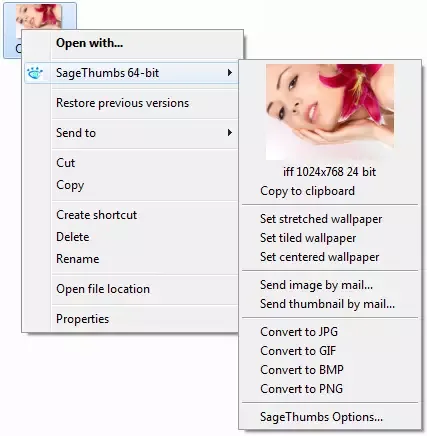
SageThumbs adds image previews and conversion commands to Windows Explorer. Open a folder of images, right-click a file and use the SageThumbs submenu to inspect its thumbnail without launching a separate viewer. It also extends folder thumbnails and image information tips. This makes it useful for identifying files while browsing a mixed-format image collection.
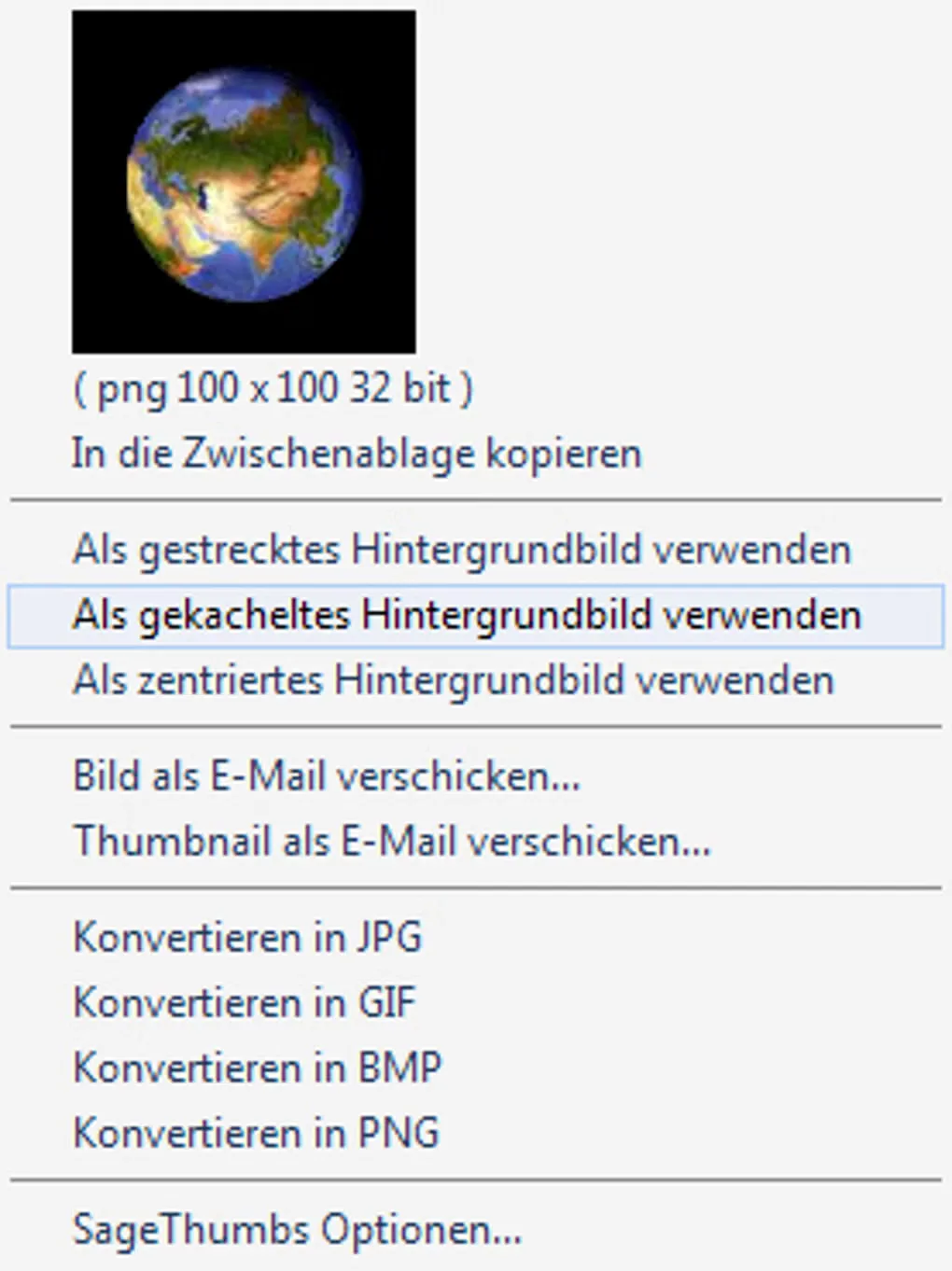
The context menu offers conversion to JPG, GIF, BMP and PNG, wallpaper commands and mail options. Copy to clipboard copies the thumbnail, not the full-resolution original. SageThumbs uses the GFL 3.40 library; the publisher lists 162 image formats, with further support available through separately installed XnView plugins. Reading many formats does not mean every format is a conversion output.
Check the compatibility limits before choosing it. The publisher lists Windows versions through Windows 10, not Windows 11. AI, PS, EPS and PDF thumbnails depend on an old GhostScript library, so those previews are not a built-in, dependency-free feature. SageThumbs is an Explorer extension rather than a standalone editing application.
What it offers
- Preview supported images in Windows Explorer folders and the right-click menu.
- Read extended image information tips while browsing files.
- Convert images from the context menu to JPG, GIF, BMP or PNG.
- Set an image as wallpaper, copy its thumbnail or use send-by-mail commands.
- Extend format support through separately installed XnView plugins with matching bitness.
Good to know
- Windows 11 compatibility is not established by the publisher requirements, which stop at Windows 10.
- AI, PS, EPS and PDF thumbnails require the old AFPL GhostScript 8.54 library listed by the publisher.
- Copy to clipboard copies only the thumbnail; SageThumbs is not a standalone full image editor.
Product images
Sources
References used for this listing. Retrieval dates do not indicate hands-on testing.
- SageThumbs 2.0.0.23 | cherubicsoft.com ↗Retrieved
- SageThumbs History | cherubicsoft.com ↗Retrieved
- SageThumbs - Download ↗Retrieved
More in utilities
View category ↗XnView Shell Extension 4.2.5
Preview images and access conversion tools from the Windows Explorer right-click menu with XnShell, the free XnView Shell Extension.
DeleteOnClick
Delete files through the Windows Explorer right-click menu with DeleteOnClick, a freeware shell extension with free-space wiping options. Not suitable for secure SSD erasure.
Shell Tools 2.6.0
Add file notes, path copying, font commands and visibility toggles to Windows File Explorer with Shell Tools, a free configurable context-menu extension.
File Converter 2.2
Convert audio, video, images and documents from the Windows Explorer right-click menu with File Converter, a free, open-source utility with editable presets.


Beyond Compare 5.2.7 (build 32913)
Compare files and folders, inspect text differences and synchronize directories with Beyond Compare for Windows. Free evaluation; continued use requires a paid license.