
Utilities Windows
Silent Install Builder
Build Windows deployment packages containing multiple application installers, detect common silent-install switches, or record setup steps with Silent Install Builder. Paid software with a trial.
What is Silent Install Builder?
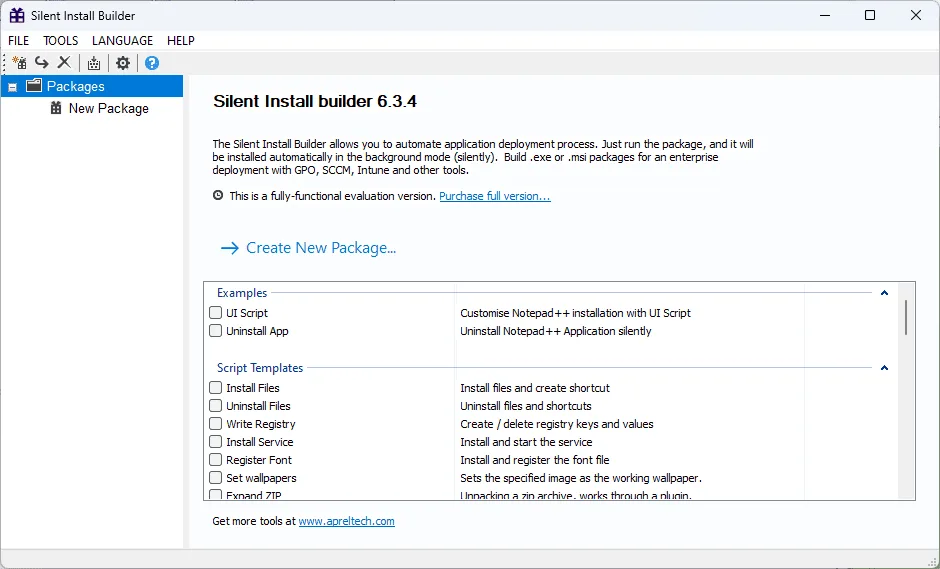
Silent Install Builder helps administrators turn a set of application installers into a deployment package. It can detect common installer types and their command-line options, combine multiple installations in an MSI or EXE, and record UI automation for setup programs without native silent-install switches. File, registry and script actions let a package include configuration work as well as application setup.
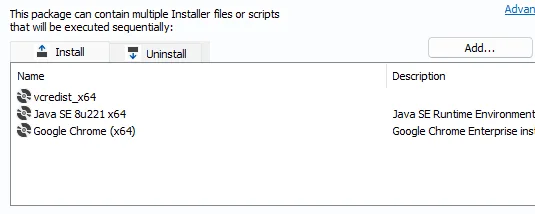
The choice is between passing an installer its silent options and automating its interface when those options are unavailable. The publisher’s packaging tutorial describes adding installers in their execution order, then building an output package. Its fully silent example uses EXE output with “No UI (Fully silent)”; the tutorial does not offer that same fully silent MSI creation workflow.
This is commercial software, not a free unrestricted installer builder. The publisher offers a restricted-period evaluation and sells licenses per administrator. The linked download is the publisher’s Windows MSI trial installer. Its availability and MIME type were checked by HEAD only; the program was not installed or run, and the exact MSI build, supported Windows releases and processor architecture were not established.
What it offers
- Combine multiple application installers into a single MSI or EXE deployment package.
- Detect common installer types and their silent command-line options, including InstallShield and NSIS.
- Record UI automation scripts for installation steps without native silent switches.
- Include file-system, registry and script actions, with conditional execution based on system checks.
- Deploy generated packages through tools that accept MSI or EXE files, such as GPO, SCCM and Intune.
Good to know
- Evaluation is time-restricted and may become partly or completely disabled when the evaluation period expires; ongoing use requires the appropriate paid license.
- The publisher’s fully silent packaging tutorial uses EXE output and says fully silent MSI creation is unavailable in that workflow; it separately mentions msiexec.exe /qn for quiet MSI execution.
- Exact supported Windows releases, CPU architecture and the build inside the linked MSI were not confirmed by the inspected sources.
Product images
Sources
References used for this listing. Retrieval dates do not indicate hands-on testing.
- Silent Install Builder — official product page ↗Retrieved
- Features Silent Install Builder — official feature comparison ↗Retrieved
- Order - Silent Install Builder ↗Retrieved
- Terms of Use - Silent Install Builder ↗Retrieved
- Fully Silent Install via Silent Install Builder — publisher tutorial ↗Retrieved
More in utilities
View category ↗Macro Scheduler
Record clicks and keystrokes, edit automation scripts and schedule repetitive Windows tasks with Macro Scheduler, a commercial tool with a 30-day Standard trial.
Minitab Statistical Software 22.6.0.0 (catalog package)
Analyze data, build statistical graphs and investigate process variation with Minitab for Windows. The linked 64-bit ZIP is the publisher's mass deployment package, not a free license.

ValiDrive 1.0.1
Spot-check USB drives for missing storage with ValiDrive, a free Windows utility that writes and reads test data across the drive's declared capacity.

Wireshark 4.6.9
Inspect network packets, filter traffic and examine saved captures with Wireshark, a free, open-source network protocol analyzer for Windows.
Patch My PC Home Updater
Install and update supported Windows apps from one library with Patch My PC Home Updater, free for non-commercial home use, with scheduling and bulk uninstall tools.