
Utilities Windows
Stagetimer
Run event countdowns offline on Windows, share timer displays over a local network and send NDI video outputs to production software with Stagetimer.
- Operating system
- Windows 10 or higher
- Architecture
- Not specified for this Windows installer on the cited publisher pages
- Download package
- EXE installer
Selected package: Stagetimer-3.6.4-setup.exe from Previous Versions. The publisher documents per-user EXE installation; a separate MSI is available for administrator-managed deployment.
Link checked · Download guidance
What is Stagetimer?
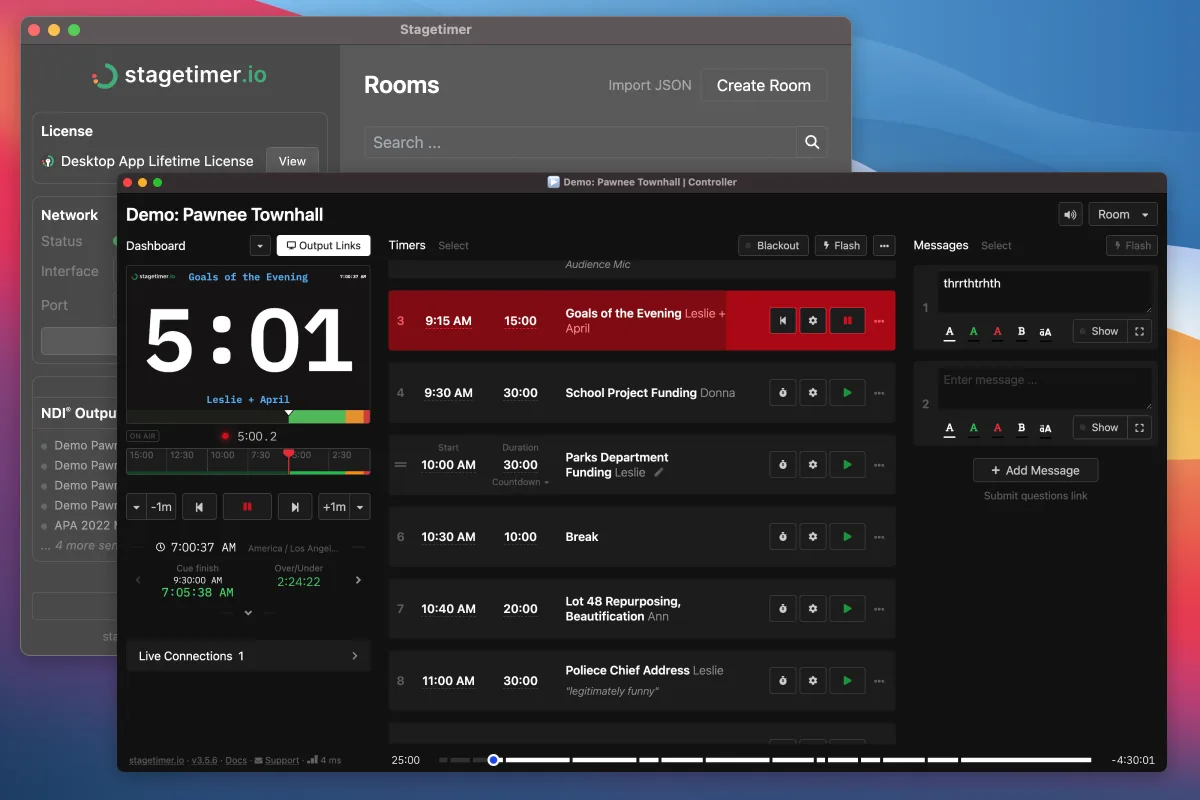
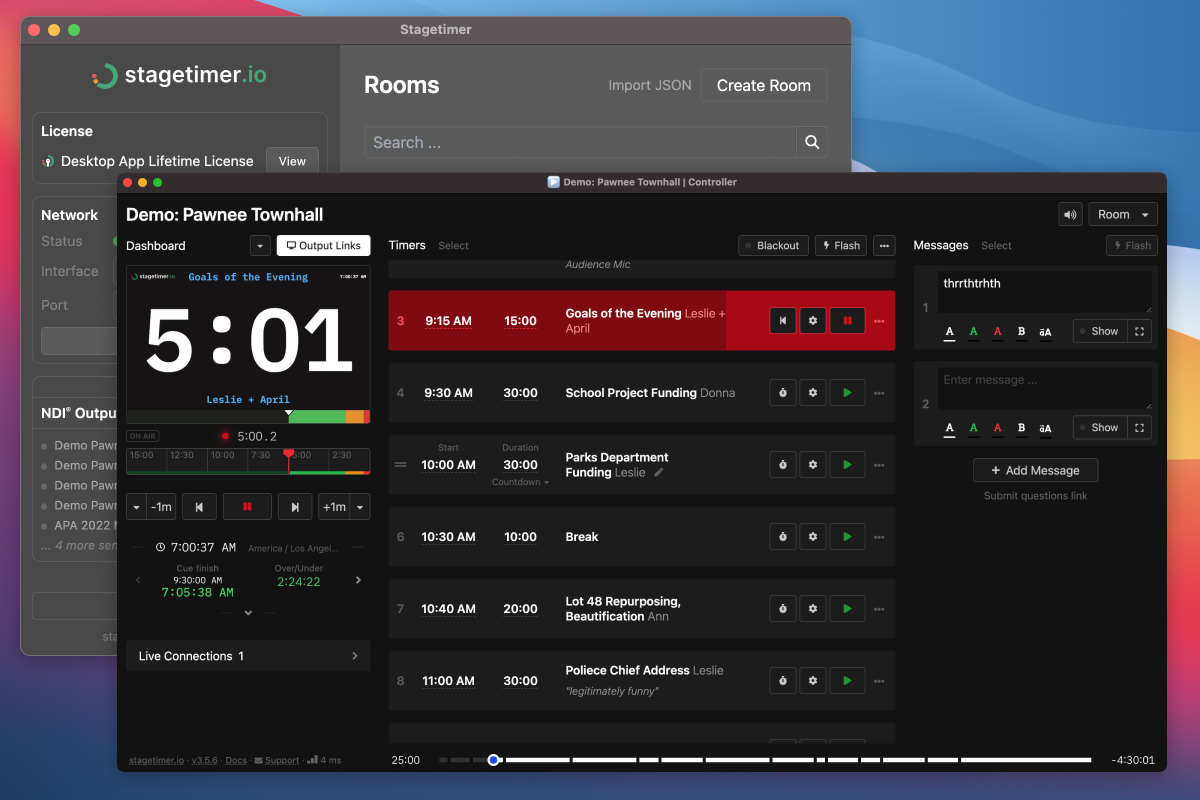
Stagetimer is a desktop timing system for live events, presentations and venues where internet access is unavailable or unreliable. It runs a local server on one computer so other devices on the same network can open timer displays in a browser. Rooms hold the show's timers and messages, while separate outputs let an operator control timing without putting the control interface on the audience display.
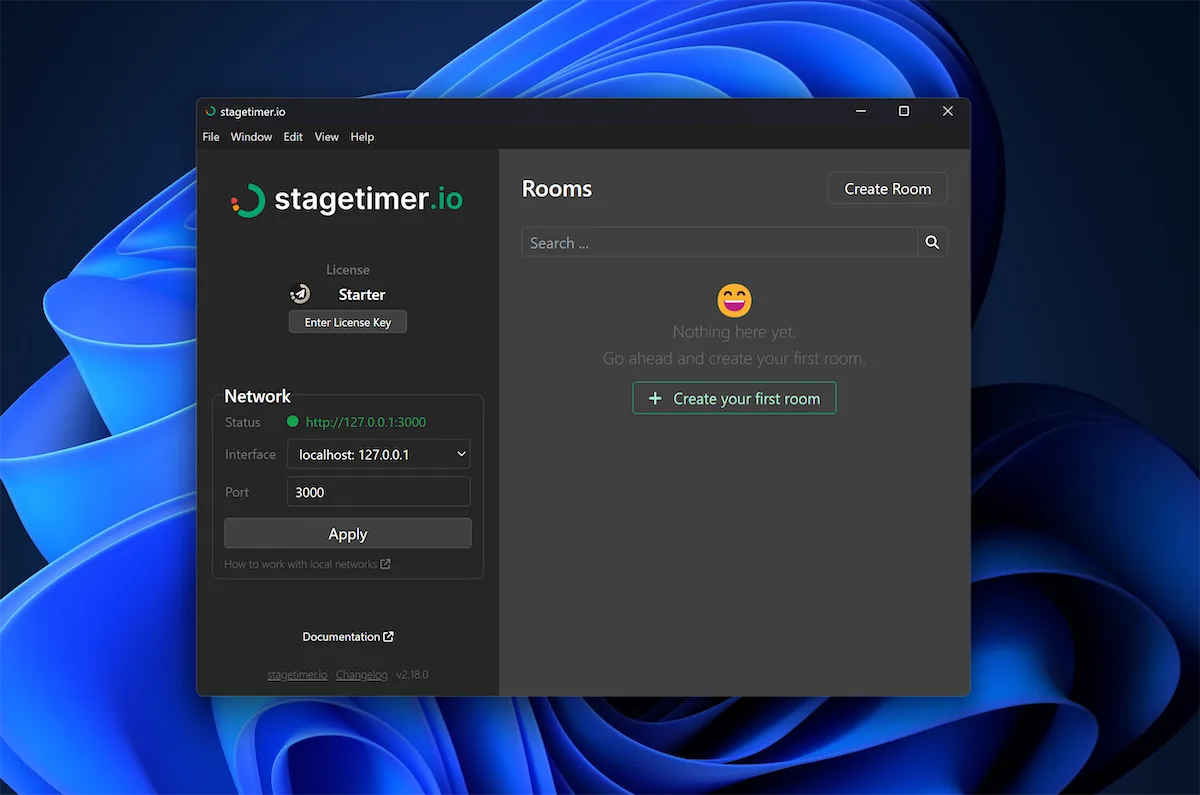
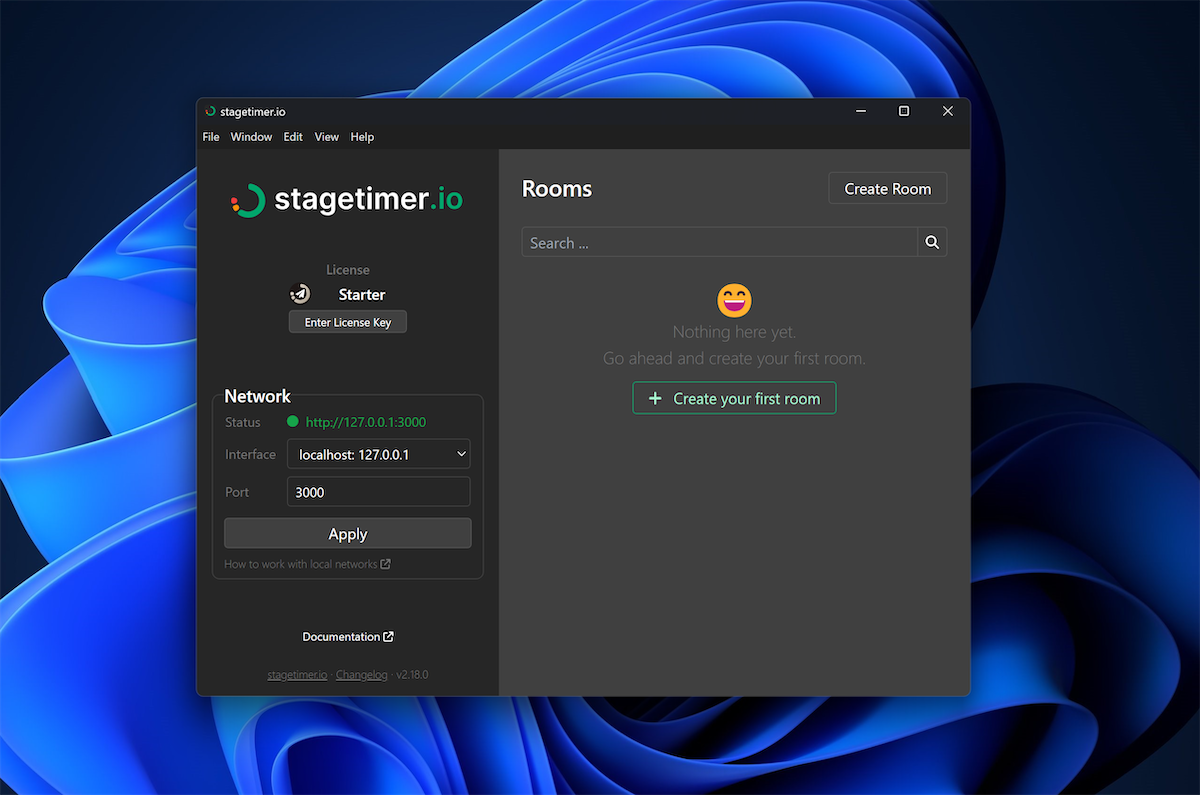
For a local setup, choose the computer's network interface rather than the loopback address 127.0.0.1, then share the room link with devices on that network. The publisher also documents NDI output for sending displays to compatible production software such as vMix, OBS Studio and Resolume. Transparent NDI backgrounds require Premium; downloading the app does not unlock every paid feature.
Room configurations can move between the web and desktop versions through JSON export and import. Custom images are not included in that export, so an offline event may require uploading those images separately before the show. Desktop timer links are intended for the local network, unlike the web version's internet-accessible links.
The download linked here is the publisher's archived Windows 3.6.4 EXE installer, not a claim about the newest release. The publisher recommends its current desktop release when possible. The screenshots are publisher illustrations: the Windows main-window image shows an older v2.18.0 interface, while the room-controller example shows the shared desktop workflow on macOS. Neither is a hands-on test of this Windows package.
What it offers
- Run a local timer server without an internet connection.
- Share room displays with browser-equipped devices on the same local network.
- Organize timers and messages in rooms with separate control and display outputs.
- Send display outputs as NDI video sources to compatible production software.
- Transfer room settings, timers, messages and outputs between web and desktop through JSON export and import.
Good to know
- Paid features require the corresponding desktop license; transparent NDI backgrounds require Premium.
- Desktop room links are local-network links, not a replacement for the web version's remote internet sharing.
- Custom images are excluded from JSON room exports and may need a separate upload for offline use.
- The selected installer is archived version 3.6.4; it is not presented as the latest release.
Product images
Sources
References used for this listing. Retrieval dates do not indicate hands-on testing.
- stagetimer.io - Download ↗Retrieved
- Desktop App | stagetimer.io ↗Retrieved
- Desktop App - Previous Versions | stagetimer.io ↗Retrieved
- Stagetimer Desktop App | stagetimer.io ↗Retrieved
More in utilities
View category ↗
Hot Alarm Clock 6.4.4.1
Schedule recurring alarms, run countdown timers and track tasks with Hot Alarm Clock for Windows, a paid desktop utility with a 30-day trial.
TimeLeft 3.65
Track an event countdown, set recurring reminders and keep a timer, stopwatch or clock visible on your Windows desktop with TimeLeft Free.
Multi Timer 6.91
Run multiple countdowns, stopwatches and scheduled alarms on Windows with Multi Timer. Group timers, keep event records and export timing lists to Excel; a trial is available.

Keybase
Send encrypted messages, organize team conversations and share files with Keybase for Windows, a free, open-source desktop client.
Fast Screen Recorder
Record your Windows screen or a custom area with microphone and system audio. Fast Screen Recorder includes hotkeys and an auto-stop timer, with a free trial and paid full version.