
Utilities Windows
SterJo Task Manager
Inspect running processes, manage startup entries and Windows services, and view network connections with the free SterJo Task Manager utility.
- Operating system
- Windows XP, Vista, 7, 8, 10 and 11 (publisher-listed)
- Architecture
- Publisher lists 32-bit and 64-bit Windows; installer architecture not independently identified
- Download package
- EXE installer; separate portable edition available
This link selects the installer, not the portable edition. Platform support and version are publisher claims; no installer was downloaded or run.
Link checked · Download guidance
What is SterJo Task Manager?
SterJo Task Manager brings process control, startup management, services and network connections into one Windows utility. Use the process list to inspect running programs and their command lines, change process priorities or stop an unwanted application. Its startup tools let you review what launches with Windows, while the connections view associates TCP and UDP activity with processes.
The publisher offers an installer and a separate portable edition that can run without installation. The download linked here is the installer; the official product page identifies version 2.9 and lists Windows XP through Windows 11 support. These are publisher specifications, not results of an installation or compatibility test.
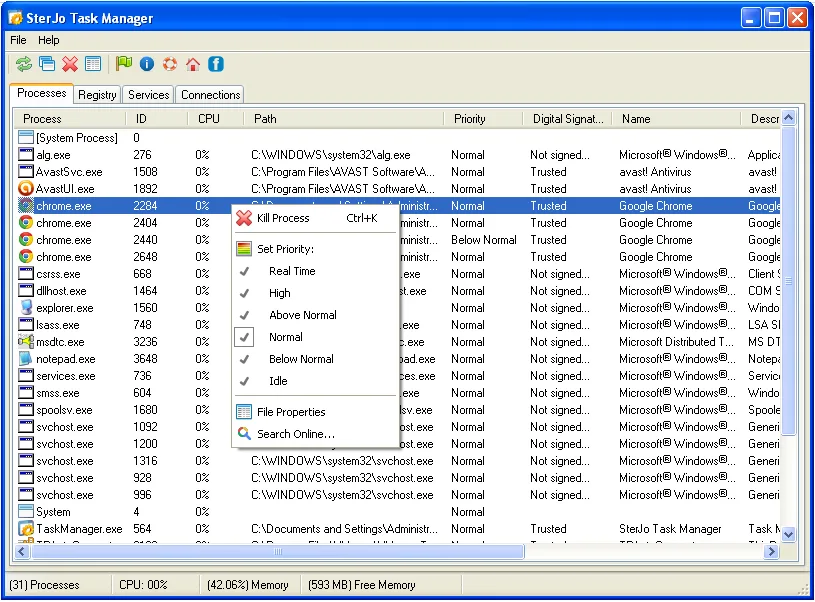
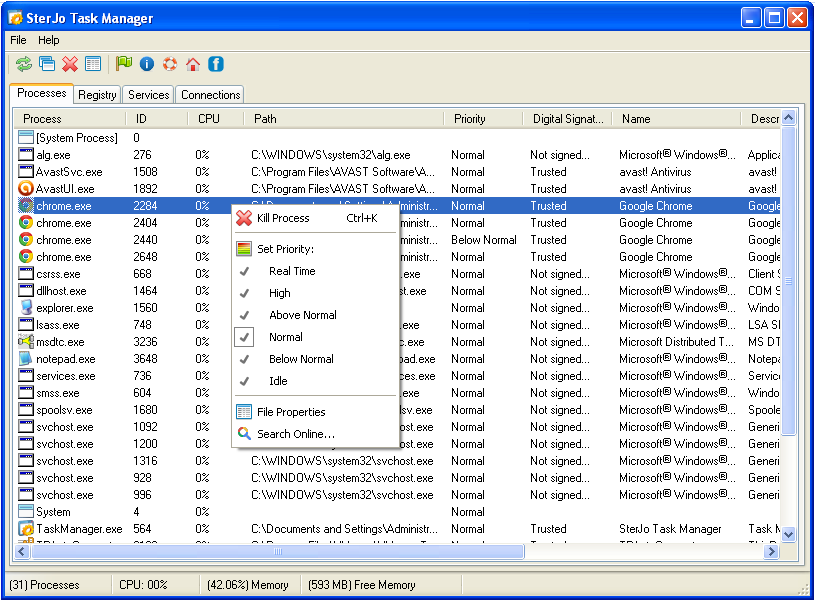
Treat its controls as system-administration tools, not an automatic PC repair. Ending critical Windows processes can cause instability or a crash. SterJo also warns that system-utility changes can be irreversible and does not guarantee a performance improvement. The publisher screenshot shows a legacy Windows interface and is an illustration of the application's controls, not evidence of its appearance on Windows 11.
What it offers
- View running processes and command lines; change priorities, pause or terminate processes.
- Review and enable or disable Windows startup programs.
- Pause, resume or delete Windows services.
- View active TCP and UDP connections with process names, addresses and connection state.
- Use the separately offered portable edition without installation.
Good to know
- Terminating critical Windows processes can destabilize or crash the system; only stop applications you recognize as unnecessary.
- System-utility changes can be irreversible, and the publisher does not guarantee faster performance.
- The screenshot depicts a legacy Windows interface; current Windows appearance and compatibility were not tested.
Product images
Sources
References used for this listing. Retrieval dates do not indicate hands-on testing.
More in utilities
View category ↗Energy Star X 1.0.20
Apply Windows 11 Efficiency Mode to background apps with Energy Star X, an open-source tray utility with startup settings and an exclusion list.
Windows Memory Cleaner 3.0.8
Monitor RAM usage and clear selected Windows memory areas with a free portable utility offering automatic cleaning, process exclusions and a configurable hotkey.
AnVir Task Manager 9.4 (publisher-listed; installer version not inspected)
Inspect Windows processes, services and startup programs with AnVir Task Manager Free, which combines resource monitoring with delayed-startup controls.

TweakPower 2.076
Clean unwanted files, manage startup programs and change Windows settings with TweakPower, a free collection of PC maintenance and customization tools.

FreeFixer 1.19
Inspect Windows startup entries, processes and browser extensions with FreeFixer, a freeware tool for reviewing and removing potentially unwanted software.