
Utilities Windows
SterJo Wireless Passwords
Recover Wi-Fi passwords already saved on a Windows PC, view network authentication and encryption details, and export credentials with this free utility. The linked download is the portable ZIP.
- Operating system
- Windows XP, Vista, 7, 8, 10 and 11
- Architecture
- 32-bit and 64-bit Windows where applicable, as listed by the publisher
- Download package
- Portable ZIP
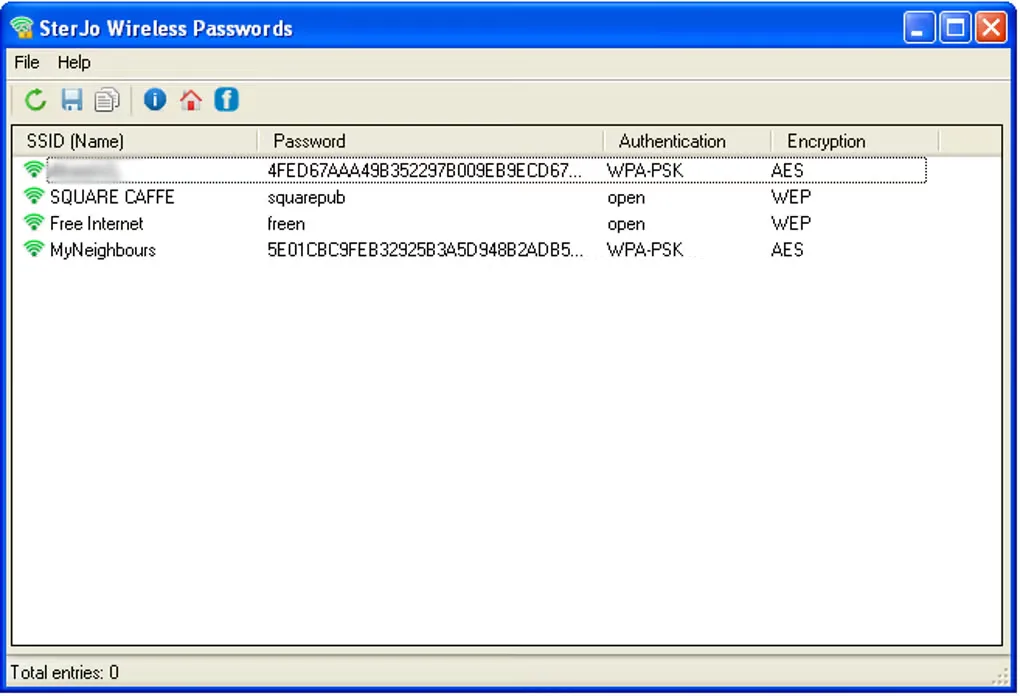
Extract the portable archive and run WiFiPasswords.exe. The publisher also offers a separate installer. Windows XP may show WPA credentials as 64 hexadecimal digits.
Link checked · Download guidance
What is SterJo Wireless Passwords?
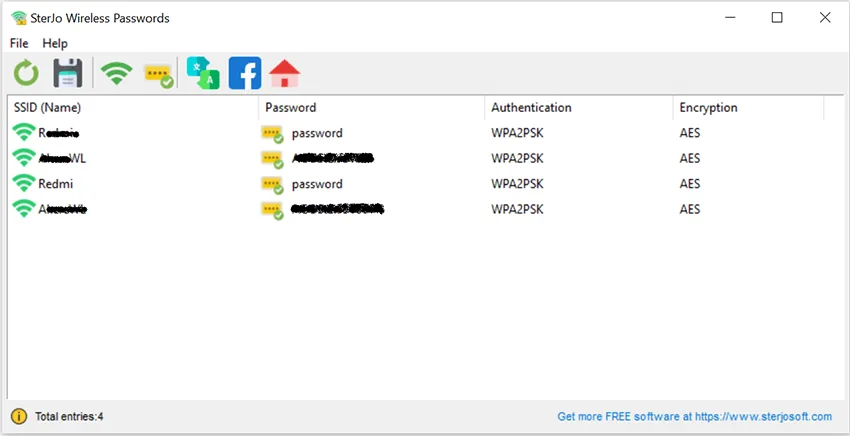
SterJo Wireless Passwords displays wireless credentials stored in Windows connection profiles. It is useful when an old PC still remembers a network password you need to enter on another device. The main window lists the network name, saved password where available, authentication type and encryption method; export options let you keep a separate record. Use it only on computers and accounts you own or are authorized to manage.
This is saved-password recovery, not Wi-Fi cracking. It cannot obtain a protected network's password merely because the access point is nearby. The Windows machine must already hold the relevant profile and credentials. If the list is empty, the publisher identifies missing saved profiles, administrator permissions and a disabled WLAN service as possible causes.
The selected publisher download is a portable ZIP. The publisher instructs users to extract it and run WiFiPasswords.exe, without installing the portable build. Windows XP has a specific limitation: WPA credentials may appear as a 64-digit hexadecimal key rather than the original passphrase. The publisher says that key can still be used to connect. Software behavior and compatibility here are publisher-documented, not independently tested.
What it offers
- Display passwords already saved in local Windows wireless profiles, including profiles for networks no longer in range.
- List SSID, saved password where available, authentication type and encryption method in one window.
- Export recovered Wi-Fi credentials to text or CSV.
- Run the portable build from an extracted folder or USB drive without installation.
Good to know
- Cannot crack nearby Wi-Fi networks or recover credentials that were never saved on the scanned computer.
- On Windows XP, a saved WPA credential may be displayed as a 64-digit hexadecimal key instead of the original passphrase.
- An empty list may reflect missing saved profiles, insufficient administrator permissions or a disabled Windows WLAN service, according to the publisher.
Product images
Sources
References used for this listing. Retrieval dates do not indicate hands-on testing.
More in utilities
View category ↗CommView for WiFi 7.5 Build 977
Capture and inspect wireless packets, access points and channel activity on Windows with CommView for WiFi. A compatible Wi-Fi adapter and its supplied monitoring driver are required.

MyPublicWiFi 31.3
Share a Windows PC’s internet connection as a Wi-Fi hotspot, with guest login options, bandwidth controls and network access rules.
Elcomsoft Wireless Security Auditor 7.51.876
Audit WPA/WPA2-PSK password strength on authorized Wi-Fi networks with GPU-assisted password checks. This commercial Windows tool offers a restricted trial; wireless capture requires the Professional edition.
SterJo Key Finder 2.0
Recover stored Windows and supported application product keys, save them to a text file, or scan an attached Windows drive before reinstalling software.

WirelessNetView 1.75
Monitor nearby Wi-Fi networks, compare signal quality and view channel and security details with WirelessNetView, a freeware Windows utility from NirSoft.