
Utilities Windows
tealdeer
Look up concise command-line examples with tealdeer, a free, open-source tldr client for Windows that caches reference pages for offline use.
- Operating system
- Windows; exact minimum version and build not established by the publisher sources read
- Architecture
- x64 (x86_64, MSVC build)
- Download package
- Standalone EXE command-line binary
Selected file is the x64 release executable, not an installer. A separate ARM64 executable is listed in the publisher-linked Scoop manifest. The manual's Linux-only static-binary wording is inconsistent with those Windows links.
Link checked · Download guidance
What is tealdeer?
tealdeer puts short, example-based command references in your terminal. Instead of reading a full manual to find a common invocation, query a command or subcommand through its tldr executable. It uses the community-maintained tldr pages and keeps a local cache, so previously downloaded reference pages can be read without a network connection. Network access is needed to refresh that cache.
The client supports language and platform selection, configurable highlighting, and your own pages or patches. Custom pages can replace an upstream reference; patches append your own examples without replacing the original. These are reference documents, not a graphical command launcher.
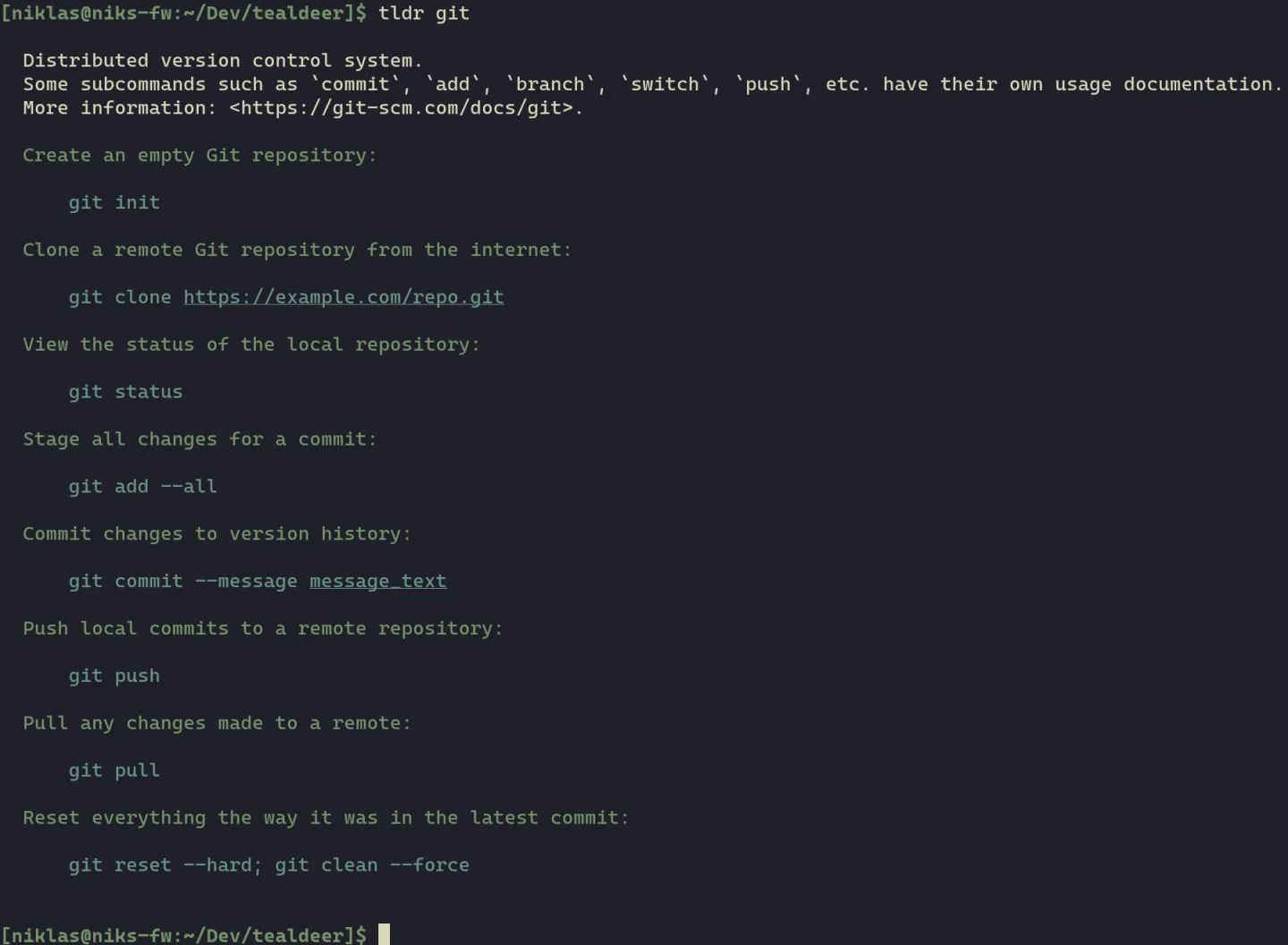
This entry links to the publisher-hosted Windows x64 executable for version 1.9.1, not an installer wizard. The publisher-linked Scoop manifest exposes that file as tldr.exe and also lists a separate ARM64 build. The official manual's static-binary section still says Linux-only, which disagrees with the concrete Windows release links and Windows build changelog. No exact minimum Windows version or build is established here. The screenshot is the publisher's Unix-style terminal illustration of tealdeer output, not a Windows installation test.
What it offers
- Read concise, community-maintained command and subcommand examples through the tldr command.
- Cache reference pages locally and refresh them with tldr --update.
- Select page languages and operating-system variants with --language and --platform.
- Add custom pages to replace references or custom patches to append personal examples.
- Adjust output colors and formatting through a TOML configuration file.
Good to know
- The built-in pager feature is not available on Windows.
- Updating the page cache requires network access; offline lookup depends on pages already present locally.
- The publisher states that its automatically generated release binaries are unsigned.
- Windows configuration paths changed in version 1.9.0 without automatic migration; existing users should use tldr --show-paths to locate the new paths before moving their configuration.
Product images
Sources
References used for this listing. Retrieval dates do not indicate hands-on testing.
- tealdeer - Download — protected passive product-page observation ↗Retrieved
- tealdeer official repository README ↗Retrieved
- Tealdeer User Manual — usage, configuration and Windows limitation ↗Retrieved
- Official tealdeer release Version 1.9.1 ↗Retrieved
- Publisher-linked Scoop Main manifest for tealdeer ↗Retrieved
- tealdeer official changelog — release date and Windows migration ↗Retrieved
More in utilities
View category ↗
CPU-Z 3.01
Identify your processor, motherboard and RAM with CPU-Z, a free Windows utility that also shows live CPU and memory frequencies.
A1 Website Download 12.0.2
Copy websites to local files for offline browsing with A1 Website Download for Windows. Filter the crawl, rewrite links for local use and keep up to 500 page URLs per website in free mode.


Czkawka 12.0
Find duplicate files, empty folders and similar media with Czkawka, a free Windows file-cleanup utility. This is the discontinued GTK interface, whose final release is 12.0.
FlexiStation Employee Client
Log work hours and attendance, add time away from your desk and request leave with FlexiStation, the free Windows employee client for an organization's FlexiServer system.
cpufetch 1.07
Display CPU details beside a processor logo in your terminal with cpufetch, an open-source command-line utility. This download is the Windows x64 executable.