
Utilities Windows
TextCrawler
Find and replace text across Windows files and folders with TextCrawler Free, using plain phrases or regular expressions and a highlighted results preview.
Version 3.1.2 · Direct publisher file
Link checked · Download guidance
What is TextCrawler?
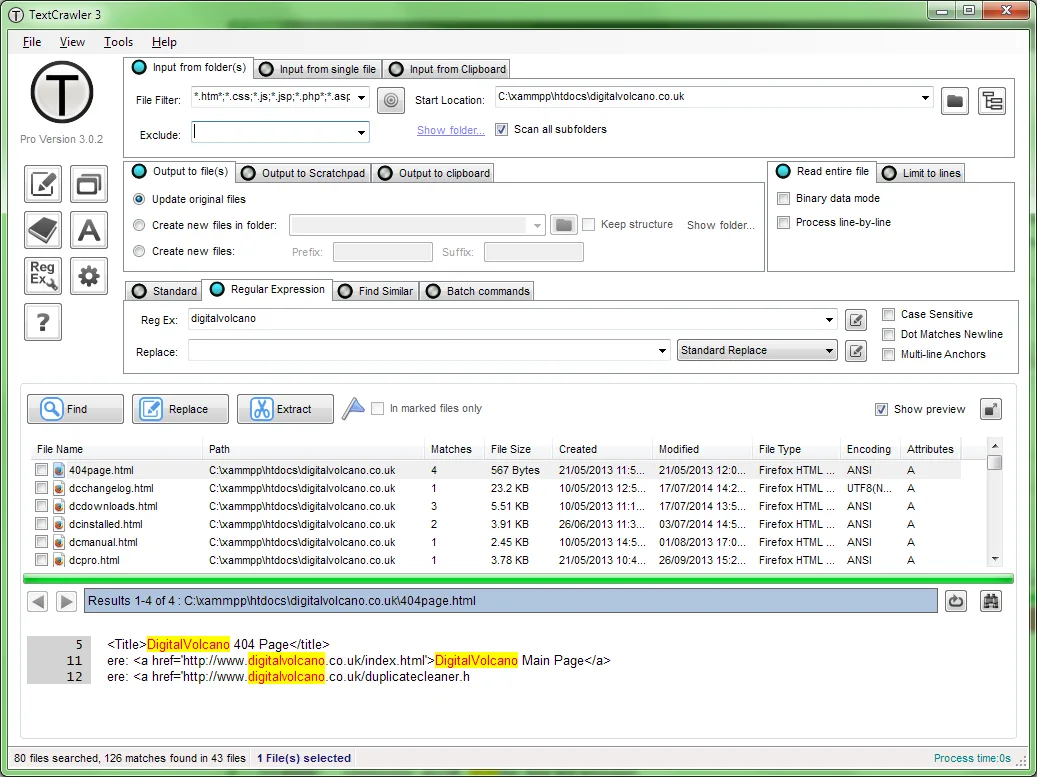
TextCrawler Free is a Windows utility for finding and replacing words or patterns across multiple text files. Choose a starting folder, enter a search phrase, and inspect the matching files and highlighted text before making replacements. Regular expressions suit searches that need more than an exact phrase, while the search library lets you retain expressions for reuse.
The publisher lists support for ANSI, UTF-8 and UTF-16 text. This is a text-file tool, not a Microsoft Word document editor: the manual warns that replacing text in binary document formats such as .doc can corrupt files. Back up important files before applying changes.
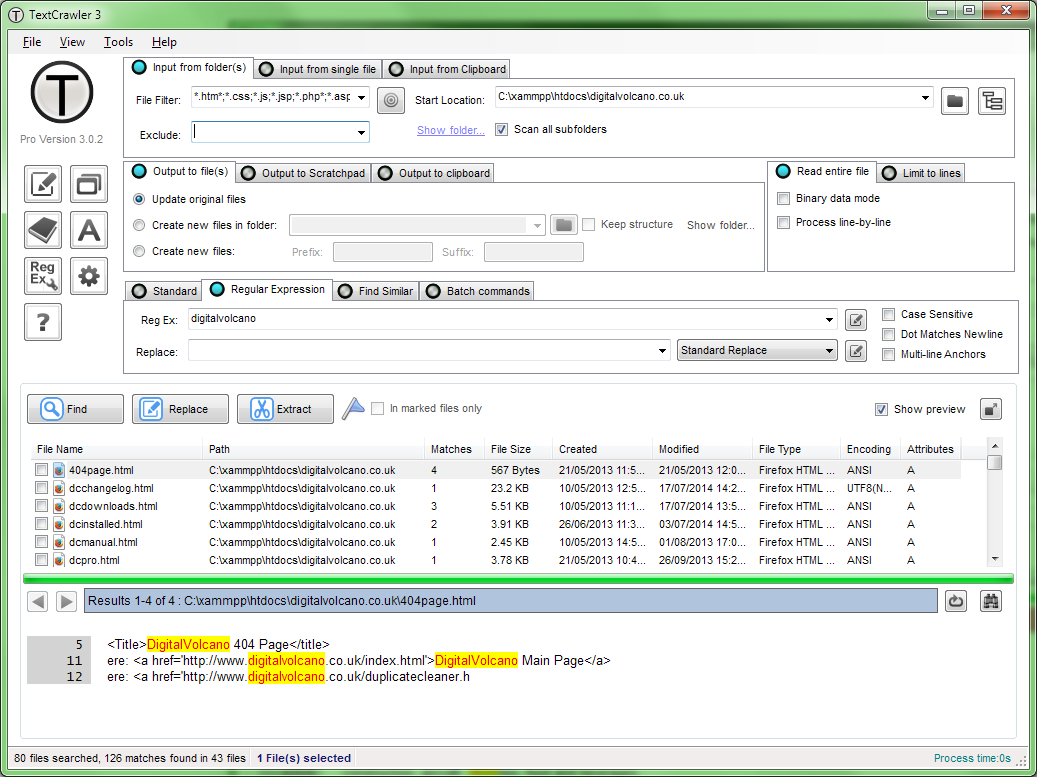
The linked installer is TextCrawler Free 3.1.2, which the publisher labels a limited version. Pro 3.1.3 is a separate 15-day trial; similar-text matching, batch mode and command-line batch operations are documented as Pro features. The screenshot illustrates the publisher’s older Pro 3.0.2 interface, not the selected Free build, so it should not be used as a promise of Free-edition controls.
What it offers
- Find and replace phrases across multiple text files and folders.
- Use standard searches or regular expressions.
- Inspect file matches and highlighted text before replacing content.
- Read ANSI, UTF-8 and UTF-16 text files.
- Store reusable searches in the expression library.
Good to know
- The Free edition is limited; similar-text matching, batch mode and command-line batch operations are documented as Pro features.
- Not intended for binary document formats such as Microsoft Word .doc; replacing text in these files risks corruption.
- Requires Microsoft .NET Framework 4.5 or later for the listed 3.1.2 package.
Product images
Sources
References used for this listing. Retrieval dates do not indicate hands-on testing.
- TextCrawler — official product features ↗Retrieved
- TextCrawler — official Free and Pro downloads ↗Retrieved
- TextCrawler manual — overview and usage ↗Retrieved
- TextCrawler manual — search mode boundaries ↗Retrieved
- TextCrawler manual — edition-specific contents ↗Retrieved
- TextCrawler manual — backup warning and historical requirements ↗Retrieved
- TextCrawler — official screenshots gallery ↗Retrieved
More in utilities
View category ↗
Text Grab 4.16.0
Copy text from screenshots, images and otherwise unselectable screen regions with Text Grab, an open-source Windows OCR utility with tools for cleaning the results.
dnGrep 5.0.65.0
Search file contents, documents and archives on Windows with dnGrep. Preview matching lines, use regular expressions and replace text in supported text files.
TED Notepad 6.4.2
Edit plain text, sort and deduplicate lines, and use regular-expression search with TED Notepad, a freeware Notepad alternative for Windows.
CSV Editor Pro 34.0
Edit, filter and clean CSV tables on Windows with CSV Editor Pro. Work across tabbed files, find duplicate rows and use regular-expression search in a paid application with a 21-day trial.
FileLocator Pro 2022 (build 3566)
Search inside documents, source code and archives on Windows with FileLocator Pro, with highlighted matches, optional indexes and a 30-day Pro trial.