
Utilities Windows
UltraFastCopy
Copy and move files on Windows with timestamp preservation, symbolic-link choices and operation history. UltraFastCopy has a free Standard edition and a paid Professional edition.
- Operating system
- Windows 7, 8, 10 and 11
- Architecture
- x64
- Download package
- EXE installer
Selected Free package: Install-UltraFastCopy-v4.7.0-x64-win7-11-FREE.exe. Professional features require a paid license.
Link checked · Download guidance
What is UltraFastCopy?
UltraFastCopy replaces Windows copy and move operations with a dedicated transfer interface. The free Standard edition supports copying and moving files, preserving date timestamps, handling symbolic links and reviewing operation history. It also identifies programs that lock a file or folder, helping explain why an operation cannot finish. The publisher lists support for Windows 7, 8, 10 and 11; this download is the Free x64 installer.
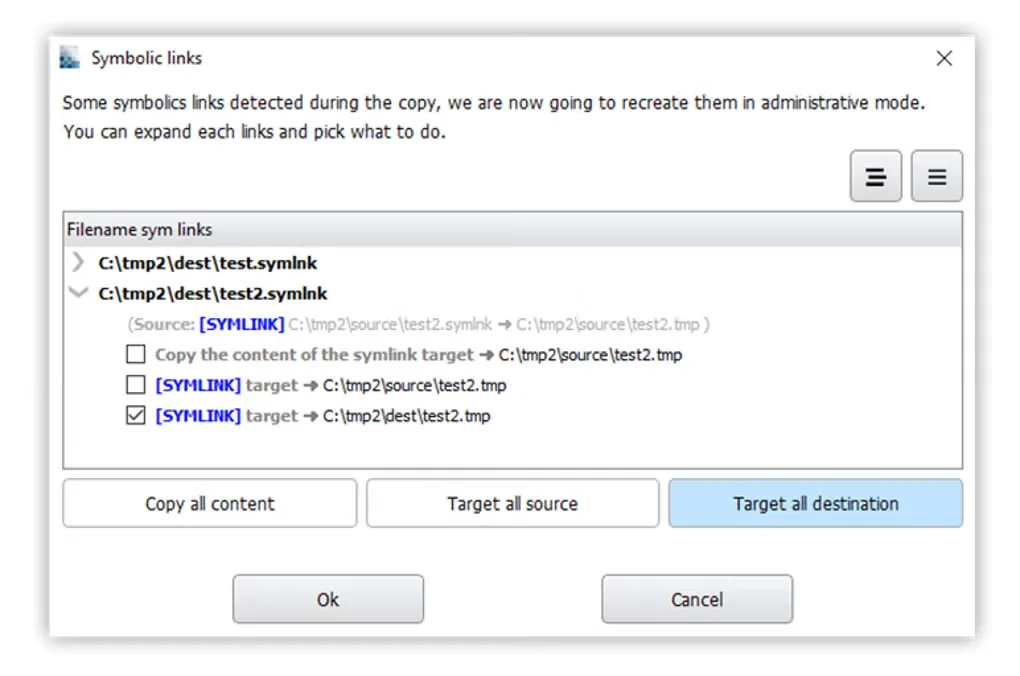
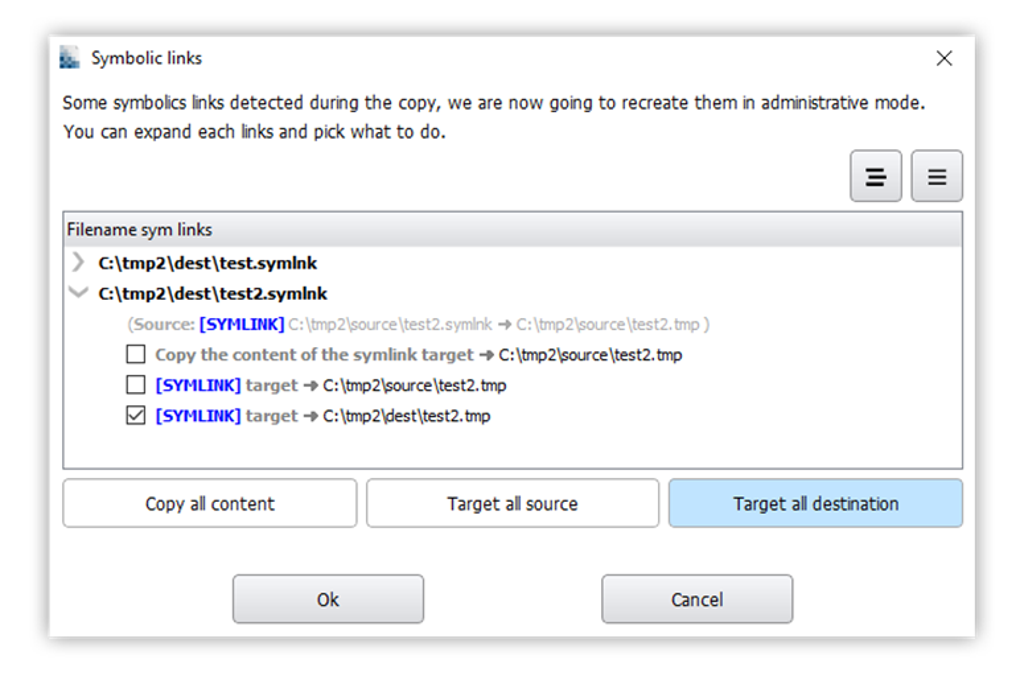
Symbolic-link handling is a useful distinction when transferring folders that contain links rather than ordinary files: the application can offer to copy the linked content, retain the source target or target the new location. Not every advertised feature belongs to the free edition. The publisher reserves post-copy verification, hash tools, move undo and secure deletion for Professional. Closing UltraFastCopy returns copy and move handling to standard Windows behavior. Publisher speed comparisons are not independent benchmarks, and no performance improvement is guaranteed here.
What it offers
- Copy and move files with a dedicated Windows transfer interface.
- Preserve file and folder date timestamps during supported operations.
- Choose how to handle symbolic links when copying or moving folders.
- Review operation history and explanations of file-operation errors.
- Identify executables that lock a file or directory.
Good to know
- Post-copy verification, hash tools, move undo, the fast Properties dialog and secure deletion require the paid Professional edition.
- Publisher speed comparisons are not independent measurements; this entry does not establish a speed advantage on your hardware.
Product images
Sources
References used for this listing. Retrieval dates do not indicate hands-on testing.
- UltraFastCopy - Download — protected browser observation ↗Retrieved
- Introduction - UltraFastCopy — official product features ↗Retrieved
- products - UltraFastCopy — official Standard and Professional comparison ↗Retrieved
- FAQ - UltraFastCopy — official supported operating systems ↗Retrieved
- Release-Notes - UltraFastCopy — official version history ↗Retrieved
- Official Free x64 acquisition endpoint — HEAD only ↗Retrieved
More in utilities
View category ↗DupeKill 1.2
Find exact duplicate files on Windows, review which copies to keep, and choose delete, recycle, move or symbolic-link actions with DupeKill.
Engineering Power Tools
Calculate beam stress, convert units and consult engineering data with Engineering Power Tools for Windows. The Standard Edition download is a 30-day evaluation; Plus modules require a separate license.
SurfOffline 2.2.0
Save web pages for offline reading with SurfOffline, a Windows website downloader with project filters and a built-in browser. A 30-day trial is available.

Hard Disk Sentinel 6.40
Monitor HDD and SSD health, temperatures and S.M.A.R.T. changes with Hard Disk Sentinel for Windows. This entry links to the publisher's Standard edition setup ZIP.
RouteConverter 3.7
Edit GPS routes, tracks and waypoints on Windows, inspect them on a map and convert between formats with RouteConverter, a free, open-source desktop tool.