
Utilities Windows
VICE
Run classic Commodore software on Windows with VICE, a free emulator collection for the C64, C128, VIC20, PET and other 8-bit machines. This download is the 64-bit SDL2 build.
- Operating system
- Windows; Softonic lists Windows 11
- Architecture
- 64-bit (win64)
- Download package
- ZIP archive (SDL2 build)
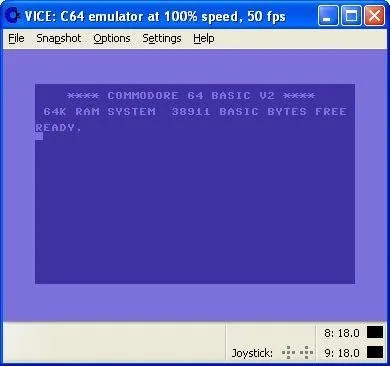
Publisher does not state an exact minimum Windows version on the download page. GTK3 is a separate build and is the publisher-recommended interface. Historical screenshot does not establish current Windows XP compatibility.
Link checked · Download guidance
What is VICE?
VICE recreates several Commodore 8-bit computers so you can work with software written for those machines on a Windows PC. Alongside the C64, it emulates the C64DTV, C128, VIC20, PET, PLUS4 and CBM-II, with a separate emulator for a C64 expanded with the CMD SuperCPU. It suits revisiting old programs and working with Commodore disk or tape images rather than emulating a modern Windows computer.
The manual describes attaching disk and tape images as virtual media, or using Autostart to reset the emulated machine and load the first program from a suitable image. D64, G64 and P64 disk images and T64 and TAP tape images are documented. T64 support is partial and read-only; the publisher recommends TAP for actual tape emulation.
The linked package is VICE 3.10 for 64-bit Windows with the SDL2 interface, supplied as a ZIP archive. The publisher also offers a GTK3 build and recommends GTK3 over SDL2. The screenshot is a historical publisher-provided Windows XP image showing the C64 BASIC startup screen, not a capture of the current SDL2 interface or evidence that version 3.10 supports Windows XP.
What it offers
- Emulate the C64, C64DTV, C128, VIC20, PET, PLUS4 and CBM-II families.
- Use a separate emulator for the C64 with CMD SuperCPU expansion.
- Attach supported disk and tape images as virtual media.
- Autostart a program from a suitable disk or tape image.
- Save and load emulator settings, or restore default settings.
Good to know
- T64 tape-image support is partial and read-only and relies on virtual device traps; the manual recommends TAP for tape emulation.
- This download uses SDL2; the publisher recommends its separate GTK3 interface instead.
- The selected archive is the 64-bit Windows build, not a 32-bit package.
Product images
Sources
References used for this listing. Retrieval dates do not indicate hands-on testing.
- VICE - the Versatile Commodore Emulator ↗Retrieved
- VICE SDL2 - Download ↗Retrieved
- VICE Manual - 4 Basic operation ↗Retrieved
- VICE download | SourceForge.net ↗Retrieved
More in utilities
View category ↗
MAME 0.289
Emulate vintage arcade machines, computers and consoles with MAME for Windows. This free preservation framework needs compatible software and ROM data supplied separately.

Stella 7.0c
Play Atari 2600 ROMs on Windows with Stella, a free, open-source emulator with a ROM launcher, save states and an integrated debugger.
FCEUX 2.6.6
Emulate NES, Famicom, FDS and Dendy software on Windows with FCEUX, an open-source emulator with debugging, Lua scripting and tool-assisted movie tools.
Mednafen 1.32.1
Emulate classic consoles on Windows with Mednafen, a command-line emulator with remappable controls, save states and game rewinding.


MesenCE 2.2.1
Emulate NES, SNES, Game Boy, Game Boy Advance and other classic consoles on Windows with MesenCE, the community-maintained continuation of Mesen 2.