
Utilities Windows
ViewCompanion Pro
View, annotate, measure and convert PDF, PLT, DWF, CGM and TIFF technical documents with ViewCompanion Pro for Windows. Includes a 30-day evaluation.
- Operating system
- Windows 7, 8, 8.1, 10 and 11; Windows Server 2008 R2, 2012, 2016, 2019, 2022 and 2025
- Architecture
- 64-bit (selected installer); separate 32-bit installer available
- Download package
- EXE installer
Operating-system support is publisher-listed, not locally tested. Autodesk Inventor IDW support requires Autodesk Apprentice Server on the same computer.
Link checked · Download guidance
What is ViewCompanion Pro?
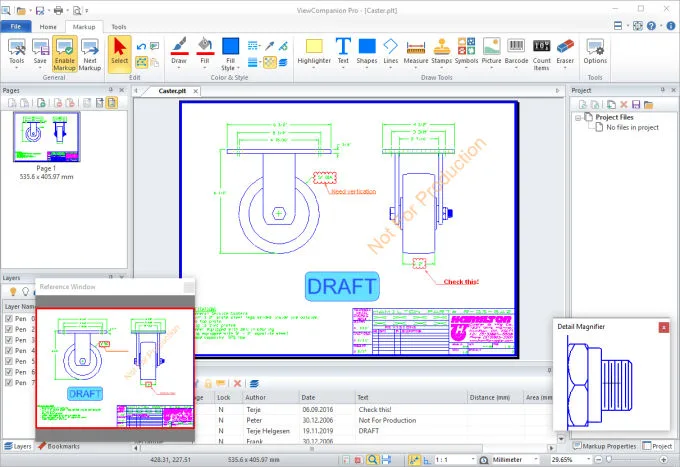
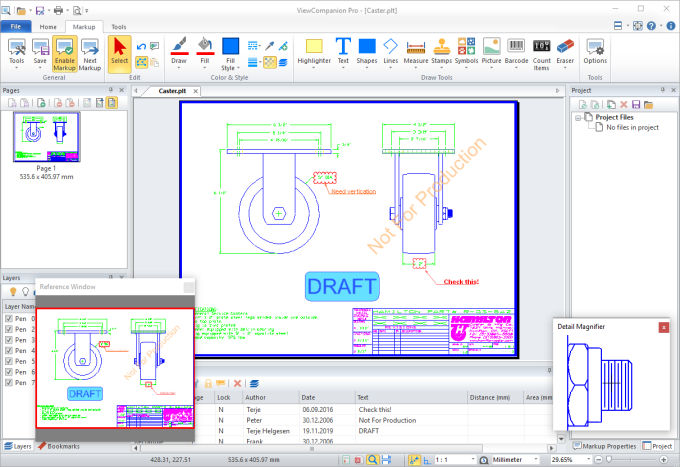
ViewCompanion Pro brings technical drawings and scanned documents into one Windows viewer. Open formats such as PDF, PLT/HPGL, DWF, CGM and TIFF, zoom into details, measure distances or areas and add review annotations. It suits reviewing drawings received in different formats, comparing revisions and preparing documents for printing or sharing.
Markup is stored in a separate file rather than changing the original document. You can choose whether to include those annotations when printing or converting. Overlay comparison highlights differences between drawing revisions, while batch conversion and printing handle groups of files. Supported output formats include PDF, PDF/A, TIFF, PNG and JPEG; vector input formats such as PLT and DWF can also be converted to DXF.
Input support does not mean every conversion is available in Pro. The publisher reserves PDF-to-vector conversion, including PDF to DXF or DWG, for ViewCompanion Premium. Pro is commercial software: the fully functional evaluation lasts 30 days, after which continued use requires a purchased license.
What it offers
- View PDF, DWF/DWFx 2D, PLT/HPGL, CGM, TIFF and other supported technical file formats.
- Add text, stamps, shapes and measurements; store markup separately from the original file.
- Measure distance and area with calibration and snap-to-geometry tools.
- Compare drawing revisions using color-coded overlay highlighting.
- Batch convert or print documents, merge files into a multipage PDF and convert supported vector inputs to DXF.
Good to know
- The evaluation lasts 30 days; continued use requires a purchased license.
- PDF-to-vector conversion, including PDF to DXF or DWG, requires ViewCompanion Premium rather than Pro.
- Autodesk Inventor IDW support requires Autodesk Apprentice Server; additional Office-document formats depend on Microsoft Office or LibreOffice.
Product images
Sources
References used for this listing. Retrieval dates do not indicate hands-on testing.