
Utilities Windows
ViPad
Organize Windows desktop shortcuts into labelled pads or a single tabbed launcher with ViPad, a free, open-source desktop organizer.
- Operating system
- Windows 7, 8, 10 and 11, as listed by the publisher
- Architecture
- Not specified on the publisher product page
- Download package
- EXE installer
Glass requires Windows 10 or later. Compatibility is publisher-reported; the application was not installed or tested.
Link checked · Download guidance
What is ViPad?
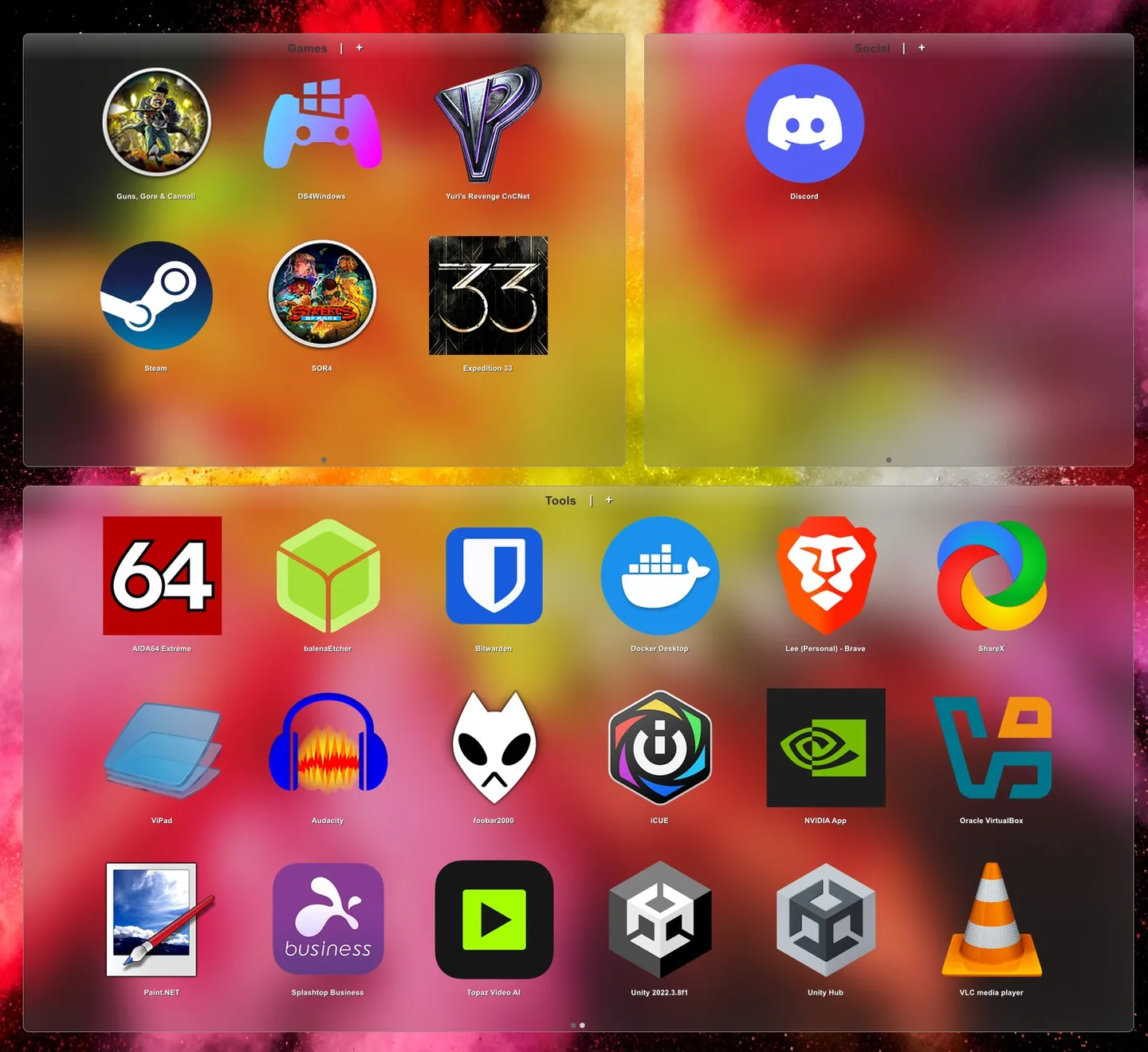
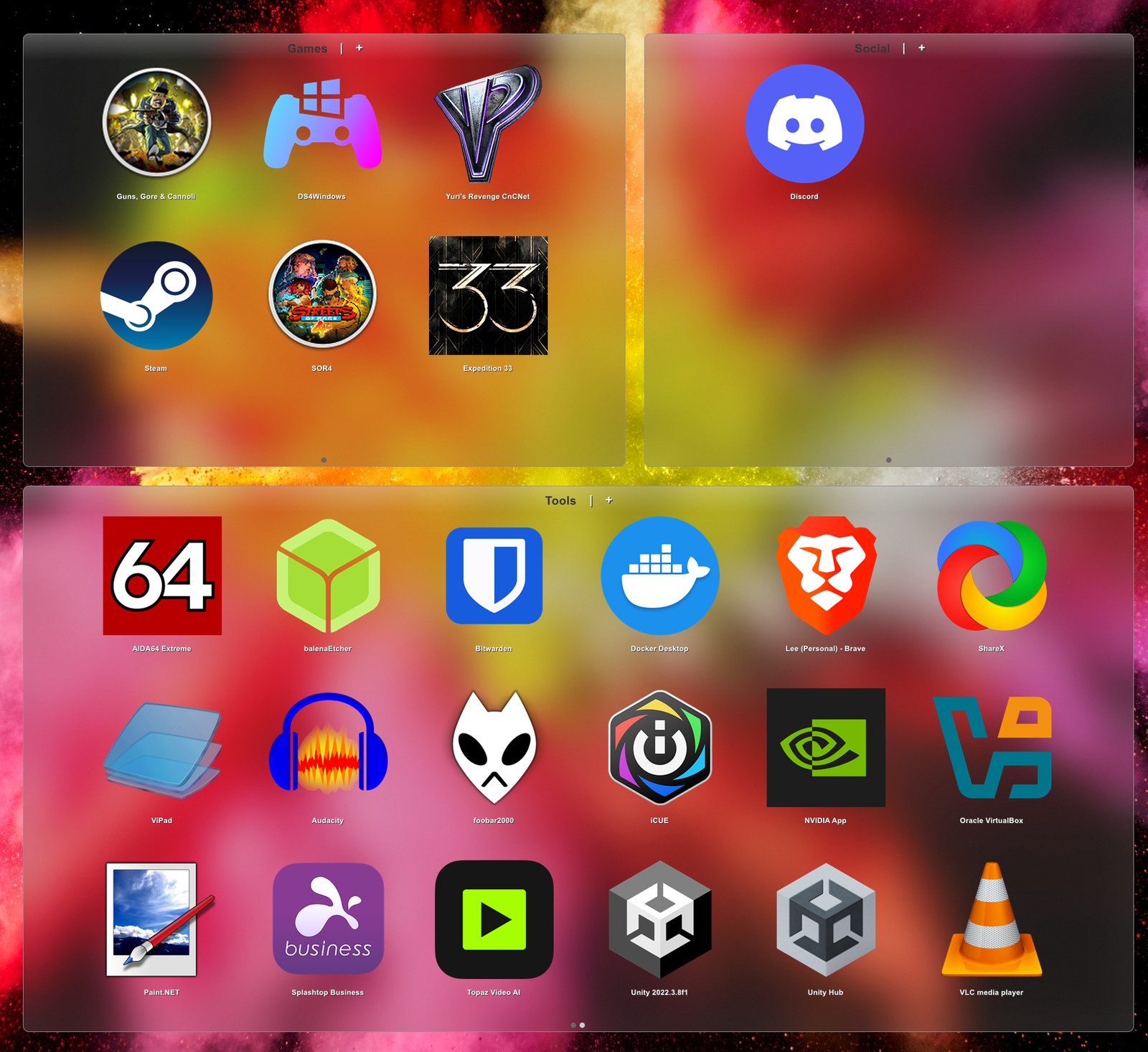
ViPad groups shortcuts into named panels on your Windows desktop. Use separate pads for categories such as work and games, keep everything in one tabbed panel, or combine both arrangements. Pads can hold app shortcuts, files, folders and web links, with search that filters items as you type and additional pages when a pad fills up.
To bring existing shortcuts into a pad, right-click it and choose Add Desktop Shortcuts; the publisher says this skips items already present. Hide Desktop hides the underlying desktop icons so the pads become the visible way to access them. Optional snap-to-grid and adjustable icon sizes help arrange the panels.
Build 2.0.0.44 is listed for Windows 7, 8, 10 and 11, but its glass effect needs Windows 10 or later. ViPad is not a full replacement for every desktop-organizing feature: the publisher explicitly lists automatic sorting rules, desktop double-click roll-away and layout snapshot/restore as missing. Choose it for manually organized groups and tabbed access, rather than automatic filing or saved desktop layouts.
What it offers
- Arrange named pads across the desktop, use a single tabbed panel, or combine both layouts.
- Import existing desktop shortcuts with Add Desktop Shortcuts, skipping duplicates according to the publisher.
- Keep app shortcuts, files, folders and web links together; filter items with live keyword search.
- Hide underlying desktop icons and use tabs and automatic pagination inside pads.
- Adjust icon sizes, snap pads to a configurable grid and customize supported glass effects.
Good to know
- Glass effects require Windows 10 or later, even though the publisher lists the application for Windows 7 and 8 too.
- No automatic sorting rules for newly appearing items.
- No desktop double-click roll-away or desktop-layout snapshot and restore.
Product images
Sources
References used for this listing. Retrieval dates do not indicate hands-on testing.
More in utilities
View category ↗Mouse Manager 3.1
Assign keyboard commands to mouse buttons 4 and 5 with Mouse Manager, a free Windows utility with switchable button profiles.
DOSBox Game Launcher 0.99
Organize DOS games into profiles, choose DOSBox settings per title and launch your collection from a graphical Windows frontend. DOSBox Game Launcher is free and open source; Java 17 or newer (x64) is required.

Kando 3.0.1
Launch apps, open files and trigger action sequences from customizable pie menus with Kando, a free, open-source desktop launcher for Windows.
WinLaunch
Organize Windows apps, files, folders and links in a Launchpad-style grid with WinLaunch, a free, open-source application launcher.
CLaunch 4.26
Launch programs from a tabbed button panel, hotkeys or mouse actions with CLaunch, a free Windows launcher with keyword search and portable ZIP options.