
Utilities Windows
Virtual CD
Create and organize CD, DVD and Blu-ray images, mount ISO files and use virtual burners with Virtual CD for Windows. The desktop download is a 30-day trial.
- Operating system
- Windows 11, 10, 8, 7, Vista and XP (publisher-listed)
- Architecture
- 32-bit and 64-bit Windows (publisher-listed)
- Download package
- EXE installer; desktop 30-day demo
Publisher requires Windows Scripting Host 5.6 or higher and 85 MB for program installation, plus space for disc images. No specific Windows build or ARM support is established.
Link checked · Download guidance
What is Virtual CD?
Virtual CD keeps disc images on your hard drive and makes them available through virtual drives. It is intended for working with a collection of disc-based applications or media without repeatedly inserting the original discs. The publisher describes compressed copies of CDs, DVDs and Blu-ray discs, alongside image management and virtual burning.
Virtual CD 10 can create ISO images and insert ISO-compliant images as virtual CDs. Its image catalog supports grouping and subdirectories, so a larger collection can be organized rather than treated as a folder of unrelated files. Password protection and encryption are available for virtual CDs.
The linked EXE is the desktop Virtual CD 10.7.0.0 demo, not the Terminalserver, Fileserver or Network Management Server edition. It runs as a 30-day trial and does not accept a license key. Purchasing provides a separate full-version download; the publisher says the trial does not need to be uninstalled before installing that full version.
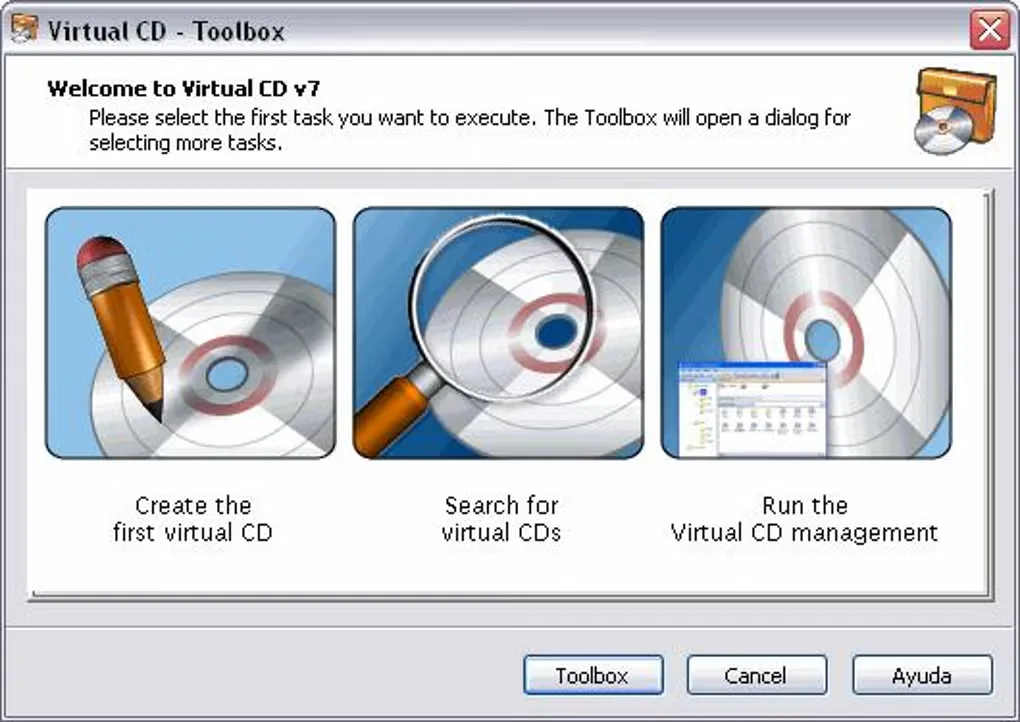
The screenshot is a historical Virtual CD v7 Toolbox view from the Softonic gallery. It shows the create, search and management entry points, not the revised Virtual CD 10 ribbon interface.
What it offers
- Create disc images from CDs, DVDs and Blu-ray media for use through virtual drives.
- Create ISO images and insert ISO-compliant image files as virtual CDs.
- Group images, arrange them in subdirectories and catalog physical or virtual data and audio CDs.
- Use virtual burners and burn virtual CDs or ISO images.
- Protect virtual CDs with passwords and encryption.
Good to know
- The desktop demo is limited to 30 days and cannot be activated by entering a license key; purchase supplies a separate full-version download.
- Disc images need storage space in addition to the program installation. The publisher lists Windows Scripting Host 5.6 or higher as a requirement.
- The supplied screenshot depicts the older Virtual CD v7 Toolbox, not the Virtual CD 10 interface.
Product images
Sources
References used for this listing. Retrieval dates do not indicate hands-on testing.
- Virtual CD - Download ↗Retrieved
- The Virtual CD download area ↗Retrieved
- Virtual CD v10 — Feature compare ↗Retrieved
- Virtual CD — The original for your PC (retained publisher observation) ↗Retrieved
- Virtual CD 10 — What is new? ↗Retrieved
More in utilities
View category ↗
WinCDEmu 4.1
Mount ISO and other optical-disc images as virtual drives in Windows Explorer, or create ISO images, with the free, open-source WinCDEmu utility.
PowerISO 9.5
Create, edit, extract and mount disc images, burn CDs, DVDs and Blu-ray discs, or make bootable USB drives with PowerISO for Windows. The free trial limits image creation and editing to 300 MB.
Pismo File Mount build 24X
Mount ZIP archives and ISO images as virtual folders with Pismo File Mount, a free Windows utility with Explorer integration and encrypted Private Folders.

SoftPerfect RAM Disk 26.10
Create RAM-backed drives for temporary files, browser caches or build output with SoftPerfect RAM Disk for Windows. A fully featured 30-day trial is available.
R-Drive Image 7.3 build 7314
Back up Windows disks and partitions as image files, clone a drive, or recover files from an existing image with R-Drive Image. A fully functional 30-day trial is available.