
Utilities Windows
Virtual Radar Server
Plot aircraft from a compatible Mode-S receiver on a browser map with Virtual Radar Server, an open-source Windows application that runs a local web server.
- Operating system
- Windows 11, 10, 8, 7, Vista and XP, as listed by the publisher
- Architecture
- 32-bit (x86); separate 64-bit installer available
- Download package
- EXE installer
Publisher-listed compatibility, not independently tested. This is the standard v2 package, not a v3 preview. The 64-bit build cannot load 32-bit third-party libraries.
Link checked · Download guidance
What is Virtual Radar Server?
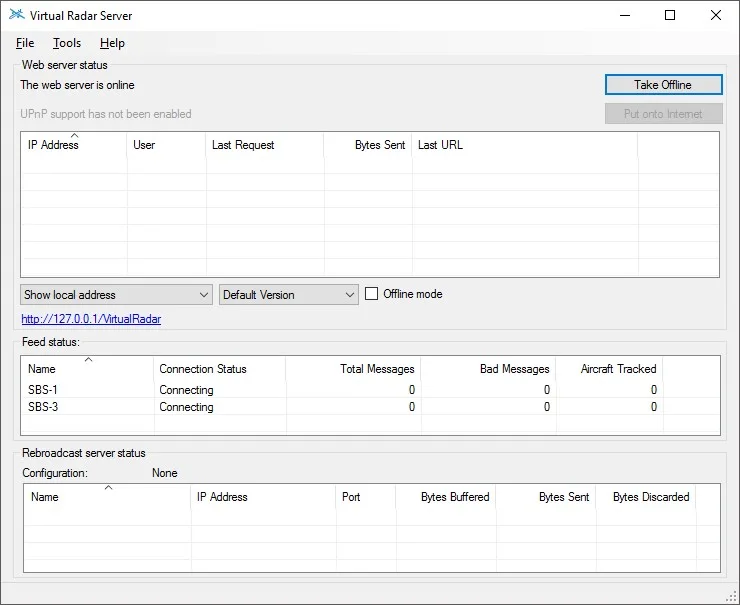
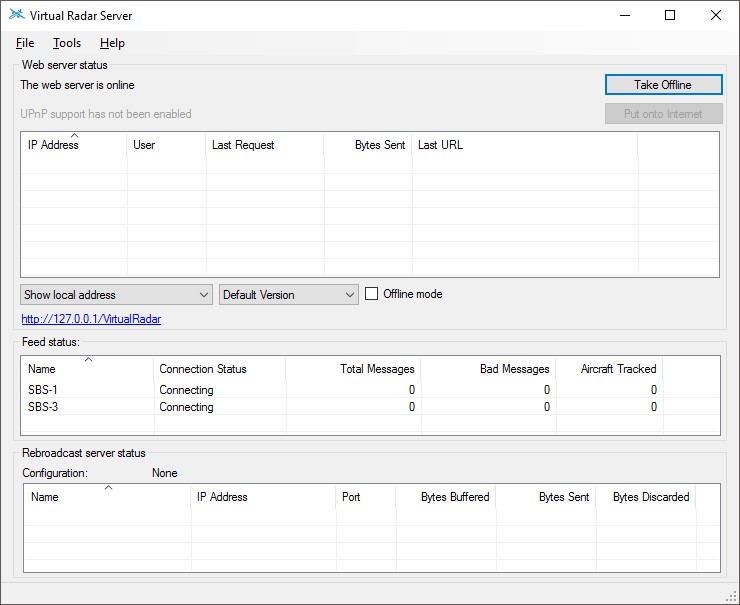
Virtual Radar Server turns aircraft messages from a compatible receiver or SDR into a map you can open in a browser. The Windows application runs the web server locally and provides a status window for incoming feeds, browser connections and rebroadcast servers. It is useful for plane spotting with your own receiver rather than as a ready-made worldwide flight-tracking service.
Configure the program through Tools | Options, then use the address link in the main window to open the browser view. Receiver support includes Kinetic text and SBS-3 binary messages, AVR formats and Mode-S Beast binary messages. The server can also merge feeds and rebroadcast received messages. Real-aircraft tracking requires a suitable Mode-S receiver or compatible data feed; installing the program alone does not supply aircraft positions. Closing the status window shuts the server down.
This entry links to the publisher's standard 32-bit Windows installer in the version 2.4.4 release section, dated 20 December 2019. A separate 64-bit installer is available, but the publisher recommends the 32-bit version for most Windows users because 64-bit builds cannot load 32-bit third-party libraries. Version 2 can also display aircraft from Flight Simulator X with the 32-bit build or XPlane 10+. Microsoft Flight Simulator 2020 requires the separate v3 64-bit development build, not this stable v2 package.
What it offers
- Display aircraft positions on a map served to a modern web browser.
- Accept Kinetic text, SBS-3 binary, AVR and Mode-S Beast binary receiver messages.
- Monitor receiver connection state, message counts, browser requests and rebroadcast connections in the Windows status window.
- Merge incoming feeds and rebroadcast received messages to other servers or decoders.
- Use the 32-bit v2 build with Flight Simulator X, or connect v2 to XPlane 10+, without a Mode-S receiver.
Good to know
- Real-aircraft tracking needs a compatible Mode-S receiver or data feed; the software does not provide aircraft positions by itself.
- The selected stable v2 package does not support Microsoft Flight Simulator 2020; the publisher requires the v3 64-bit development build for that simulator.
- Closing the main status window stops the server. Simulator connections also end when their connection dialog is closed.
Product images
Sources
References used for this listing. Retrieval dates do not indicate hands-on testing.
- Home - Virtual Radar Server ↗Retrieved
- Download - Virtual Radar Server ↗Retrieved
- Flight Sims - Virtual Radar Server ↗Retrieved
- Virtual Radar Server documentation - Main Screen ↗Retrieved
- Virtual Radar Server documentation - Server Options ↗Retrieved
- Virtual Radar Server - Source Code License ↗Retrieved