
Utilities Windows
VRCFaceTracking.Avalonia
Connect supported face and eye tracking modules to VRChat avatars with an Avalonia-based VRCFaceTracking client for Windows.
- Operating system
- Windows; Softonic lists Windows 11
- Architecture
- x64, as targeted by the release-tagged Windows packaging script
- Download package
- EXE installer
The tagged packaging script targets net8.0-windows10.0.17763.0; this is a build target, not independent confirmation of a minimum supported Windows build. The README warns a desktop .NET runtime may be requested.
Link checked · Download guidance
What is VRCFaceTracking.Avalonia?
VRCFaceTracking.Avalonia is a cross-platform version of VRCFaceTracking with an Avalonia interface. On Windows, it gives VRChat users a place to manage tracking modules and monitor OSC and avatar status. The publisher lists Windows-compatible modules for setups including SteamLink, Meta Quest Link, Virtual Desktop, Project Babble and ETVR; choose the module that matches your tracking source rather than treating them as interchangeable.
The linked Windows installer is version 1.1.1.0, the non-prerelease Module Management release published on September 20, 2025. Its release notes describe installed-module management, module drag and drop, a module-folder button and a button for opening the logging directory. This card does not substitute the separately listed version 2 beta for that stable package.
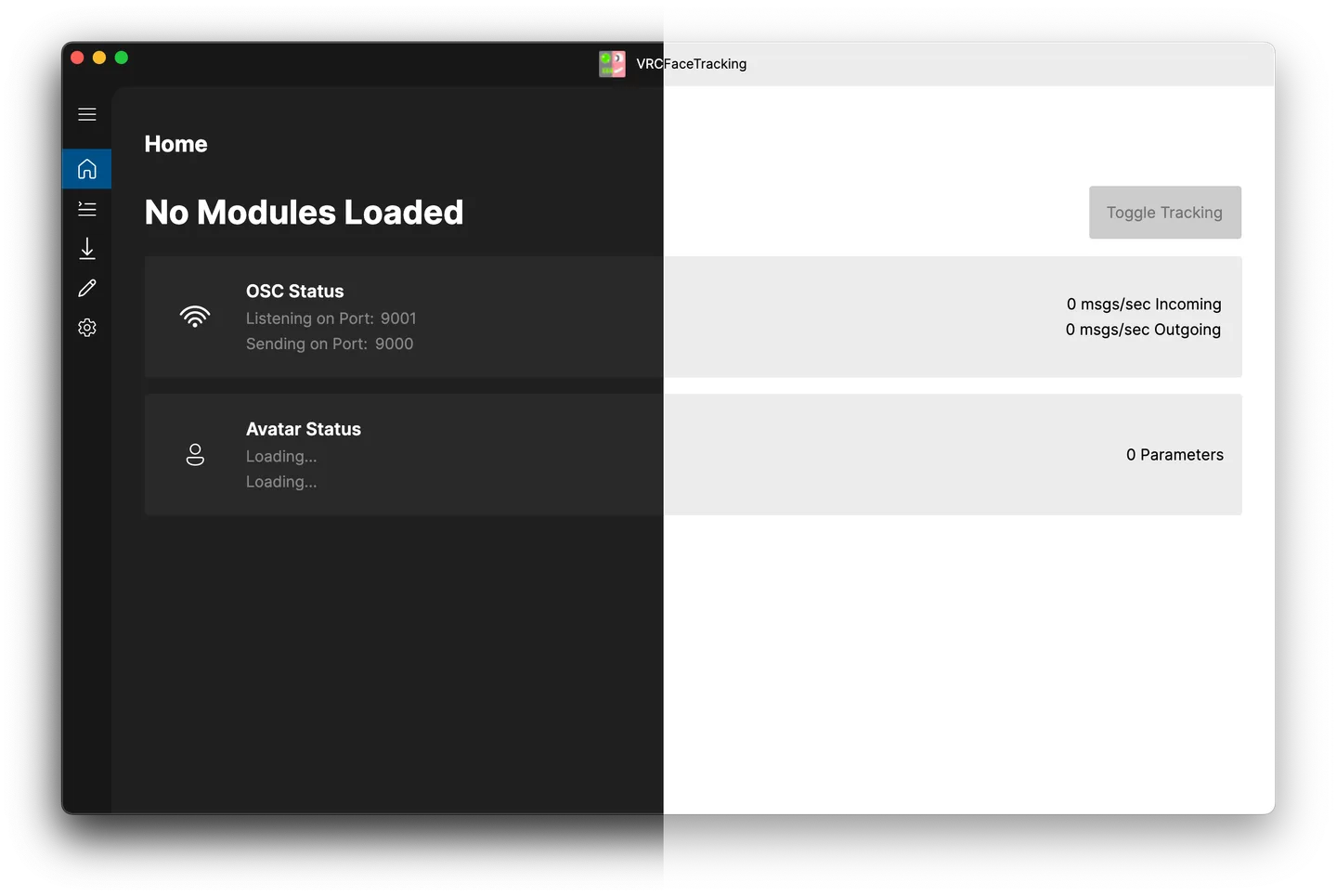
Check module compatibility before installing. The client does not remove the need for a compatible tracking source and its module, and the Windows installation instructions warn that the desktop .NET runtime may be requested. The publisher image below is a cross-platform light/dark interface preview with macOS-style controls, not a screenshot captured on Windows.
What it offers
- Manage installed tracking modules through the Module Registry interface.
- Add modules with drag and drop and open the module folder from the registry view.
- Monitor OSC and avatar status in the application home view.
- Open the logging directory using the dedicated button described in the 1.1.1.0 release notes.
- Use device-specific modules listed by the publisher for supported Windows tracking setups.
Good to know
- Tracking depends on the compatibility of the selected device or data source and its VRCFaceTracking module; a cross-platform client does not make every module cross-platform.
- The Windows instructions say the desktop .NET runtime may need to be installed if prompted.
- This entry links to stable 1.1.1.0, not the separate version 2 prerelease; beta-only changes are not claimed for this installer.
Product images
Sources
References used for this listing. Retrieval dates do not indicate hands-on testing.
More in utilities
View category ↗VRCX 2026.09.16
Manage VRChat friends, favorites and invitations from your desktop with VRCX, a free, open-source companion that also records friendship history and notes.
WinPIM 18.76
Keep contacts, appointments, tasks, notes and email together with WinPIM, a Windows personal information manager with Free, Personal and Business editions.

Blink Eye 2.9.0
Schedule eye-break reminders with adjustable timers in Blink Eye for Windows. Screen-time tracking, task management and other extras are offered as premium features.

v2rayN 7.25.6
Manage proxy server profiles, subscriptions and routing on Windows with v2rayN, a free, open-source desktop client for Xray, sing-box and other cores.

Free Timer 5.3
Track countdowns on a colored clock face with Free Timer for Windows. Choose an alert sound, show the timer full screen or run separate timers side by side.