
Utilities Windows
WakeupOnStandBy
Schedule a Windows PC to wake from sleep or hibernation, run a program or open a web page, then return to a chosen power state with WakeupOnStandBy.
- Operating system
- Windows 8, 10, 11; Windows Server 2012/R2, 2016, 2019
- Architecture
- 32-bit and 64-bit Windows listed by publisher
- Download package
- ZIP archive; extract and run wosb.exe
Requires ACPI hardware support. Publisher offers a separate older Windows XP/Vista/7 build. No installation or wake behavior was tested locally.
Link checked · Download guidance
What is WakeupOnStandBy?
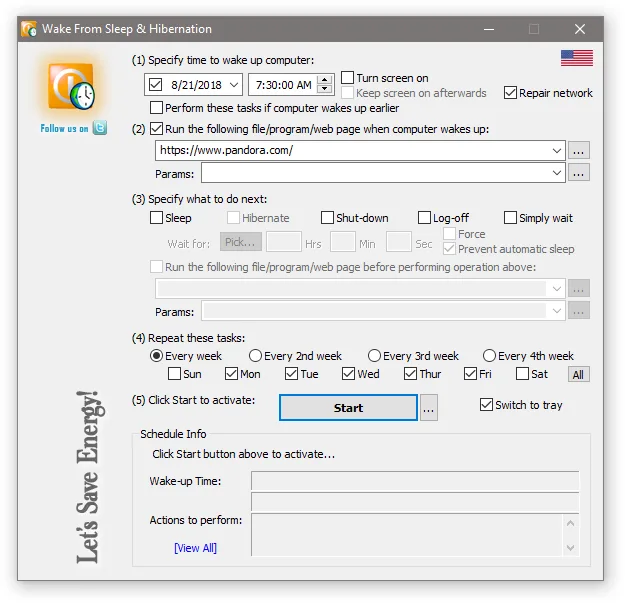
WakeupOnStandBy is a free Windows wake-up and task scheduler. It suits a PC that needs to sleep between scheduled jobs: choose a wake time, optionally specify a program, file or web page to open, and decide whether the computer should sleep, hibernate, shut down, log off or simply wait afterward. Tasks can repeat on selected weekdays, and the utility can also schedule actions while Windows is already awake.
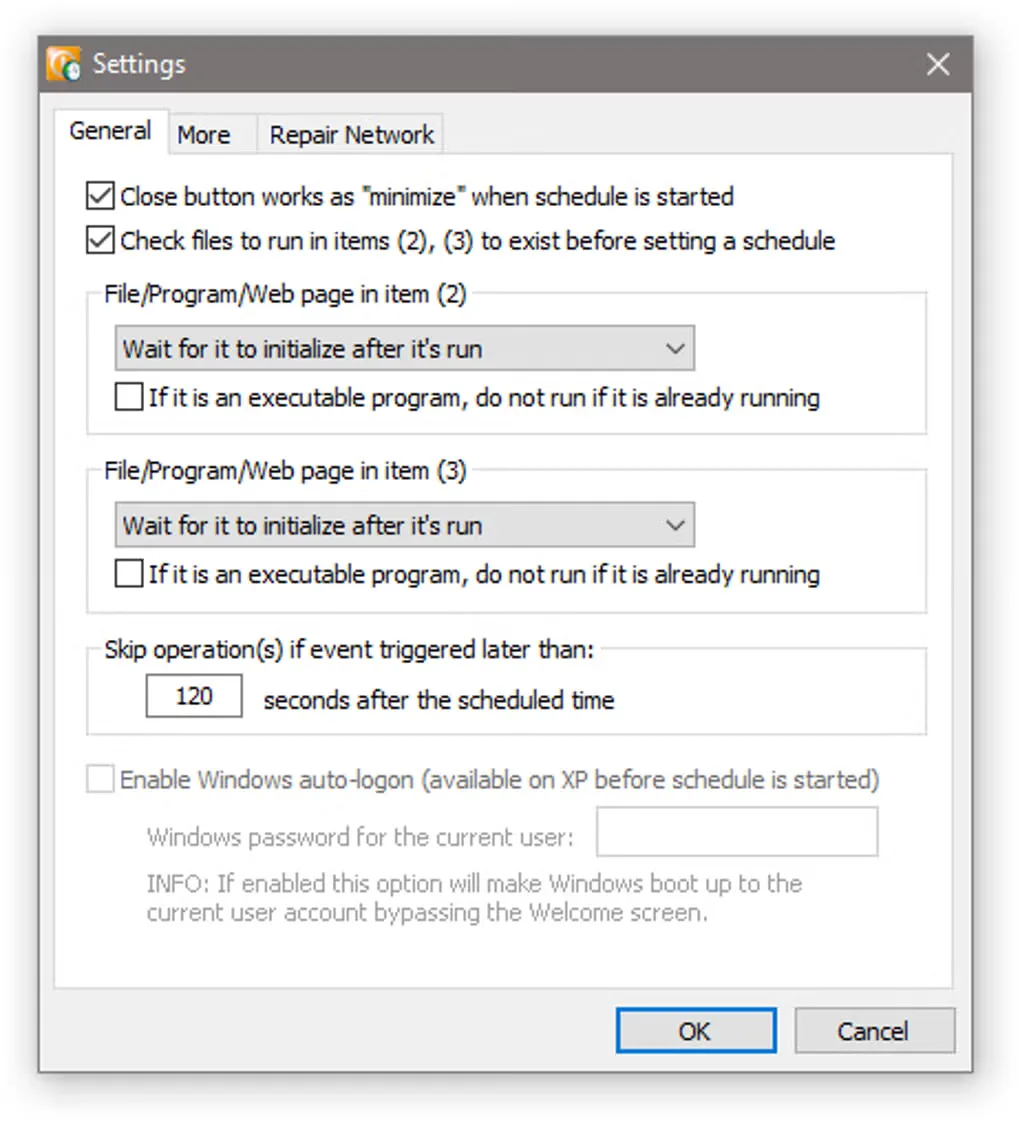
The publisher's manual describes extracting wosb.exe from the ZIP package and running it from a local folder. The main window groups wake timing, the first task, the subsequent power action, repetition and activation into five numbered sections. Command-line and batch-file support provide another way to set up the workflow.
Wake-up depends on ACPI hardware support and the power states available on the computer; it is not a promise that every PC will wake successfully. The selected build is listed for Windows 8, 10 and 11 and the specified Windows Server releases, with a separate older build for Windows XP, Vista and 7. The manual also warns that forced shutdown or logoff can lose unsaved work. These are publisher-documented capabilities and restrictions, not results of a local installation or wake test.
What it offers
- Schedule a wake event from sleep or hibernation when supported by the computer.
- Run a program, open a file or launch a web page after waking or at a scheduled time while Windows is awake.
- Choose a waiting period followed by sleep, hibernation, shutdown or logoff, or simply keep waiting.
- Repeat tasks on selected weekdays and use command-line or batch-file scheduling.
Good to know
- Requires ACPI hardware support; available sleep and hibernation wake behavior depends on the system.
- The selected build is not the separate older release offered for Windows XP, Vista and 7.
- The manual warns that forced shutdown or logoff may lose unsaved data.
- The manual says the screen-on option cannot display the user desktop in some password-protected screensaver or multiple-account configurations.
Product images
Sources
References used for this listing. Retrieval dates do not indicate hands-on testing.
More in utilities
View category ↗
Wise Auto Shutdown 2.1.2
Schedule Windows to shut down, restart, log off or sleep with Wise Auto Shutdown, a free utility with timed tasks and a five-minute reminder.
AMP WinOFF 5.0.1
Schedule Windows shutdown, restart or hibernation with AMP WinOFF, a freeware utility with timer, user-idle, CPU-load and network-activity conditions.

Don't Sleep 10.22
Keep a Windows PC awake during long tasks with Don't Sleep, a portable freeware utility that blocks selected sleep, shutdown and display actions and offers a timer.
LGTV Companion 5.7.0
Synchronize a network-connected LG WebOS TV with your Windows PC's power and idle states using LGTV Companion, a free, open-source utility.


Shutdown Timer Classic 1.3.2
Set a countdown to shut down, restart, sleep, hibernate or lock a Windows PC with Shutdown Timer Classic, a free, open-source utility.