
Utilities Windows
WiFiman Desktop
Discover UniFi devices on your local network and connect to a remote UniFi network through Teleport VPN with this free Windows utility.
- Operating system
- Windows; Windows 11 listed by Softonic
- Architecture
- x64 (AMD64)
- Download package
- EXE installer
This link selects the x64 package; ARM64 has a separate installer. The application’s exact minimum Windows build was not independently established.
Link checked · Download guidance
What is WiFiman Desktop?
WiFiman Desktop brings UniFi device discovery and Teleport VPN to a Windows PC. Use discovery to find devices and review their IP addresses and identifying information when troubleshooting a local UniFi network. For remote access, Teleport connects the PC to a UniFi network through a compatible gateway.
Teleport is not a subscription to public VPN servers: the destination is the UniFi network that grants you access. A network administrator enables Teleport and shares an invitation that WiFiman Desktop can accept. Invitations expire after 24 hours and are limited to one device at a time; administrators can revoke access.
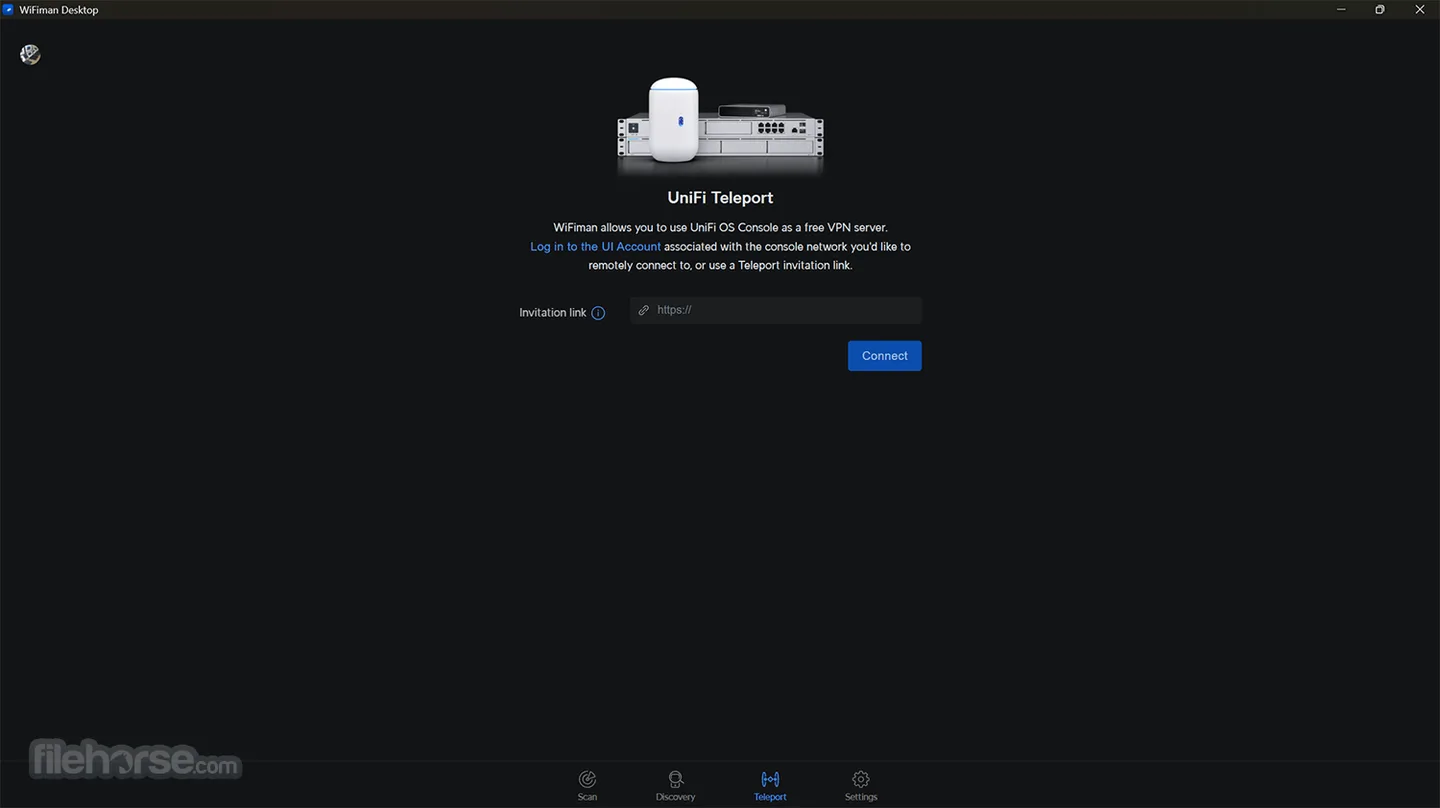
The desktop app does not include the mobile app’s speed tests, signal monitoring or floorplan mapping. This entry links to the version 1.3.0 Windows x64 EXE, not the separate ARM64 package. The screenshot illustrates an earlier desktop interface supplied by a third-party software catalog; it is not a hands-on test of this release.
What it offers
- Discover UniFi devices and inspect IP addresses and identifying information.
- Connect remotely to a UniFi network using Teleport VPN.
- Accept a Teleport invitation shared by a network administrator.
Good to know
- Desktop supports UniFi Device Discovery and Teleport VPN only; speed testing, wireless connection metrics and floorplan mapping belong to the mobile app.
- Teleport requires a compatible Next-Gen gateway or UniFi Cloud Gateway running UniFi OS and authorized access to that network.
- A Teleport invitation expires in 24 hours and can be used by only one device at a time.
- The gateway WAN needs IPv6 connectivity in some circumstances.
Product images
Sources
References used for this listing. Retrieval dates do not indicate hands-on testing.
More in utilities
View category ↗
Mailbird
Read and organize email from Gmail, Outlook, iCloud, Yahoo or IMAP in Mailbird for Windows. Free supports one account; Premium adds multiple accounts and integrations.

Nmap 7.993
Discover network hosts, inspect ports and identify services with Nmap for Windows, a network discovery and security auditing tool with the optional Zenmap graphical interface.
Slitheris Network Discovery 1.2.42
Discover network devices from Windows, inspect operating-system and device-type hints, and export scan results with Slitheris. Free use covers 50 devices; larger networks require a paid license.


TightVNC 4.0.2
Control a Windows computer over the network with TightVNC Server and Viewer. The free base version handles remote access; full session encryption requires paid Pro authorization on both computers.
USB Network Gate 11.0.2772
Share USB peripherals over a network and access them from another Windows computer. The free version shares one local device for non-commercial use; paid licenses support broader use.