
Multimedia & graphics Windows
Winlive Free
Play MIDI, KAR, MP3, CDG and video karaoke tracks with Winlive Free for Windows. Display synchronized lyrics, queue the next song and adjust key or tempo during playback.
- Operating system
- Windows 7, 8/8.1, 10 and 11, as listed by the publisher
- Architecture
- Publisher lists both 32-bit and 64-bit Windows; installer architecture not independently identified
- Download package
- EXE installer
Publisher suggests 4 GB RAM and an Intel Core i3 or higher. Its 200 MB free-space suggestion is smaller than the 324,849,312-byte installer reported by HEAD; installed size was not checked.
Link checked · Download guidance
What is Winlive Free?
Winlive Free, called Winlive Free Player by PromusicSoftware, is a Windows karaoke player for MIDI, KAR, MP3, CDG and video files. It displays synchronized lyrics contained in supported files and gives you playback controls for starting, stopping and reserving the next song. Song lists and title search help organize backing tracks for a practice session or karaoke set.
You can change tempo and key during playback, mute MIDI instruments and customize the karaoke display. The publisher also lists YouTube playback with karaoke search. These are published capabilities, not results of an installation or playback test.
The free edition is primarily a player, not a full backing-track editor. The publisher comparison lists no insertion of lyrics or chords, no physical saving of edited files and no MIDI-to-MP3 or video export. It also lists no separate double karaoke monitor for Free.
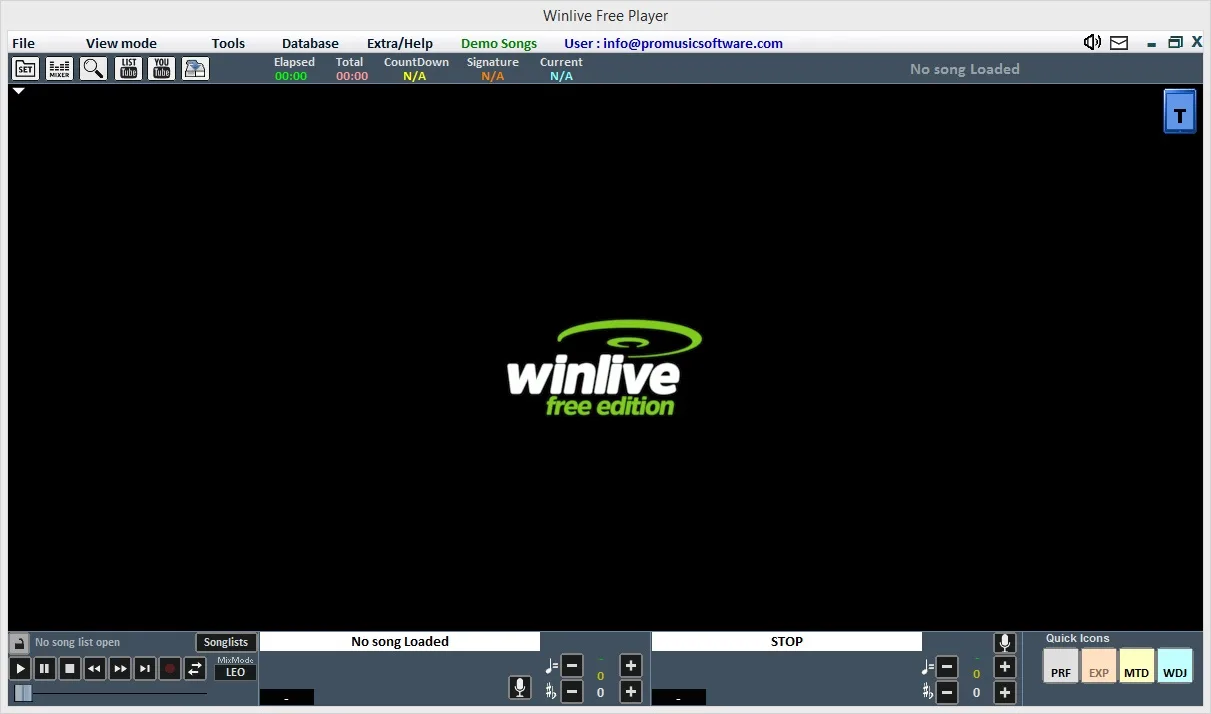
The official product page advertises series 14, while Softonic still lists 11.0.08. The exact build of the linked installer has not been established, so no precise version or release date is assigned here. The screenshots come from the publisher gallery and illustrate the interface; they do not establish the installer build.
What it offers
- Play MIDI, KAR, MP3, CDG and video karaoke files with synchronized lyrics when present in the file.
- Reserve the next song, organize song lists and search by title.
- Change tempo and key during playback and mute individual MIDI instruments.
- Customize the karaoke display and use keyboard shortcuts.
- Access the publisher-listed YouTube player and karaoke search integration.
Good to know
- The publisher comparison lists no lyric/chord insertion, physical saving of edited files, or MIDI-to-MP3/video export in Free.
- Free does not include the separate double karaoke monitor listed for paid editions in the publisher comparison.
- The exact installer build is unconfirmed: the official product page says series 14, whereas Softonic lists 11.0.08.
Product images

Sources
References used for this listing. Retrieval dates do not indicate hands-on testing.
More in multimedia & graphics
View category ↗Kanto Karaoke
Play local karaoke files, organize song queues and record vocals with Kanto Karaoke for Windows. The free edition limits playlists to five songs and recordings to one minute.
AudioRetoucher 5.6.1.0
Change a song's key or tempo with AudioRetoucher for Windows. Preview pitch and speed adjustments during playback, detect BPM and save the processed audio.

KaraFun 3.13.1
Host karaoke on Windows with song queues, adjustable vocals, key and tempo controls, and lyrics on a second screen. Full catalog access requires a subscription.


Karakan 9.6
Create MIDI karaoke files from song lyrics and an existing MIDI track with Karakan, a free Windows editor with lyric playback, automatic hyphenation and Unicode support.
OpenKara 0.19.2
Turn your own music files into karaoke tracks with OpenKara for Windows, using on-device vocal separation, synchronized lyrics and a portable library.