
Utilities Windows
WirelessMon
Inspect nearby Wi-Fi access points, compare channel usage and map signal strength with WirelessMon, a Windows diagnostic utility from PassMark offered as a paid product with a free trial.
- Operating system
- Windows 7, 10 and 11
- Architecture
- Not specified for the selected installer on the reviewed product page
- Download package
- EXE installer
Requires a compatible wireless adapter. Reported details depend on its driver; GPS is optional for mapping.
Link checked · Download guidance
What is WirelessMon?
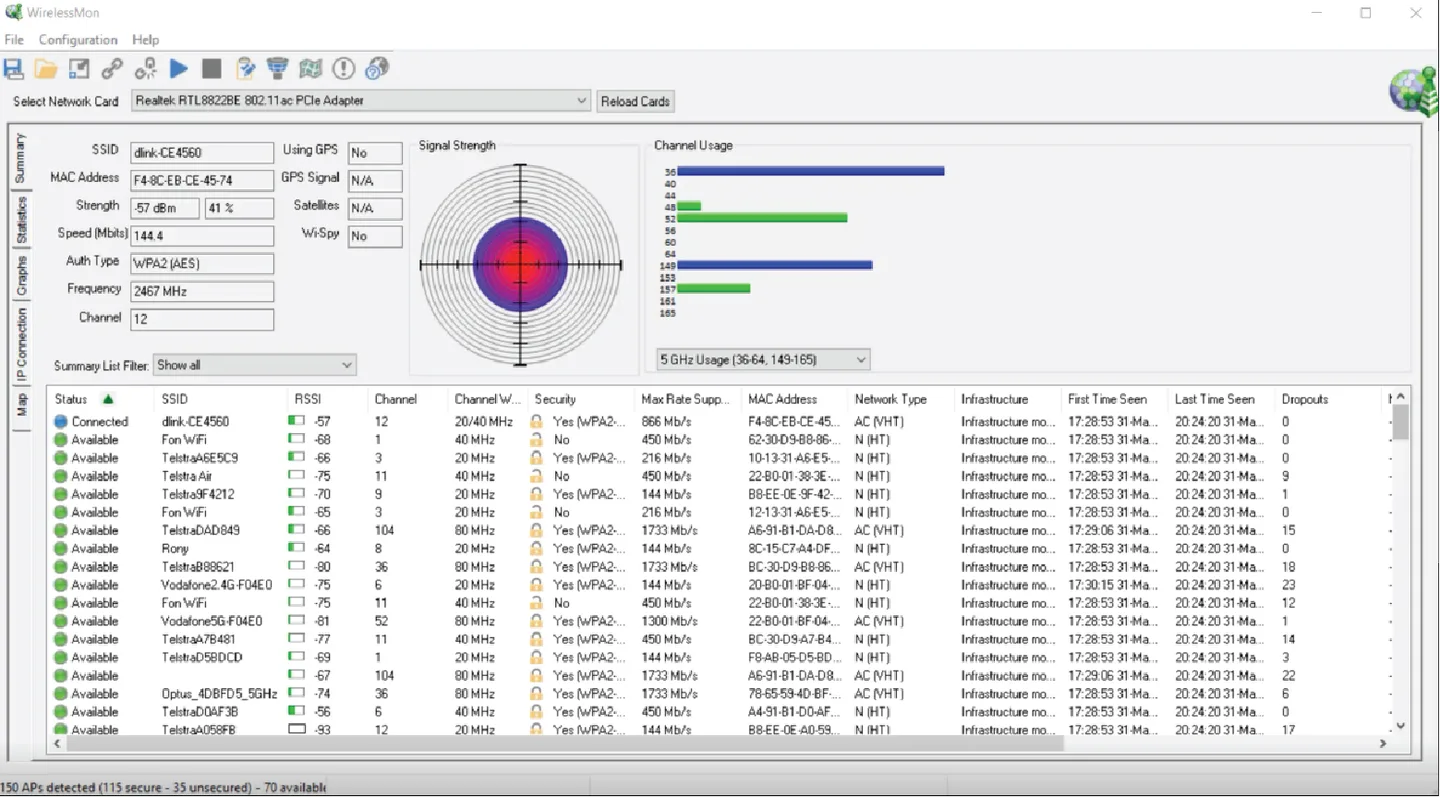
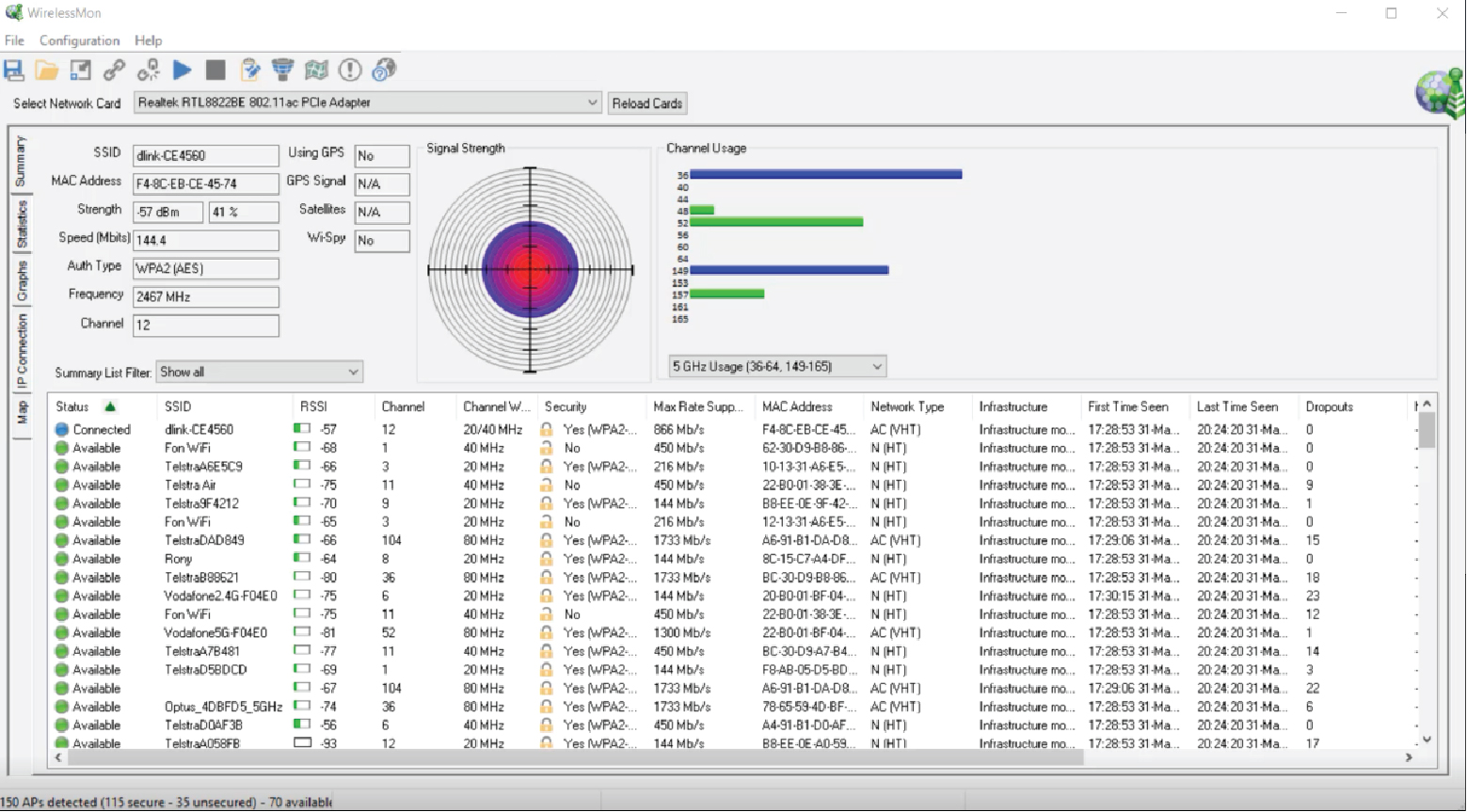
WirelessMon helps investigate weak Wi-Fi coverage and crowded channels on a Windows PC. Its access-point list brings together SSIDs, signal levels, channels, channel widths, security settings and dropout counts. Signal and channel graphs make it useful for comparing what your wireless adapter detects in different parts of a home or office.
For a coverage survey, WirelessMon can build signal-strength maps with or without a GPS device. Hexagon and contour mapping provide different views of the samples; adding the router location allows its mapping tools to estimate signal loss through obstructions. It also reports adapter and TCP/IP information and can log data for later analysis.
The results depend on the wireless adapter and driver: unsupported statistics can appear as N/A. PassMark also warns that scanning too frequently can reduce network throughput. This is commercial software with a free trial, not an unrestricted free utility. The publisher lists Windows 7, 10 and 11; its release history identifies version 5.0 build 1004, dated December 2, 2025.
What it offers
- List detected access points with signal strength, channels, channel widths, security settings and dropout counts.
- Compare channel congestion with signal and spectrum graphs, including channel widths up to 160 MHz.
- Create signal-strength maps using hexagon or contour views, with optional GPS support.
- View wireless-adapter, TCP/IP and throughput information when the driver supplies it.
- Log monitoring data, primarily in CSV format, for analysis in a spreadsheet or database.
Good to know
- Commercial software with a free trial; continued licensed use requires purchase.
- Available statistics depend on adapter and driver support; missing driver data is displayed as N/A.
- Frequent scans can reduce throughput on some adapters. PassMark advises against sample intervals below one second and suggests 2–30 seconds for most uses.
Product images
Sources
References used for this listing. Retrieval dates do not indicate hands-on testing.
- WirelessMon - Download ↗Retrieved
- PassMark WirelessMon - Wireless 802.11 WiFi monitoring software ↗Retrieved
- PassMark WirelessMon - Version History ↗Retrieved
- PassMark WirelessMon FAQ ↗Retrieved
More in utilities
View category ↗
WifiInfoView 3.00
Inspect nearby Wi-Fi networks, compare signal strength and channels, and export access-point details with NirSoft's portable Windows Wi-Fi scanner.
CommView for WiFi 7.5 Build 977
Capture and inspect wireless packets, access points and channel activity on Windows with CommView for WiFi. A compatible Wi-Fi adapter and its supplied monitoring driver are required.
NETGEAR genie 2.4.64
Manage compatible NETGEAR routers from a Windows desktop dashboard with a network map, WiFi settings and connection diagnostics. Genie is a legacy, end-of-service product.

WirelessNetView 1.75
Monitor nearby Wi-Fi networks, compare signal quality and view channel and security details with WirelessNetView, a freeware Windows utility from NirSoft.

iMyFone AnyTo
Change a connected iPhone or Android device's GPS location from Windows with iMyFone AnyTo. Choose map destinations, simulate routes or use joystick movement; full functionality requires a paid license.