
Utilities Windows
Wise JetSearch
Find files and folders by name across local and removable drives with Wise JetSearch, a free Windows search tool with wildcard matching and file previews.
- Operating system
- Windows 10 and Windows 11
- Architecture
- 32-bit and 64-bit Windows, as listed by the publisher
- Download package
- EXE installer
The publisher lists both Windows architectures; the installer has not been downloaded or executed. Preview availability follows File Explorer's supported formats.
Link checked · Download guidance
What is Wise JetSearch?
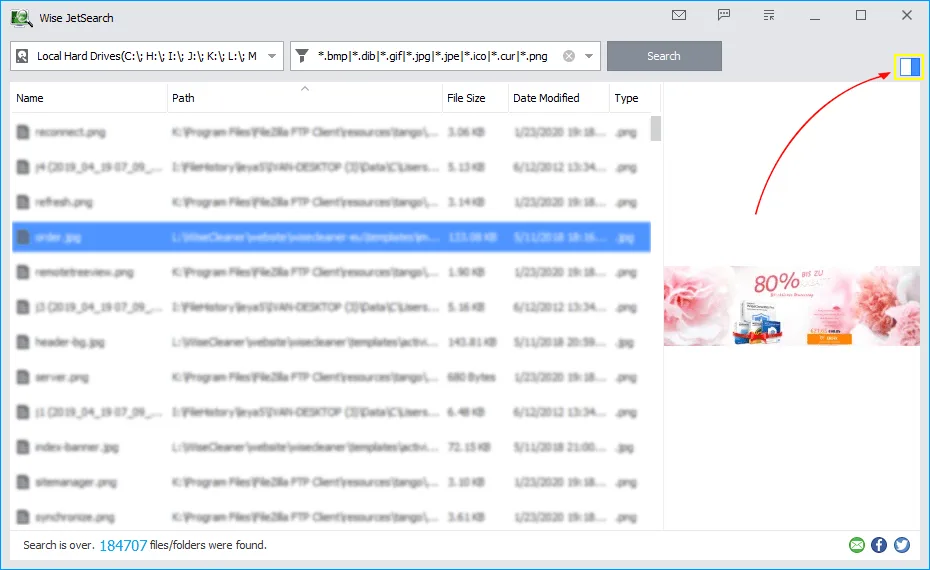
Wise JetSearch helps you locate files and folders without browsing each directory. Select the drives to search, enter part of a name and press Enter or click Search. Results show the name, path, size and last-modified date, so you can distinguish similarly named files before opening one. The publisher documents support for NTFS, FAT and exFAT drives, including removable storage.
Use * or ? wildcards when you cannot remember a complete name. A right-click menu provides file operations, while the preview pane can help identify a selected image or other supported file. Preview support depends on what Windows File Explorer can preview; it does not cover every file type. The optional Quick Search panel offers desktop access, and the program can be configured to start with Windows.
The publisher lists version 5.0.1 for Windows 10 and 11, with support for both 32-bit and 64-bit Windows. Its current feature page describes indexed searching. This entry does not claim independently measured search speeds or an index-free workflow.
What it offers
- Search file and folder names on selected local or removable drives formatted as NTFS, FAT or exFAT.
- Match incomplete names with * and ? wildcards.
- Inspect result paths, sizes and last-modified dates before choosing a file.
- Preview supported files and access file operations through the right-click menu.
- Use the optional desktop Quick Search panel and configure startup with Windows.
Good to know
- The preview pane supports file types that Windows File Explorer can preview, not every format.
- The documented workflow searches file and folder names; do not assume a name match also searches text inside documents.
Product images
Sources
References used for this listing. Retrieval dates do not indicate hands-on testing.
More in utilities
View category ↗
Wise Data Recovery 6.2.2
Recover deleted documents, photos and other files from Windows drives and removable storage with Wise Data Recovery. The free edition recovers up to 2 GB of data.
Wise Duplicate Finder 2.1.9
Find duplicate documents, photos and videos on Windows with Wise Duplicate Finder. Review matching files before deletion; automatic Keep One selection requires Pro.

Wise Disk Cleaner 11.4.0
Remove temporary files and browser traces with Wise Disk Cleaner, a free Windows cleanup utility with scheduled cleaning and drive optimization tools.

Wise Registry Cleaner 11.3.3
Scan Windows registry entries, review selected cleanup items, and manage registry backups with Wise Registry Cleaner Free. Cleaning other users' registries requires Pro.
UltraFileSearch Lite 7.9.0.26271
Find files and folders by name, contained text, date or size on Windows without background indexing. Lite is free for non-income home use and nonprofits.